
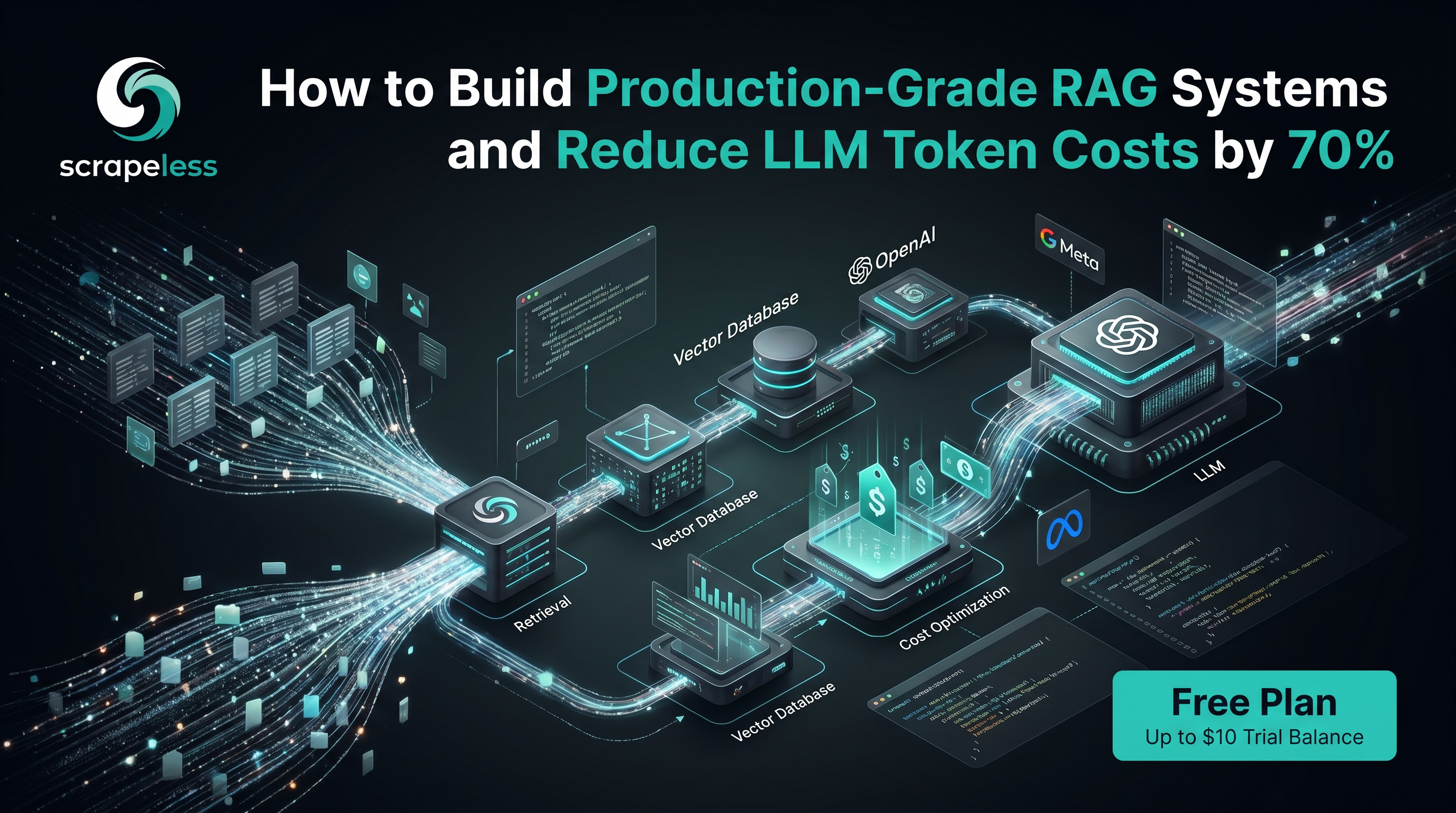
How to Build Production-Grade RAG Systems and Reduce LLM Token Costs by 70%

Advanced Bot Mitigation Engineer
TL;DR:
- Clean Markdown is the format LLMs actually want. Raw HTML is mostly navigation, scripts, ad slots, and inline styling — noise that wastes context window and degrades retrieval quality. Scrapeless
scrape_markdownreturns the readable body of a page as clean Markdown, so the text that reaches your embedding model is the text the page is about. - The pipeline is four moves: Discover → Extract → Chunk → Embed. Find the URLs that matter, render each one to clean Markdown with the cloud browser, split the Markdown into overlapping chunks sized for your model, then embed and persist into a vector database for retrieval-augmented generation.
- JavaScript-heavy pages and anti-bot walls are handled at the platform. Many high-value sources hydrate their content through client-side rendering or sit behind bot challenges. Scrapeless Scraping Browser renders the page in a real anti-detection cloud browser with residential egress, so the Markdown you get back is the fully hydrated page, not an empty shell.
- Two surfaces, one primitive. Call
scrape_markdownfrom the Scrapeless MCP server when an AI agent drives the pipeline, or mint a cloud-browser session with the Python SDK when a script owns the loop. Both front the same anti-detection cloud browser. - Stateless MCP tools prefix their payload with
Response:\n\n. When you readscrape_markdownoutput through the MCP server, strip that prefix before chunking — a one-line fix that keeps a stray header out of your corpus. - Anti-detection cloud browser, residential proxies in 195+ countries. Scrapeless Scraping Browser handles JavaScript rendering, residential-proxy egress, and fingerprint randomization (UA, timezone, WebGL, canvas) on every session, so the corpus-building script stays focused on text quality rather than evasion plumbing.
- Free to start. New Scrapeless accounts include free Scraping Browser runtime — sign up at app.scrapeless.com.
Introduction: feed your model the text, not the page chrome
A language model is only as good as the text it reads. Whether you are assembling a fine-tuning corpus, building a retrieval-augmented generation (RAG) knowledge base over your own documentation, or grounding an agent in live market data, the input stage decides the ceiling on everything downstream. Garbage in is not just garbage out — it is wasted tokens, polluted embeddings, and retrieval that surfaces a cookie banner instead of an answer.
The problem is that the modern web is built for browsers and humans, not for embedding models. A typical article page is a few thousand words of actual content wrapped in tens of thousands of characters of navigation menus, share buttons, related-post grids, comment widgets, cookie notices, tracking scripts, and inline CSS. Feed that raw HTML to an embedder and the signal drowns in markup. On top of the noise, a growing share of pages render their main content with JavaScript after the initial load, so a plain HTTP fetch returns an empty container. Others sit behind anti-bot challenges that block automated collection entirely.
This post walks through a Python workflow on top of Scrapeless Scraping Browser that turns messy public web pages into clean, chunked, embedding-ready text. The pipeline has four moves — discover the URLs, extract clean Markdown, chunk for RAG, embed into a vector database — and scrape_markdown does the heavy lifting at the extract stage by returning the readable body of any page as clean Markdown. For an agent-framework version of the same primitive, see the AI agent use-cases post.
What You Can Build
Clean-text extraction is the foundation under a wide range of LLM and RAG systems:
- RAG over your own documentation. Crawl a docs site or knowledge base to clean Markdown, chunk it, and embed it so a support agent answers from the current docs instead of a stale training cut-off.
- Fine-tuning and continued-pretraining corpora. Assemble large, deduplicated text datasets from public articles and references, with the boilerplate already stripped at collection time.
- Live-web grounding for agents. Render the pages an agent needs at query time and hand it clean Markdown, so the answer cites the page as it reads today.
- Competitive and market intelligence. Turn public product pages, blog posts, and release notes into a searchable vector index that an analyst or LLM can query.
- News and research monitoring. Ingest publisher and journal pages on a schedule, normalize to Markdown, and embed for semantic search across a moving body of sources.
- Internal semantic search. Build a private retrieval layer over public reference material your team relies on, kept fresh on a schedule.
Why Scrapeless Scraping Browser
Scrapeless Scraping Browser is a customizable, anti-detection cloud browser designed for web crawlers and AI agents. For LLM and RAG text pipelines specifically, it brings:
- Clean Markdown extraction.
scrape_markdownrenders a URL and returns the readable body as Markdown — headings, paragraphs, lists, tables, and links preserved; navigation, scripts, ad slots, and inline styling stripped. That is the format an embedding model reads best. - Cloud-side JavaScript rendering. Full Chromium hydrates the page before extraction, so single-page apps, lazy-loaded sections, and content injected after the initial request are captured rather than missed.
- Residential proxies in 195+ countries. Geo-bound pages return the content a local reader would see, and rotation is automatic on every session — the difference between a real article and a regional block page.
- Anti-detection fingerprinting on every session — UA, timezone, language, screen resolution, WebGL, and canvas are randomized per session, so high-value sources stay reachable without per-request fingerprint tuning.
- One primitive, two surfaces. The same cloud browser is reachable as an MCP tool for agent-driven pipelines and as a Python SDK session for script-driven pipelines, so the same extract step composes into either architecture.
Get your API key on the free plan at app.scrapeless.com.
Prerequisites
- Python 3.10 or newer.
- A Scrapeless account and API key — sign up at app.scrapeless.com and copy the key from Settings → API Key Management.
- An embedding-model API key if you plan to embed (the examples below use OpenAI; any embedding provider works by swapping one line).
- Basic familiarity with
pipandvenv.
The full SDK and tool reference lives at docs.scrapeless.com.
Install
There are two ways to reach the same cloud browser. Pick the one that matches who drives the pipeline — an agent or a script.
Option A — Python SDK (script-driven)
For a script that owns the discover → extract → chunk → embed loop, install the Scrapeless Python SDK plus the embedding and vector-store libraries you intend to use:
bash
python -m venv .venv
source .venv/bin/activate          # Windows: .venv\Scripts\activate
pip install scrapeless openai chromadb tiktoken
Export your API key for the current shell. The SDK reads SCRAPELESS_API_KEY from the environment automatically:
bash
export SCRAPELESS_API_KEY="your_api_token_here"
export OPENAI_API_KEY="your_openai_token_here"
Option B — MCP server (agent-driven)
For an AI agent that calls tools, run the Scrapeless MCP server. It exposes scrape_markdown, scrape_html, google_search, and a set of browser tools to any MCP-capable client:
bash
npx -y scrapeless-mcp-serverPoint your MCP client at the command and pass the API key as the SCRAPELESS_KEY environment variable in the server config. The agent can then call scrape_markdown directly.
The pipeline at a glance
Discover URLs            Extract clean text         Chunk for RAG            Embed + store
┌──────────────┐         ┌──────────────────┐       ┌──────────────┐        ┌──────────────┐
│ google_search│         │ scrape_markdown   │       │ split into    │        │ embed each    │
│ or sitemap   │  ────►   │ (cloud browser    │ ────► │ ~500–1000-tok │ ────►  │ chunk, upsert │
│ or seed list │         │  renders + cleans)│       │ overlapping   │        │ to vector DB  │
└──────────────┘         └──────────────────┘       │ chunks        │        └──────────────┘
                                                     └──────────────┘
Four stages, clean separation. Discovery decides which pages enter the corpus; extraction decides how clean the text is; chunking decides how retrievable it is; embedding makes it searchable. Scrapeless owns the first two stages — the ones where the live web fights back — and standard libraries own the last two.
Step 1 — Discover the URLs
A corpus starts with a list of URLs. Three common sources cover almost every case:
- A seed list or sitemap you already have — the simplest case; skip straight to Step 2.
- A site crawl — start from a section root and follow in-domain links to a bounded depth.
- Search discovery — when the relevant pages are not known in advance, search for them.
The Scrapeless MCP server ships a google_search tool that returns organic results as structured rows, which is a clean way to discover source URLs for a topic. Each row carries position, title, link, snippet, and source:
python
# (MCP tool args are camelCase; this illustrates the returned shape)
results = [
    {"position": 1, "title": "Retrieval-Augmented Generation, explained",
     "link": "https://example.com/guides/rag-explained", "source": "example.com"},
    {"position": 2, "title": "Chunking strategies for RAG",
     "link": "https://example.com/blog/chunking-strategies", "source": "example.com"},
    # ...
]

urls = [row["link"] for row in results]
Keep the discovery stage honest: deduplicate URLs, drop off-topic domains, and cap the count before you spend any per-page render budget. A focused 200-URL corpus retrieves better than a noisy 2,000-URL one.
Step 2 — Extract clean Markdown with scrape_markdown
This is the stage that decides corpus quality. scrape_markdown renders the URL in the anti-detection cloud browser — JavaScript runs, the page hydrates, residential egress keeps the content reachable — and returns the readable body as clean Markdown. Headings stay headings, lists stay lists, tables stay tables, and everything that is not content gets stripped.
Agent-driven (MCP)
When an agent calls the tool, it receives the Markdown as the tool result. One detail matters for corpus hygiene: stateless MCP tools prefix their text payload with Response:\n\n. Strip that header before the text enters your corpus, or it lands at the top of your first chunk:
python
# clean_mcp_payload.py — normalize an MCP tool result before chunking
PREFIX = "Response:\n\n"

def clean_markdown(tool_result: str) -> str:
    """Strip the stateless-tool 'Response:' prefix from an MCP scrape_markdown result."""
    if tool_result.startswith(PREFIX):
        tool_result = tool_result[len(PREFIX):]
    return tool_result.strip()
Script-driven (Python SDK)
When a script owns the loop, mint a cloud-browser session with the SDK and render each URL. The SDK reads SCRAPELESS_API_KEY from the environment; proxy_country pins residential egress (snake_case on the SDK):
python
# extract.py — render each discovered URL to clean Markdown
from scrapeless import Scrapeless
from scrapeless.types import ICreateBrowser

client = Scrapeless()  # reads SCRAPELESS_API_KEY
session = client.browser.create(
    ICreateBrowser(proxy_country="US", session_ttl=240)
)

def fetch_markdown(url: str) -> str:
    """Render a URL in the cloud browser and return clean Markdown body text."""
    # The session exposes a CDP endpoint at session.browser_ws_endpoint;
    # drive it to navigate to `url`, let the page hydrate, then read the
    # cleaned Markdown body for the corpus.
    # `render_to_markdown` is your own helper: drive the CDP endpoint to navigate,
    # wait for hydration, then convert the cleaned HTML to Markdown. For a turnkey
    # result with no helper to write, use the MCP `scrape_markdown` tool shown
    # above, which returns Markdown directly.
    markdown = render_to_markdown(session, url)
    return markdown.strip()

documents = []
for url in urls:
    text = fetch_markdown(url)
    if len(text) > 200:                # skip near-empty / block pages
        documents.append({"url": url, "text": text})
A short length guard at the end is worth keeping: a page that returns only a few dozen characters of Markdown is usually a consent wall or an empty container, not an article, and it should not pollute the corpus.
Get your API key on the free plan: app.scrapeless.com
Markdown or HTML?
scrape_markdown and scrape_html front the same render. The difference is what comes back and what you do with it:
scrape_markdown |
scrape_html |
|
|---|---|---|
| Output | Clean readable Markdown | Full rendered HTML |
| Boilerplate | Navigation, scripts, ads stripped | Present — you strip it yourself |
| Best for | LLM training and RAG input | Custom CSS-selector extraction |
| Token cost downstream | Low — content only | High — markup included |
| Structure preserved | Headings, lists, tables, links | Full DOM |
For an LLM or RAG corpus, Markdown is the default. It hands the embedding model the content and nothing else, it survives DOM rotation better than CSS selectors, and it costs far fewer tokens at every downstream stage. Reach for scrape_html only when you need to run your own selectors against a specific layout.
Step 3 — Chunk for RAG
An embedding model has a finite input size, and retrieval works best when each stored unit is a coherent passage rather than a whole document. Chunking splits the clean Markdown into overlapping windows. A practical default is 500–1000 tokens per chunk with 10–15% overlap — large enough to hold a complete idea, small enough to keep retrieval precise, with overlap so a sentence split across a boundary still appears whole in at least one chunk.
python
# chunk.py — split clean Markdown into overlapping, token-sized chunks
import tiktoken

enc = tiktoken.get_encoding("cl100k_base")

def chunk_text(text: str, max_tokens: int = 800, overlap: int = 100):
    """Yield overlapping token windows over the cleaned Markdown."""
    tokens = enc.encode(text)
    step = max_tokens - overlap
    for start in range(0, len(tokens), step):
        window = tokens[start:start + max_tokens]
        if not window:
            break
        yield enc.decode(window)

chunks = []
for doc in documents:
    for i, piece in enumerate(chunk_text(doc["text"])):
        chunks.append({
            "id": f"{doc['url']}#chunk-{i}",
            "url": doc["url"],
            "chunk_index": i,
            "text": piece,
        })
Because the input is already clean Markdown, the chunker never has to fight cookie banners or <script> blocks splitting a paragraph in two. Splitting on Markdown headings before token windowing keeps related content together even better — chunk within a section, not across two — when the source documents have clear heading structure.
A single chunk record looks like this:
json
{
  "id": "https://example.com/guides/rag-explained#chunk-0",
  "url": "https://example.com/guides/rag-explained",
  "chunk_index": 0,
  "token_count": 800,
  "text": "## Retrieval-Augmented Generation\n\nRAG grounds a language model in an external corpus by retrieving the most relevant passages at query time and passing them to the model as context. The retrieval quality depends directly on how cleanly the source text was extracted and chunked ..."
}
Step 4 — Embed and persist to a vector database
The final stage turns each chunk into a vector and stores it for retrieval. The example below uses a local Chroma store and OpenAI embeddings; the shape is identical for pgvector, Pinecone, or any other vector DB — swap the client and keep the records the same:
python
# embed.py — embed each chunk and upsert into a vector store
import chromadb
from openai import OpenAI

oai = OpenAI()
db = chromadb.PersistentClient(path=".chroma")
collection = db.get_or_create_collection("web_corpus")

def embed(texts: list[str]) -> list[list[float]]:
    resp = oai.embeddings.create(model="text-embedding-3-small", input=texts)
    return [d.embedding for d in resp.data]

batch = chunks[:64]                                   # embed in batches
collection.upsert(
    ids=[c["id"] for c in batch],
    documents=[c["text"] for c in batch],
    embeddings=embed([c["text"] for c in batch]),
    metadatas=[{"url": c["url"], "chunk_index": c["chunk_index"]} for c in batch],
)
The url and chunk_index metadata travel with each vector, so when retrieval surfaces a chunk you can cite the source page and reassemble neighboring chunks for fuller context. That metadata is also what lets you upsert by id — refreshing a page replaces its chunks in place rather than duplicating them.
What You Get Back
The corpus that lands in the vector store is a list of clean, embedded, source-linked chunks. A retrieved record looks like this:
json
{
  "id": "https://example.com/blog/chunking-strategies#chunk-2",
  "document": "### Overlap\n\nA 10–15% overlap between adjacent chunks keeps a sentence that lands on a boundary intact in at least one window, which raises recall on queries that target the seam between two ideas ...",
  "metadata": {
    "url": "https://example.com/blog/chunking-strategies",
    "chunk_index": 2
  },
  "distance": 0.18
}
// Schema reflects exactly what the Step 4 upsert emits. Field values are illustrative samples.
A few honest observations on what to expect when this runs against the live web:
- Markdown quality tracks page structure. Pages with clean semantic HTML convert to excellent Markdown; pages built from generic
<div>soup convert acceptably but may merge a sidebar caption into the body. Spot-check a sample of converted pages before trusting a large corpus. - Hydration timing varies by site. Most pages are fully rendered by the time the Markdown is read, but a few hydrate their main content through a delayed request; for those, allow the page a moment to settle before reading.
- Deduplicate at two levels. Drop duplicate URLs at discovery and near-duplicate chunks before embedding (a hash or a similarity threshold) — syndicated articles and boilerplate footers otherwise inflate the corpus and bias retrieval.
- Pin the egress region for geo-varying content. Sites that localize content return different text by region; set
proxy_countryto the region whose version you want in the corpus so the dataset stays consistent. - Keep the length guard. A page that returns only a few dozen characters is usually a consent wall or empty container, not content — filter it out before chunking.
Conclusion: build a clean-text pipeline that scales
The Discover → Extract → Chunk → Embed shape collapses to roughly sixty lines of Python. The load-bearing stage is extraction, and scrape_markdown carries it: the anti-detection cloud browser renders the page, residential egress keeps it reachable, and what comes back is the readable body as clean Markdown — the format an embedding model reads best. Chunking and embedding are then standard library work on text that is already clean.
For more end-to-end patterns that compose search, render, and extract into working systems — the same Scrapeless Scraping Browser primitive wired into an agent framework with typed output and a vector store — see the AI agent use-cases post. The pattern that holds across all of them: pin a region, return Markdown not HTML, chunk with overlap, and deduplicate before you embed.
Ready to Build Your AI-Powered Data Pipeline?
Join our community to claim a free plan and connect with developers building LLM and RAG data pipelines on Scrapeless: Discord · Telegram.
Sign up at app.scrapeless.com for free Scraping Browser runtime and adapt the patterns above to the sources, regions, and chunk sizes your pipeline needs. Plans and limits are at scrapeless.com/en/pricing.
FAQ
Q: Is scraping website text for an LLM or RAG corpus legal?
Scraping publicly visible data is broadly permitted in most jurisdictions, but rules vary by country and by site terms of service. Review the target site's ToS, respect robots.txt where applicable, do not collect personal data without a lawful basis, and consult counsel for commercial-scale corpora. Building a training or RAG dataset does not change the underlying obligation to access only public data lawfully.
Q: Why Markdown instead of raw HTML for LLM input?
Raw HTML is mostly markup — navigation, scripts, ad slots, inline styles — that dilutes the content signal, inflates token cost, and pollutes embeddings. Clean Markdown from scrape_markdown keeps the headings, paragraphs, lists, tables, and links the page is actually about and drops the rest, so the embedding model reads content and nothing else. Markdown also survives DOM changes better than CSS-selector extraction.
Q: What chunk size should I use for RAG?
A practical default is 500–1000 tokens per chunk with 10–15% overlap. Smaller chunks raise retrieval precision but can split an idea; larger chunks hold more context but dilute relevance. Tune to your embedding model's input size and your queries — short factual lookups favor smaller chunks, synthesis questions favor larger ones. Splitting on Markdown headings before token windowing keeps related content together.
Q: Do I need a proxy?
Yes for most public sources worth collecting. Residential egress is what keeps geo-localized and anti-bot-protected pages reachable, and it is what makes a JavaScript-heavy page render real content rather than a block page. Scrapeless Scraping Browser routes through residential proxies in 195+ countries; set proxy_country to pin the region whose version of the content you want.
Q: How do I deduplicate and clean the corpus?
Deduplicate at two levels: drop duplicate URLs at discovery, and drop near-duplicate chunks before embedding using a content hash or a similarity threshold. Because scrape_markdown already strips boilerplate, the remaining cleanup is light — a length guard to discard near-empty pages and optional heading-aware splitting are usually enough.
Q: Why does the MCP scrape_markdown result start with Response:?
Stateless tools on the Scrapeless MCP server prefix their text payload with Response:\n\n. It is a transport-layer header, not part of the page content. Strip it before chunking — the one-line clean_markdown helper in Step 2 handles it — so the prefix does not land at the top of your first chunk.
Q: Can I run this without an AI agent?
Yes. The Python SDK path in Step 2 owns the discover → extract → chunk → embed loop end to end with no agent involved. The MCP server is the recommended path when an agent decides which pages to collect; the SDK is the recommended path when a script does.
At Scrapeless, we only access publicly available data while strictly complying with applicable laws, regulations, and website privacy policies. The content in this blog is for demonstration purposes only and does not involve any illegal or infringing activities. We make no guarantees and disclaim all liability for the use of information from this blog or third-party links. Before engaging in any scraping activities, consult your legal advisor and review the target website's terms of service or obtain the necessary permissions.





