
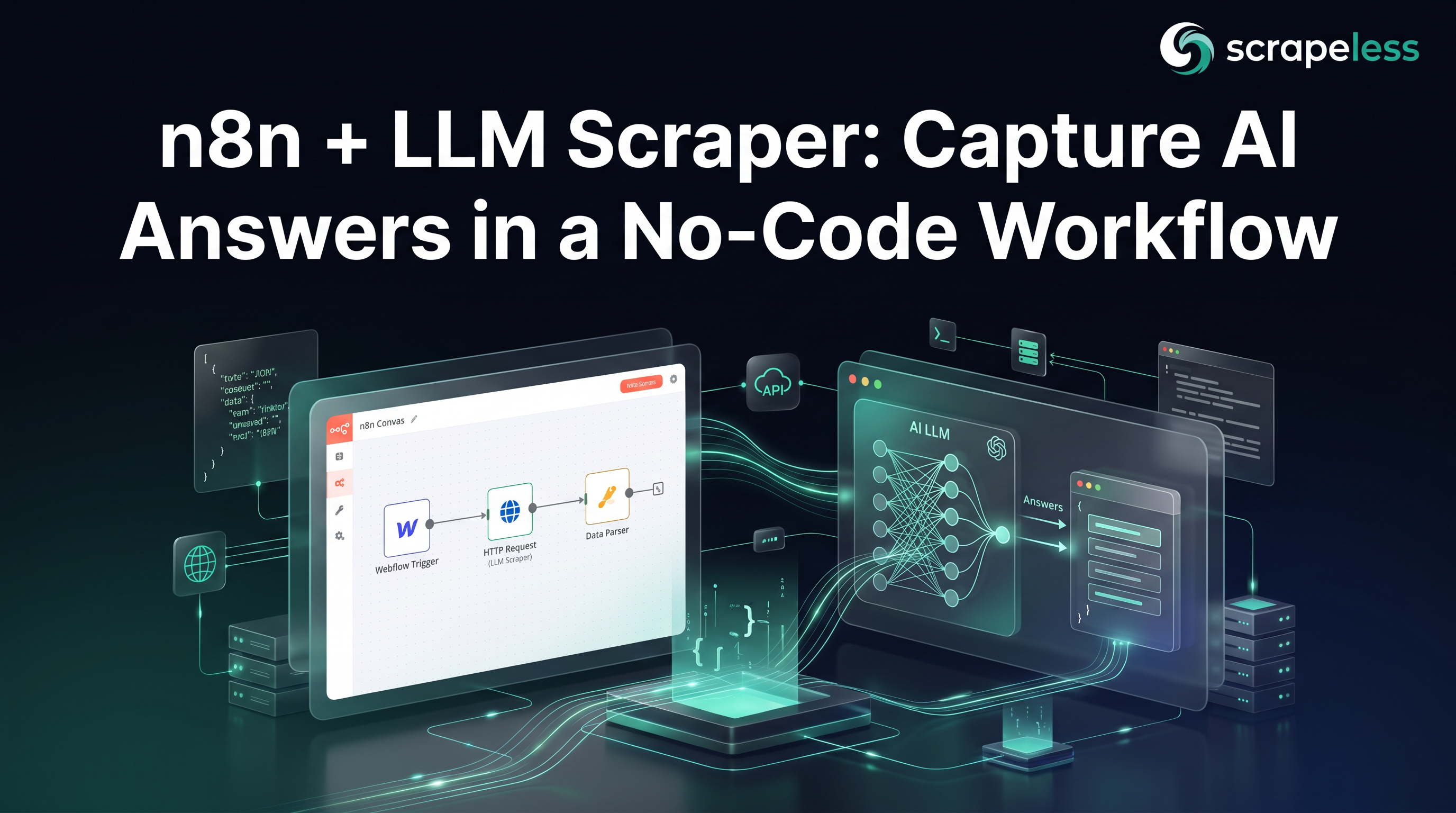
n8n + LLM Scraper: Capture AI Answers in a No-Code Workflow

Senior Web Scraping Engineer
TL;DR:
- n8n talks to the Scrapeless LLM Chat Scraper with one HTTP Request node — no code, no SDK. A single node POSTs to
https://api.scrapeless.com/api/v2/scraper/executewith anx-api-tokenheader and a JSON body, and the answer lands in the workflow as data the next node can read. - The request body is
{ actor, input }and nothing else. Set the body to{"actor":"scraper.chatgpt","input":{"prompt":"…","country":"US","web_search":true}}and the node returns{ status, task_id, task_result }— the same envelope every Scrapeless LLM actor uses. - A Schedule Trigger turns the call into a standing monitor. Wire
Schedule Trigger → HTTP Request → IF → Set/Sheet/DBand n8n re-runs the prompt set on an interval, appending each answer to a sheet or table without anyone opening a terminal. - The IF node handles the empty run as data, not as a failure. The model populates
task_resultper session, so an empty answer is no answer for that query this run — branch on it, log that there is nothing to store, and move on; the next scheduled run captures the populated one. - The MCP Client node is the agent-node alternative. When the workflow is an AI agent rather than a fixed pipeline, point n8n's MCP Client node at the Scrapeless MCP server and the same capture becomes a tool the agent calls on its own.
- Free to start. New Scrapeless accounts include free trial credits — sign up at app.scrapeless.com.
Introduction: the answer engine becomes a workflow input
LLM answer engines now sit between users and the open web, and the questions a brand cares about — who gets recommended, which sources get cited, what price shows up — are answered inside ChatGPT before any page gets a click. Reading that surface on a schedule is a data-collection job, and n8n is already where a lot of teams run their scheduled data jobs.
The friction is that ChatGPT has no official answer API, and driving the chat UI from an automation tool means login walls, streamed responses, and fields that resolve client-side after the answer renders. n8n's HTTP Request node can call any REST endpoint, but it has nothing to call until the rendering, residential egress, and parsing happen somewhere else first.
The Scrapeless LLM Chat Scraper is that somewhere else: one POST returns the rendered HTML answer as JSON, so the HTTP Request node has a clean endpoint to hit and the rest of the workflow reads structured JSON fields. This post wires n8n to that actor with no code — a Schedule Trigger, one HTTP Request node, an IF branch for empty runs, and a storage node — and shows the agent-node path for workflows that need the scraper as an AI tool. For the ranked view of the answer-engine scrapers themselves, the best LLM scrapers compares the surfaces side by side.
A note on scope: the request contract below is verified against the live scraper.chatgpt actor, and every n8n parameter name is confirmed against the current n8n node reference. The end-to-end workflow is described from those two verified pieces — this post does not present a screenshotted run as proof.
What You Can Do With It
- Scheduled answer monitoring. Run a fixed prompt set every hour or every morning and append each ChatGPT answer to a sheet, so answer drift becomes a time series instead of a manual check.
- Share-of-citation tracking. Read
task_result.search_resultfor the sources ChatGPT consulted and tally the domains across runs to see who the model keeps citing for your category. - Brand-mention alerts. Branch on whether the answer text names your product, and route a Slack or email node off the IF when a mention appears or disappears.
- Multi-engine capture in one workflow. Duplicate the HTTP Request node and swap the actor string to
scraper.geminiorscraper.perplexity— the envelope is identical, so the downstream nodes do not change. - No-ops handoff to non-developers. Once the workflow exists, a teammate edits the prompt list in a Set node or a sheet without touching code, and the capture keeps running.
- Agent tool calls. Expose the scraper through the MCP Client node so an n8n AI agent decides when to query an answer engine as part of a larger task.
Why the Scrapeless LLM Chat Scraper for n8n
The Scrapeless LLM Chat Scraper is the scraper.chatgpt actor, part of the Universal Scraping API line, and it fits n8n because it is one authenticated POST with JSON in and JSON out. For a no-code workflow specifically, it brings:
- A single REST endpoint the HTTP Request node calls directly — no SDK to install on the n8n host, no browser to drive.
- Server-side rendering, residential egress, and anti-bot handling, so the node receives a finished answer rather than a login page.
- The
countryfield on the request, which pins the egress market from inside the JSON body — one node covers per-market capture. - One
{ status, task_id, task_result }envelope shared acrossscraper.chatgpt,scraper.gemini, andscraper.perplexity, so a working node duplicates to the other engines unchanged. - An
x-api-tokenheader as the only auth — a single n8n credential or header value, reusable across every node that calls Scrapeless.
Get your API key on the free plan at app.scrapeless.com.
Prerequisites
- An n8n instance (cloud or self-hosted) where you can add a workflow
- A Scrapeless account and API key — sign up at app.scrapeless.com
- The API key available to paste into the HTTP Request node's header (or stored as an n8n credential)
- A destination for the captured rows — a Set node, a Google Sheets node, or a database node such as Postgres
No language runtime, proxy, or CAPTCHA solver is needed; the request is plain HTTP and the heavy lifting runs on the Scrapeless side.
The workflow at a glance
The whole capture is four nodes in a line:
Schedule Trigger  →  HTTP Request  →  IF  →  Set / Google Sheets / Postgres
   (interval)        (POST actor)    (empty?)     (store the answer)
The Schedule Trigger fires on an interval, the HTTP Request node calls scraper.chatgpt, the IF node checks whether the answer came back populated, and the storage node writes the row. The IF node's empty branch is where a no-answer run is recorded and dropped — not sent again. Each node below names only parameters that exist in the current n8n node reference.
Step 1 — Schedule Trigger
The Schedule Trigger starts the workflow on a fixed cadence so the capture runs without anyone pressing play. Add a Schedule Trigger node (type version 1.3) and set its Trigger Rules to an interval — every hour, every few hours, or once a day, depending on how often the answers you track tend to move. For answer-engine monitoring, daily or twice-daily is usually enough, since the series over weeks is the signal, not minute-to-minute change.
The trigger emits one item per fire. If you want several prompts per run, follow it with a Set node that outputs your prompt list, or read the prompts from a sheet — each prompt then flows through the HTTP Request node as its own item.
Step 2 — HTTP Request node: call the actor
The HTTP Request node is the integration. It POSTs the actor call to Scrapeless and returns the parsed answer into the workflow. Add an HTTP Request node (type version 4.4) and set these parameters:
- Method →
POST - URL →
https://api.scrapeless.com/api/v2/scraper/execute - Send Headers → on. Add one header: name
x-api-token, value your Scrapeless API key (or reference an n8n credential). - Send Body → on.
- Body Content Type →
JSON. - Specify Body → Using JSON, then paste the actor call into the JSON field.
The JSON body is the entire contract — the actor name plus an input object:
json
{
  "actor": "scraper.chatgpt",
  "input": {
    "prompt": "best running shoes 2026",
    "country": "US",
    "web_search": true
  }
}
To make the prompt dynamic, replace the static string with an n8n expression that reads the incoming item — for example, pulling prompt from the Set node or sheet row that fed this node. country pins residential egress for the run, and web_search lets the model pull live sources, which improves how often the answer resolves. Every field sits inside input; sending prompt or country at the top level of the body is rejected by the actor.
Set the node's Timeout generously. A rendered answer can take a while to come back, so a short default timeout will cut the call off before the answer arrives — give it room.
The node returns the standard envelope, { status, task_id, task_result }, as the item's JSON. Downstream nodes read the answer from task_result.result_text and the sources from task_result.search_result.
Get your API key on the free plan: app.scrapeless.com
Step 3 — IF node: branch on an empty answer
The IF node decides whether there is anything to store. ChatGPT answers are generated per session, so the same prompt can return a full answer on one run and an empty task_result on the next — that is not a failure, it is no answer for this query this run. Add an IF node (type version 2.3) after the HTTP Request node and write a single Conditions rule that tests whether the answer field is empty — for instance, checking that the expression reading task_result.result_text is not empty.
- False branch (answer present) → wire to the storage node in Step 4.
- True branch (answer empty) → record that the run produced nothing and stop. A NoOp node, or a Set node that writes an "empty run" marker row, is enough.
The empty branch does not call the actor again. The next scheduled fire is the next chance at a populated answer, and aggregating the runs that do return the answer is the whole pattern. Treat the empty result as nullable data, not an error to chase.
Step 4 — Store the answer
The storage node turns each populated answer into a row you can query later. Wire the IF node's answer-present branch into whichever destination fits the program:
- Set node → shape the item down to the fields you keep: the prompt,
task_result.result_text, the source domains fromtask_result.search_result, thetask_id, and a capture timestamp. Useful as a final-shape step even when another node does the writing. - Google Sheets node → append one row per run for a shareable, no-database log that non-developers can read and edit.
- Postgres (or another database) node → insert into a table when the capture feeds a warehouse or a dashboard.
Store task_id and the run time on every row. Answer length, citation count, and the named sources all shift run to run, so the value is the series across captures, not any single response.
The official Scrapeless node — and why this guide uses HTTP Request
n8n has an official Scrapeless community node (n8n-nodes-scrapeless). Install it, authenticate once with a Scrapeless credential, and it gives you typed operations for three surfaces: Deep SerpApi (Google Search and Google Trends), the Universal Scraping API (Web Unlocker), and the Crawler (Scrape and Crawl). For any of those jobs the node is the cleaner choice — there is no URL or JSON body to hand-build.
The LLM Chat Scraper actors — scraper.chatgpt, scraper.gemini, scraper.perplexity, and scraper.aimode — are not exposed as operations in the current node release, so capturing an answer engine's response is the case where the HTTP Request node is the path: it reaches /api/v2/scraper/execute directly, which is exactly what the steps above build. If a later node release adds an LLM operation, the Scrapeless credential and the workflow shape carry over — only the middle node changes.
The agent-node alternative: MCP Client + Scrapeless MCP server
When the workflow is an AI agent rather than a fixed pipeline, n8n's MCP Client node replaces the hand-built HTTP call. The MCP Client node connects to an MCP server and exposes that server's tools to an n8n AI agent, so the agent calls them on its own when its reasoning needs them. Point it at the Scrapeless MCP server and the answer-engine capture becomes one of the tools the agent can invoke — the agent decides when to query ChatGPT as part of a larger task, instead of you wiring the call into a fixed branch.
The two paths answer different needs. The HTTP Request node is the right tool for a deterministic, scheduled capture — same prompts, same cadence, predictable rows. The MCP Client node is the right tool when an agent should choose dynamically whether and what to query. The underlying Scrapeless surface is the same; only who triggers the call changes.
What You Get Back
The HTTP Request node returns the actor's standard envelope as the item JSON. The answer is under task_result, with the prose in result_text and the consulted sources in search_result. The shape below is what scraper.chatgpt returns; field values are an illustrative sample from a live run (text and sources trimmed).
json
// Schema is what scraper.chatgpt returns; field values are an illustrative sample from a live run.
{
  "status": "success",
  "task_id": "…",
  "task_result": {
    "prompt": "best running shoes 2026",
    "model": "gpt-5-mini",
    "result_text": "Here are the best running shoes in 2026, based on recent testing across major brands (ASICS, Nike, HOKA, Adidas, Brooks, Saucony) …",
    "content_references": [],
    "search_result": [
      { "title": "10 Best Running Shoes of 2026 | Lab Tested & Ranked", "url": "https://…", "snippet": "…", "attribution": "outdoorgearlab.com" }
    ],
    "links": [],
    "web_search": true
  }
}
A few honest notes on reading this inside n8n:
- Every field is nullable.
result_textcan be empty andsearch_resultcan be an empty array on a given run — the Step 3 IF node exists exactly for that case. Guard for missing fields in any expression that reads them. search_resultis the citation surface. Each entry carries atitle,url,snippet, andattribution; parse the host from the URL in a Set node and tally across runs for share-of-citation.web_searchechoes the request. It reflects whether live-source pulling was on for the run; keep ittruein the body for better resolution on recommendation prompts.- Output varies run to run. Answer length and source count shift for the same prompt, which is why the capture timestamp and
task_idbelong on every stored row.
Conclusion: a four-node standing capture
Connecting n8n to the Scrapeless LLM Chat Scraper reduces to one HTTP Request node: POST { actor, input } to /api/v2/scraper/execute with an x-api-token header, read task_result back, branch on the empty run, and store the row. A Schedule Trigger turns that into a standing monitor, and the MCP Client node turns it into an agent tool when the workflow needs one. Keep the prompt set scoped, pin country per market, treat every field as nullable, and store task_id plus a timestamp so the series is the signal. Run a fixed prompt set on a schedule with Universal Scraping API credits, and the answer engine becomes a clean input to whatever the rest of the workflow does. The request contract and field names are confirmed against the live LLM Chat Scraper actor, and the node parameters against the current n8n node reference.
Ready to Build Your AI-Answer Data Pipeline?
Join our community to claim a free plan and connect with developers building AI-answer data pipelines: Discord · Telegram.
Sign up at app.scrapeless.com for free trial credits and point the four-node workflow above at the prompts, engines, and markets your program tracks.
Runnable code on GitHub
The complete project behind this guide is open source in scrapeless-n8n-workflows — no-code scraping automation in n8n: rank tracking, lead lists, price alerts.
It ships setup instructions, a .env.example, working example code, expected output, and a documented project structure, so you can clone it and run it rather than reassembling the snippets above.
FAQ
Q: Do I need to write any code to connect n8n to the LLM Chat Scraper?
No. The integration is the built-in HTTP Request node configured with a POST method, the /api/v2/scraper/execute URL, an x-api-token header, and a JSON body. There is no SDK to install on the n8n host and no function node to write.
Q: Where does my Scrapeless API key go in n8n?
Into the HTTP Request node's headers — enable Send Headers, add a header named x-api-token, and set its value to your key, or reference an n8n credential so the key is not stored in the node itself. The same header works on every Scrapeless call in the workflow.
Q: How do I send several prompts in one run?
Follow the Schedule Trigger with a Set node that outputs your prompt list, or read the prompts from a Google Sheet. Each prompt becomes its own item and flows through the HTTP Request node separately, so one run captures the whole set.
Q: What happens when the answer comes back empty?
ChatGPT answers are per-session, so an empty task_result means no answer for that query on that run. The IF node's empty branch records the no-op and stops; the next scheduled run is the next chance at a populated answer. The workflow does not re-send the same call.
Q: Can I capture Gemini and Perplexity from the same workflow?
Yes. Duplicate the HTTP Request node and change the actor string to scraper.gemini or scraper.perplexity. The endpoint, header, and { status, task_id, task_result } envelope are identical, so the IF and storage nodes downstream do not change.
Q: When should I use the MCP Client node instead of the HTTP Request node?
Use the HTTP Request node for a fixed, scheduled capture with predictable prompts. Use the MCP Client node, pointed at the Scrapeless MCP server, when an n8n AI agent should decide on its own whether and what to query — the scraper then acts as a tool the agent calls.
Q: Do I need a proxy or a browser running on my n8n host?
No. Rendering, residential egress, and anti-bot handling all run server-side at Scrapeless. The n8n host only makes an outbound HTTPS request; the country field in the body selects the egress market.
Q: Is collecting ChatGPT answers legal?
The data returned is the publicly visible answer ChatGPT shows any user. As with any scraping, legality depends on jurisdiction and use — review the relevant terms and consult counsel before building on it, and collect only public answer and source data, never personal data.
At Scrapeless, we only access publicly available data while strictly complying with applicable laws, regulations, and website privacy policies. The content in this blog is for demonstration purposes only and does not involve any illegal or infringing activities. We make no guarantees and disclaim all liability for the use of information from this blog or third-party links. Before engaging in any scraping activities, consult your legal advisor and review the target website's terms of service or obtain the necessary permissions.





