
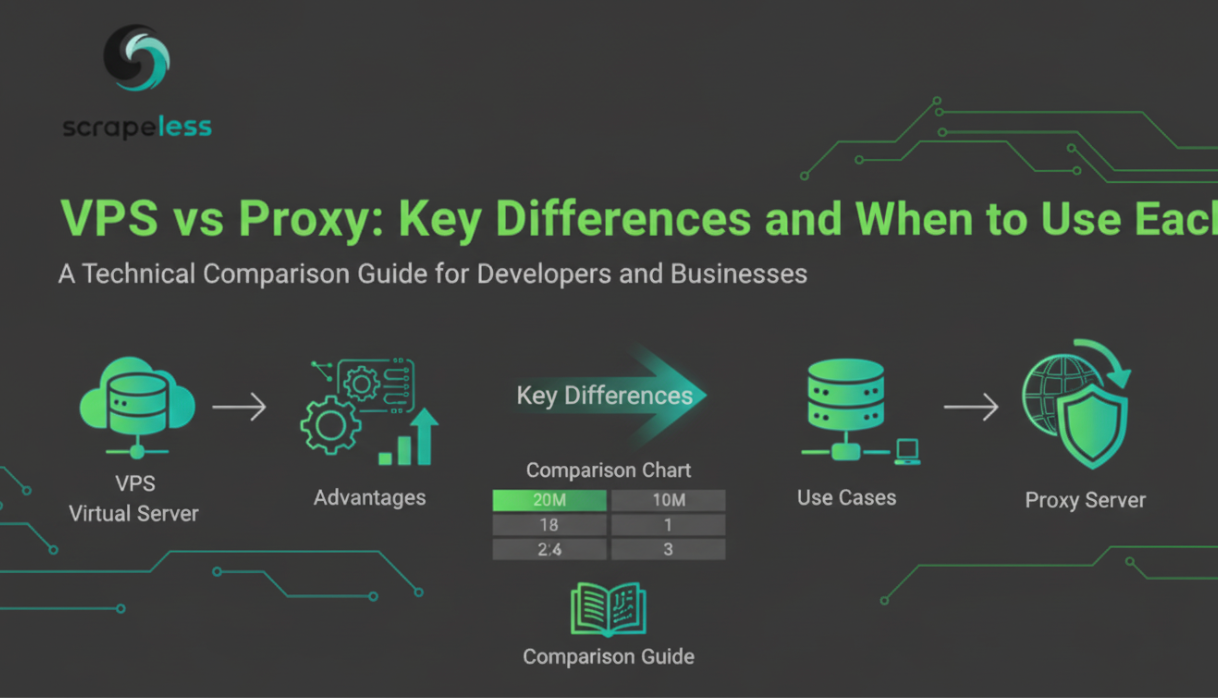
VPS vs Proxy: Key Differences and When to Use Each

Advanced Data Extraction Specialist
Understand VPS vs Proxy differences and choose the right solution. Discover how Scrapeless Proxies offer superior alternatives for most automation and scraping needs.
Understanding VPS and Proxies
When planning infrastructure for web automation, scraping, or privacy-focused applications, you'll often encounter two popular solutions: Virtual Private Servers (VPS) and Proxies. While both can mask your real IP address and enable various applications, they work fundamentally differently and serve different purposes.
This comprehensive guide breaks down the differences and helps you choose the right solution for your specific needs.
What is a VPS?
A Virtual Private Server (VPS) is a virtual machine hosted on a physical server. When you purchase VPS services, you get:
Dedicated Resources: Allocated CPU, RAM, and storage specifically for your use
Full Operating System: A complete Linux or Windows environment you control
Root/Administrator Access: Full control over software installation and configuration
Persistent Server: Always-on dedicated infrastructure
IP Address: One or multiple dedicated IP addresses assigned to your VPS
Server Management: Responsibility for maintaining, securing, and updating the system
What is a Proxy?
A Proxy is an intermediary server that forwards your requests. When you use a proxy:
Request Forwarding: Your traffic passes through the proxy server to the destination
IP Masking: The destination sees the proxy's IP address, not yours
Managed Service: The provider handles all maintenance and infrastructure
Application-Level: Proxies operate at the application level, not the system level
Simple Integration: Easy integration with existing applications via URL configuration
Minimal Setup: No system administration required
Direct Comparison: VPS vs Proxy
Architecture and Operation
VPS: You control the entire system. Run any application or service you want. The server executes code and services you install.
Proxy: A passthrough service. Requests flow through it to their destination. The proxy provider manages the infrastructure.
Cost Structure
| Factor | VPS | Proxy |
|---|---|---|
| Initial Setup | Varies (higher) | Minimal |
| Monthly Cost | $5-100+ | $5-500+ (usage-based) |
| Resource Scaling | Manual, additional cost | Automatic |
| Hidden Costs | Bandwidth, backups | Potential quota limits |
| Pricing Model | Fixed monthly | Variable or monthly |
Control and Flexibility
VPS Advantages:
- Complete control over system configuration
- Install any software or services
- Run multiple applications simultaneously
- Customize security policies
- Host websites and applications
Proxy Advantages:
- No system administration required
- Provider handles updates and maintenance
- Automatic scaling without intervention
- Easy integration with existing applications
- No infrastructure management
Performance Characteristics
VPS:
- Varies based on hardware allocation
- Performance depends on other tenants on physical server
- Direct internet connection
- Suitable for hosting services
- Consistent performance when properly configured
Proxy:
- Varies by provider quality
- Adds one additional network hop
- Specialized optimization for traffic routing
- Better for high-concurrency scenarios
- Performance depends on proxy infrastructure
Anonymity and IP Management
VPS:
- Single or few dedicated IPs
- IP reputation depends on your usage
- IP may be flagged if previous tenant had issues
- Limited geographic flexibility
- Cannot easily rotate IPs without additional setup
Proxy:
- Access to thousands/millions of IPs
- Automatic rotation available
- High geographic flexibility
- Specialized IP pools for scraping
- Built-in IP rotation features
Security Considerations
VPS Security Responsibility:
- You manage all security updates
- You configure firewalls and security groups
- You handle vulnerability patching
- You maintain user access controls
- Full responsibility for data protection
Proxy Security Advantages:
- Provider manages security infrastructure
- Regular security updates automatic
- Professional security monitoring
- GDPR/CCPA compliant infrastructure
- Provider responsible for data protection
VPS Use Cases
Choose a VPS when you need:
Hosting Applications: Running websites, APIs, or web services that need to be always-on.
Development Environment: A remote development server with full control.
Dedicated Infrastructure: Applications requiring specific software not available through proxies.
Outbound Services: Running your own services that accept incoming connections.
Complex Workflows: Multi-step processes requiring local execution and storage.
Database Hosting: Running databases and data storage services.
Long-Term Persistence: Applications requiring state persistence and local file storage.
Proxy Use Cases
Choose Proxies when you need:
Web Scraping: Collecting data from websites while avoiding IP blocking.
API Rate Limit Bypass: Working around per-IP rate limits using IP rotation.
Geographic Testing: Testing applications from different geographic locations.
Price Monitoring: Tracking competitor prices across multiple geographic regions.
Account Management: Managing multiple accounts without cross-linking detection.
High Concurrency: Making thousands of concurrent requests efficiently.
Temporary IP Addressing: Need for temporary IPs without long-term commitment.
Anonymity: Masking your real IP and location without system administration.
Hybrid Approach: Combining VPS and Proxies
Many sophisticated applications use both technologies together:
VPS as Orchestration Layer: Host automation scripts and orchestration logic on a VPS, while routing actual requests through proxies.
Example Architecture:
Your Application (VPS)
        ↓
    Scripts/Logic
        ↓
    Proxy Service
        ↓
    Target Website
Benefits of Hybrid Approach:
- Control and flexibility of VPS
- IP rotation capabilities of proxies
- Scalability advantages of proxies
- Custom logic on VPS
- Best of both worlds
Cost Analysis
VPS Costs
A typical VPS costs $5-30/month with:
- Bandwidth limits (50-1000GB/month typically)
- One or few dedicated IPs
- Overkill for simple scraping needs
- Additional costs for extra IPs, bandwidth overage
Proxy Costs
Quality proxies typically cost:
- Residential: $0.50-5 per GB of traffic
- Datacenter: $0.10-2 per GB of traffic
- Static ISP: $3-20 per IP/month
- Pay-as-you-go flexibility
Cost Example for Web Scraping:
- VPS: $10-20/month (limited by single IP and bandwidth)
- Proxies: $20-100/month depending on usage (unlimited potential)
For light scraping: VPS more cost-effective
For heavy scraping: Proxies more cost-effective
Recommended Proxy Solutions
Scrapeless Proxies: The Modern Alternative to VPS for Scraping
Instead of managing VPS infrastructure for scraping, Scrapeless Proxies provide a purpose-built solution with superior capabilities.
🌍 Residential Proxies
Ideal for web scraping and high-demand applications:
- 90M+ Real IPs: Over 90 million residential IP addresses in 195+ countries
- Automatic Rotation: Seamless IP rotation prevents blocking
- 99.98% Success Rate: Industry-leading reliability
- Geo-targeting Support: Target specific geographic locations
- Multi-Protocol Support: HTTP, HTTPS, and SOCKS5 protocols
- Ultra-Fast Performance: Sub-0.5s response times
- No VPS Management: Zero infrastructure responsibility
- Scalable by Default: Handle millions of requests without setup
⚡ Datacenter Proxies
High-performance alternative to VPS-based scraping:
- 99.99% Uptime: Enterprise-grade reliability without VPS management
- Ultra-Fast Response: Faster than routing through a VPS
- Unlimited Sessions: No session limits
- Easy API Integration: Simple integration with any application
- High Bandwidth: Support for large-scale operations
- Low Latency: Better performance than VPS routing
- Cost-Effective: More affordable than dedicated VPS infrastructure
🔐 IPv6 Proxies
Next-generation proxies for modern applications:
- 50M+ IPv6 IPs: Extensive pool of verified IPv6 addresses
- Automatic Rotation: Intelligent rotation mechanisms
- High Anonymity: Maximum privacy without VPS complexity
- Dedicated IPs: Static options available
- GDPR & CCPA Compliant: Full regulatory compliance
- Pay-Per-GB Billing: Flexible pricing without VPS commitments
🏠 Static ISP Proxies
For applications requiring consistency without VPS maintenance:
- Dedicated Static IPs: Consistent IP addresses without VPS rental
- 99.99% Uptime: Reliable performance without server management
- Low Latency: Minimal performance overhead
- Perfect for Accounts: Ideal for account management without VPS
- Geo-targeting Support: Location-based IP allocation
- Multi-Protocol Support: HTTP, HTTPS, SOCKS5
- Long-Term Sessions: Support without infrastructure maintenance
Decision Matrix: VPS vs Proxy
Use this matrix to determine which solution fits your needs:
Choose VPS If:
- You're hosting websites or web applications
- You need to run custom server software
- You require always-on persistence and file storage
- You're building multi-service infrastructure
- You need incoming connections/server ports
- You want a managed development environment
- Cost is primary concern for simple operations
Choose Proxies If:
- You're web scraping
- You need to bypass IP-based rate limits
- You require IP rotation and anonymity
- You need geographic flexibility
- You want zero infrastructure management
- You're managing multiple accounts
- You need high concurrency capabilities
- You require thousands of different IPs
Choose Hybrid (VPS + Proxy) If:
- You need application logic plus IP rotation
- You're building complex automation systems
- You want control over request logic with proxy benefits
- You're managing large-scale scraping operations
- You need custom preprocessing before proxy routing
VPS to Proxy Migration Guide
If you're currently using a VPS for scraping and want to migrate to proxies:
Step 1: Assess Current Usage
- Monitor bandwidth usage on your VPS
- Track number of requests per day
- Document IP rotation frequency needs
- Identify geographic targeting requirements
Step 2: Choose Proxy Type
- Residential for high-blocking environments
- Datacenter for speed-critical operations
- Static ISP for account management
- IPv6 for next-gen applications
Step 3: Implement Proxy Integration
- Update your scraping code to use proxy APIs
- Test proxy configurations
- Verify geographic targeting works correctly
- Monitor success rates
Step 4: Validate Performance
- Compare speeds to VPS-based approach
- Verify detection avoidance improvements
- Confirm cost savings
- Monitor reliability
Step 5: Decommission VPS
- Ensure proxy integration is fully functional
- Archive any data from VPS
- Cancel VPS subscription
- Calculate cost savings
Performance Comparison
Request Speed
- VPS: 200-500ms average (depends on routing)
- Datacenter Proxy: 50-150ms average
- Residential Proxy: 100-300ms average
Concurrent Requests
- VPS: Limited by bandwidth and processing power (typically 100-1000 concurrent)
- Proxies: Virtually unlimited (10,000+ concurrent easily)
Geographic Coverage
- VPS: Limited to available VPS locations
- Proxies: 195+ countries available
IP Rotation
- VPS: Manual setup required, limited IPs available
- Proxies: Automatic, millions of IPs available
Frequently Asked Questions
Can I use a VPS instead of proxies for web scraping?
Technically yes, but it's inefficient. A VPS gives you only one IP address. You'd need to buy multiple VPS instances for IP rotation, which is expensive and complex compared to proxies.
What's cheaper for large-scale scraping: VPS or proxies?
For large-scale scraping, proxies are typically more cost-effective. Datacenter or IPv6 proxies can cost less than maintaining multiple VPS instances while providing better IP rotation capabilities.
Can I run a proxy server on a VPS?
Yes, you can install proxy server software on a VPS. However, this combines the complexity of VPS management with proxy limitations. Using a managed proxy service is usually better.
Do I need a VPS if I use proxies?
Not necessarily. Proxies can handle most scraping and API access needs independently. You only need a VPS if your application requires persistent storage, custom services, or incoming connections.
Are proxies legal to use?
Proxy usage itself is legal. The legality depends on how you use them. Ensure your usage complies with website terms of service and applicable laws.
How do proxies compare to VPNs?
VPNs encrypt all traffic and are designed for privacy. Proxies work at the application level and are designed for specific tasks. For anonymity, VPNs are more comprehensive. For scraping and web automation, proxies are more practical.
Should I use residential or datacenter proxies?
Residential proxies are better for avoiding blocks (high anonymity). Datacenter proxies are faster and cheaper. Choose based on your target website's anti-scraping measures.
Conclusion
VPS and Proxies serve different purposes despite both offering IP masking capabilities. VPS is ideal for hosting services and full infrastructure control, while Proxies excel at providing IP rotation, anonymity, and scalability for web operations.
For most web scraping, API automation, and high-concurrency applications, Scrapeless Proxies provide a superior, more cost-effective solution than VPS infrastructure. The automatic IP rotation, geographic flexibility, and zero infrastructure management make proxies the modern choice for web automation.
Start your free trial with Scrapeless Proxies today and experience the advantages of purpose-built proxy infrastructure over managing VPS servers.
At Scrapeless, we only access publicly available data while strictly complying with applicable laws, regulations, and website privacy policies. The content in this blog is for demonstration purposes only and does not involve any illegal or infringing activities. We make no guarantees and disclaim all liability for the use of information from this blog or third-party links. Before engaging in any scraping activities, consult your legal advisor and review the target website's terms of service or obtain the necessary permissions.





