
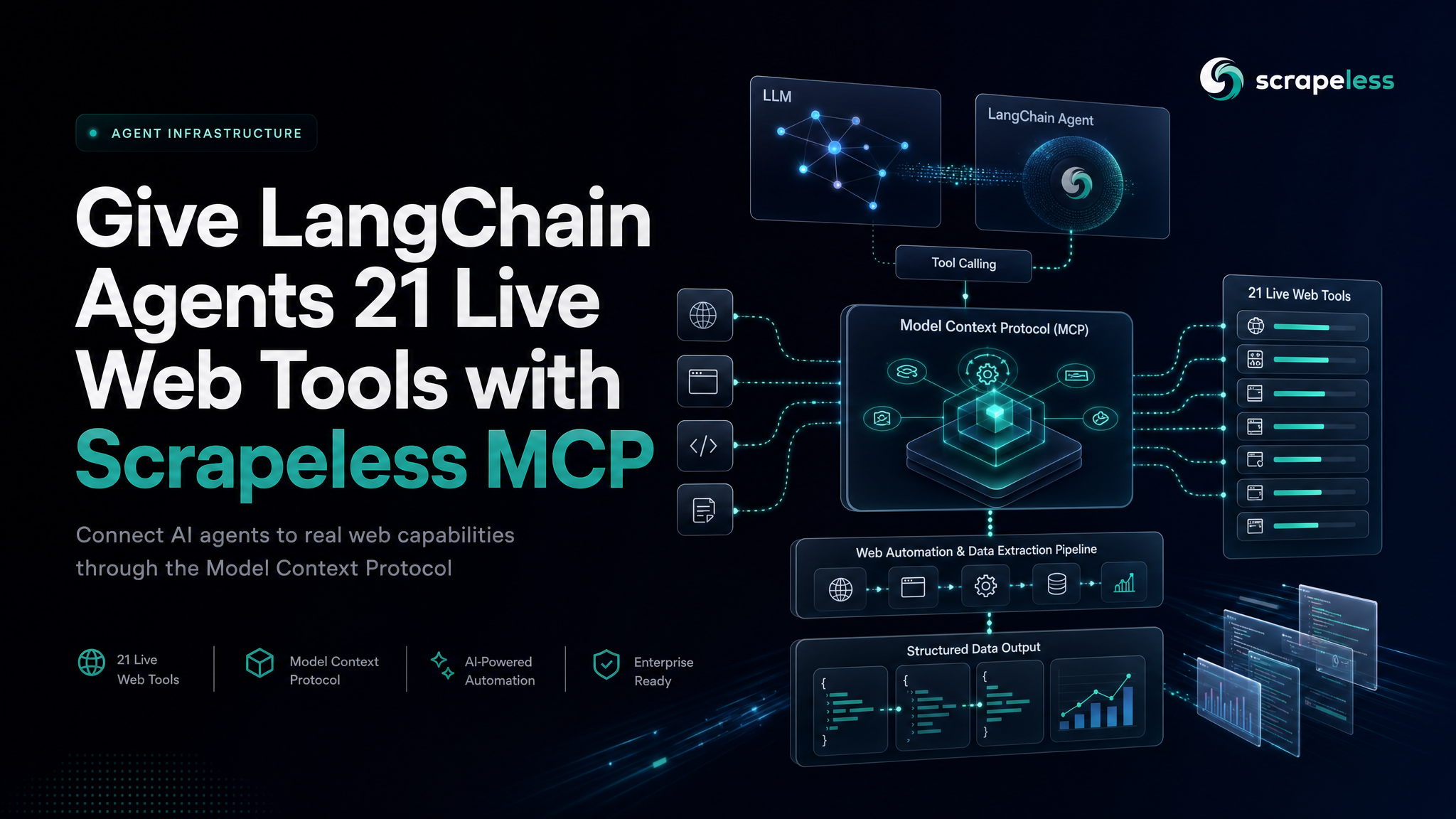
Give LangChain Agents 21 Live Web Tools with Scrapeless MCP

Expert in Web Scraping Technologies
TL;DR:
- LangChain agents get 21 live web tools from one client config. The
langchain-mcp-adapterspackage connects a LangChain app to the Scrapeless MCP server and returns the whole tool surface — browser control, page scraping, Google Search and Trends — as ready-to-bindStructuredToolobjects. - No Node required on the hosted path. Point the client at
https://api.scrapeless.com/mcpover streamable HTTP with yourx-api-token; the stdio path (npx -y scrapeless-mcp-server) is the same surface for local setups. - Tools work before any model is involved.
get_tools()lists them andainvoke()executes them directly —scrape_markdownon a live URL returns the page as markdown — so the wiring is testable without an LLM key. - The names differ by transport. The hosted endpoint serves bare names (
browser_goto,scrape_markdown,google_search); the stdio server namespaces themscrapeless_*. Same 21 tools either way. - From tools to agent is one constructor. Bind the returned tools to any LangChain chat model and the agent can search, browse, and scrape the live web inside its reasoning loop.
- Free to start. New Scrapeless accounts include free trial credits — sign up at app.scrapeless.com.
What You Can Do With It
- Research agents that read the live web.
google_searchfor discovery,scrape_markdownfor clean page text — the retrieval half of an agent loop, without building a scraper. - Browser-driving agents. Sixteen
browser_*tools (create, goto, click, type, scroll, screenshot, snapshot, wait) give an agent a real anti-detection cloud browser session to operate. - Market and trend monitoring.
google_trendsplus scheduled scraping turns a LangChain pipeline into a monitoring service. - Tool-grounded RAG. Fetch pages as markdown on demand instead of pre-indexing everything, and let the agent decide what to read.
- One auth for everything. The same Scrapeless API key that drives the Scraper API actors drives the MCP tool surface.
Why the Scrapeless MCP Server
MCP (Model Context Protocol) is the standard interface for handing tools to agents, and LangChain speaks it through the official adapter package. On the other side of that protocol, the Scrapeless MCP server exposes the scraping infrastructure as 21 typed tools: cloud-browser sessions on the Scraping Browser, single-shot page scraping to HTML, markdown, or screenshot, and Google Search and Trends. The agent gets capabilities; rendering, anti-detection, and proxy routing stay server-side.
The combination matters because LangChain agents are only as useful as their tools. A model that can plan but cannot fetch a live page answers from training data; the same model with this tool surface reads the web it is reasoning about.
Prerequisites
- Python 3.10+ and a virtual environment.
- A Scrapeless account and API key — sign up at app.scrapeless.com.
- For the optional stdio transport: Node.js 18+ (the hosted HTTP path needs no Node).
bash
export SCRAPELESS_API_KEY=your_api_token_hereConnect
1. Install the adapter
bash
pip install langchain-mcp-adapters langchain-core2. Configure the client and verify the tool count
The hosted endpoint is the fastest path — pure HTTPS, authenticated by the x-api-token header:
python
import asyncio
import os

from langchain_mcp_adapters.client import MultiServerMCPClient


async def main():
    client = MultiServerMCPClient({
        "scrapeless": {
            "transport": "streamable_http",
            "url": "https://api.scrapeless.com/mcp",
            "headers": {"x-api-token": os.environ["SCRAPELESS_API_KEY"]},
        }
    })
    tools = await client.get_tools()
    names = sorted(t.name for t in tools)
    print(f"tool count: {len(names)}")
    print("names:", ", ".join(names))

asyncio.run(main())
A correct handshake prints 21 tools:
browser_click, browser_close, browser_create, browser_get_html, browser_get_text, browser_go_back, browser_go_forward, browser_goto, browser_press_key, browser_screenshot, browser_scroll, browser_scroll_to, browser_snapshot, browser_type, browser_wait, browser_wait_for, google_search, google_trends, scrape_html, scrape_markdown, scrape_screenshot
3. Or run the server locally over stdio
The same surface ships as an npm package for local setups — the standard MCP config shape, with the key passed as an environment variable:
json
{
  "scrapeless": {
    "command": "npx",
    "args": ["-y", "scrapeless-mcp-server"],
    "transport": "stdio",
    "env": { "SCRAPELESS_KEY": "your_api_token_here" }
  }
}
One transport-level difference to expect: the stdio server namespaces its tool names scrapeless_*, while the hosted endpoint serves them bare. Code that looks tools up by name should match on the suffix.
Get your API key on the free plan: app.scrapeless.com
How you actually use this: call a tool, then hand them to an agent
The returned objects are normal LangChain StructuredTools, which means they run directly — no model required. The shortest possible proof that the wiring works end to end:
python
# invoke_tool.py — execute one MCP tool directly through the adapter
import asyncio
import os

from langchain_mcp_adapters.client import MultiServerMCPClient


async def main():
    client = MultiServerMCPClient({
        "scrapeless": {
            "transport": "streamable_http",
            "url": "https://api.scrapeless.com/mcp",
            "headers": {"x-api-token": os.environ["SCRAPELESS_API_KEY"]},
        }
    })
    tools = {t.name: t for t in await client.get_tools()}
    result = await tools["scrape_markdown"].ainvoke(
        {"url": "https://www.scrapeless.com/en/blog/best-llm-scrapers-2026"}
    )
    text = result if isinstance(result, str) else str(result)
    print(f"scrape_markdown returned {len(text):,} chars of markdown")

asyncio.run(main())
On a live run this returns the full article as markdown — tens of thousands of characters of clean page text from one tool call.
Binding the tools to an agent is the same one constructor it always is in LangChain — bring whichever chat model your stack uses (a model API key is the one prerequisite this guide doesn't cover):
python
# agent.py — attach the MCP tools to a LangChain agent (requires a model API key)
from langchain.agents import create_agent

agent = create_agent(model, tools)  # `tools` from client.get_tools(), `model` = your chat model
result = agent.invoke({
    "messages": [{"role": "user", "content": "Search for Scrapeless and summarize the top result."}]
})
From the agent's perspective the tools are just functions it may call: it plans, picks google_search, reads, picks scrape_markdown, reads again, and answers from live content.
The Scrapeless MCP tool surface
| Group | Tools | What they do |
|---|---|---|
| Browser session | browser_create, browser_goto, browser_click, browser_type, browser_press_key, browser_scroll, browser_scroll_to, browser_go_back, browser_go_forward, browser_wait, browser_wait_for, browser_snapshot, browser_get_html, browser_get_text, browser_screenshot, browser_close |
Drive a cloud anti-detection browser step by step — sessions persist across calls |
| Page scraping | scrape_html, scrape_markdown, scrape_screenshot |
One-shot fetch of any URL as raw HTML, clean markdown, or an image |
| Google data | google_search, google_trends |
Structured search results and trends data |
What You Get Back
Tool results arrive as MCP content parts that the adapter exposes to LangChain — for the scraping tools, the payload is the page itself. The scrape_markdown call above returns the rendered article as markdown text ready to feed a splitter, a summarizer, or the agent's own context window. Browser tools return their observations (snapshots, extracted text, screenshots) the same way, which is what makes multi-step browsing inside an agent loop practical.
Conclusion: one config block, a web-capable agent
The integration is genuinely small: install the adapter, give MultiServerMCPClient the hosted URL and your token, and get_tools() hands LangChain 21 live web capabilities. Verify with the tool count, prove it with one direct ainvoke, then bind the same list to your agent. The Mastra integration guide shows the same server wired into a TypeScript agent framework — same surface, different host.
Ready to Give Your Agent the Live Web?
Join our community to claim a free plan and connect with developers building agent pipelines: Discord · Telegram.
Sign up at app.scrapeless.com for free trial credits — pricing covers the current tiers — and point your LangChain agents at the pages they should be reading.
Runnable code on GitHub
The complete project behind this guide is open source in scrapeless-langchain-examples — live web retrieval for LangChain agents and RAG ingestion.
It ships setup instructions, a .env.example, working example code, expected output, and a documented project structure, so you can clone it and run it rather than reassembling the snippets above.
FAQ
Q: Do I need Node.js?
Only for the stdio transport, which spawns the npm package locally. The hosted https://api.scrapeless.com/mcp endpoint is plain HTTPS — Python-only stacks use it with no Node anywhere.
Q: How do I authenticate?
The hosted endpoint takes x-api-token: <your key> as a request header; the stdio server reads SCRAPELESS_KEY from its environment. Same key, both transports — created on the free plan at app.scrapeless.com.
Q: How do I verify the integration is actually wired up?
Two checks, both model-free: get_tools() returns 21 tools, and a direct ainvoke of scrape_markdown on a real URL returns the page as markdown. If both pass, agent binding is the only step left.
Q: Why do tool names differ between my local server and the hosted endpoint?
The stdio package namespaces names as scrapeless_*; the hosted endpoint serves them bare. Match on the suffix if your code needs to work across both.
Q: Can I use the tools without an agent?
Yes — they are StructuredTool objects and run standalone via ainvoke, which also makes them usable in plain LangChain chains and LangGraph nodes, not just agents.
Q: Is web access through the tools legal?
The tools fetch publicly accessible pages through Scrapeless infrastructure. Rules vary by jurisdiction and site terms — review the ToS of the sites your agent reads and consult counsel for your use case. Never collect personal data protected under GDPR or CCPA.
Q: What does it cost to run?
Tool calls draw on the same usage-based Scrapeless account as the rest of the platform, and new accounts start with free trial credits.
At Scrapeless, we only access publicly available data while strictly complying with applicable laws, regulations, and website privacy policies. The content in this blog is for demonstration purposes only and does not involve any illegal or infringing activities. We make no guarantees and disclaim all liability for the use of information from this blog or third-party links. Before engaging in any scraping activities, consult your legal advisor and review the target website's terms of service or obtain the necessary permissions.





