
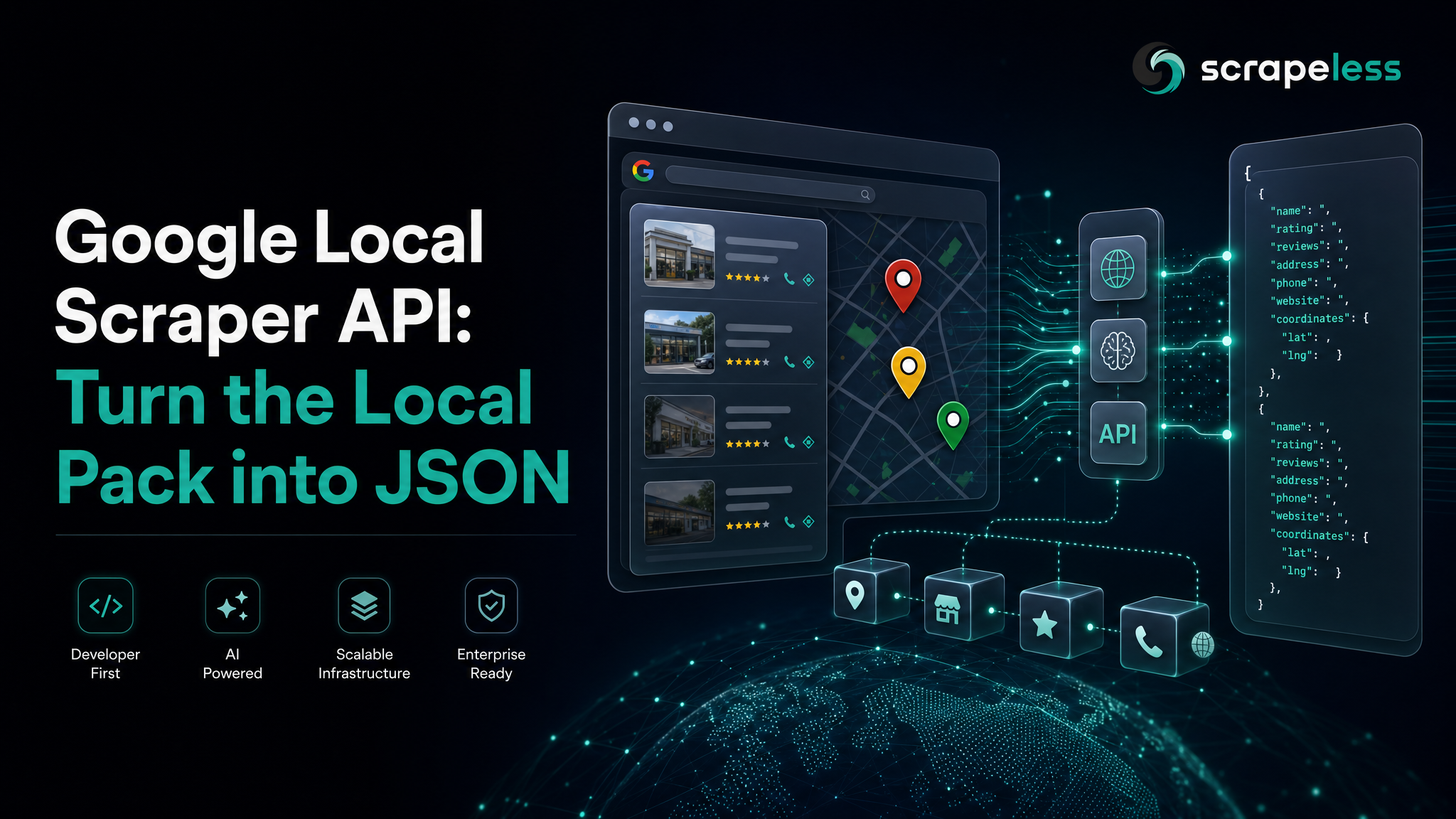
Google Local Scraper API: Turn the Local Pack into JSON

Web Data Collection Specialist
TL;DR:
- One request, one actor. The Scrapeless Scraper API turns the Google local pack into a single
POSTagainst thescraper.google.searchactor. No browser to drive, no markup to parse. tbm: "lcl"is the switch. Send the input{ "q": "coffee shops in San Francisco", "tbm": "lcl" }and the actor returns the map-backed business listings instead of the web SERP.- Structured fields, not raw HTML. The response is a parsed local object —
local_results.places[]with titles, ratings, review counts, addresses, price tiers, and photo thumbnails — flattened at the top level. - The filter chips come too.
suggested_searchescarries the "Open now / Top rated / Cheap" chips as ready-to-follow Google URLs, so you can pivot the same query without rebuilding it. - No proxy, no anti-bot handling on your side. Residential egress, geo-routing, and rendering run server-side; you send the query and read JSON.
- Free to start. New Scrapeless accounts include free Scraper API credits — sign up at app.scrapeless.com.
Introduction: turn the Google local pack into JSON
The Google local pack is the boxed set of business listings that sits at the top of a local search — the map-backed cards Google shows when someone looks up "coffee shops in San Francisco" or "plumbers near me." Each card carries a name, a category, a star rating, a review count, an address, and a price tier. It is the surface local-intent searches actually click, which makes it the dataset behind a lot of practical work:
- Local rank tracking — see which businesses occupy positions 1 through N for a query in a given city.
- Competitive monitoring — track a competitor's rating and review count over time.
- Lead lists — pull the businesses ranking for a category-plus-locality query into a structured table.
- Review and sentiment sampling — each card surfaces a representative review snippet you can collect at scale.
- Market sizing — count how many businesses of a type rank in a metro and how their ratings cluster.
Pulling that pack by hand means rendering a JavaScript-heavy search page, getting past Google's rate-limiting, and writing selectors against markup that shifts. The Scraper API does all three server-side and hands you the parsed object.
Why the Scraper API
A traditional local scraper is three jobs glued together: get past the anti-bot layer, render the page, and parse the cards. The Scrapeless Scraper API collapses them into one call. You name the scraper.google.search actor, hand it a query and tbm: "lcl", and get the parsed local pack back.
- No browser, no parser to maintain. The actor renders and parses Google's local results; you receive fields, not a DOM to walk.
- Residential egress and geo-routing are built in. You send the query string; the actor handles the network layer and the JavaScript render.
- One key, one shape. A single
x-api-tokenauthenticates the call, and the local pack always comes back in the same parsed shape, so a client written once is reused across queries and cities.
Get your API key on the free plan at app.scrapeless.com. The Google local pack sits inside the Deep SerpApi family alongside the other Google search surfaces in the pricing catalogue.
Prerequisites
- A Scrapeless account and API key — sign up at app.scrapeless.com.
curlfor the quick test, or Python 3.10+ for the client below.- Basic familiarity with HTTP and JSON.
Store your key in the environment so it never lands in code:
bash
export SCRAPELESS_API_KEY=your_api_token_hereThe request
The local pack uses the v1 Scraper API endpoint and the Google search actor. Selecting the Local pack is one input field — tbm set to lcl.
- Endpoint:
POST https://api.scrapeless.com/api/v1/scraper/request - Auth: header
x-api-token: $SCRAPELESS_API_KEY - Actor:
scraper.google.search(tbm: "lcl"selects the Local pack instead of the web SERP)
The request body is { "actor": "<name>", "input": { … } }:
json
{
  "actor": "scraper.google.search",
  "input": { "q": "coffee shops in San Francisco", "tbm": "lcl" }
}| input field | required | description |
|---|---|---|
q |
yes | the local search query — include a city or locality for the most relevant pack (e.g. coffee shops in San Francisco) |
tbm |
yes | set to lcl to select the Local pack; omit or change it to get the web SERP instead |
Example
The fastest check is one curl. It posts the actor and input, and prints the parsed local object:
bash
curl -sS -X POST https://api.scrapeless.com/api/v1/scraper/request \
  -H "Content-Type: application/json" \
  -H "x-api-token: $SCRAPELESS_API_KEY" \
  -d '{
    "actor": "scraper.google.search",
    "input": { "q": "coffee shops in San Francisco", "tbm": "lcl" }
  }'
The same call in Python reads the key from the environment and returns the parsed response:
python
import os
import json
import requests

ENDPOINT = "https://api.scrapeless.com/api/v1/scraper/request"


def scrape_local(query: str) -> dict:
    resp = requests.post(
        ENDPOINT,
        headers={
            "Content-Type": "application/json",
            "x-api-token": os.environ["SCRAPELESS_API_KEY"],
        },
        json={"actor": "scraper.google.search", "input": {"q": query, "tbm": "lcl"}},
        timeout=120,
    )
    resp.raise_for_status()
    return resp.json()


if __name__ == "__main__":
    data = scrape_local("coffee shops in San Francisco")
    for place in data["local_results"]["places"]:
        print(place["position"], place["title"], place["rating"], place["address"])
scraper.google.search flattens the parsed local pack at the top level — there is no result wrapper to unwrap. Read local_results.places[] directly.
Get your API key on the free plan: app.scrapeless.com
What You Get Back
The actor returns the parsed local object directly, alongside a metadata envelope that points at the stored rendered HTML. The captured run for q: "coffee shops in San Francisco", tbm: "lcl" came back with 20 ranked places:
json
// Top-level shape from a live scraper.google.search (tbm: "lcl") run.
// thumbnail base64 and most places[] entries trimmed; field values are real.
{
  "local_results": {
    "places": [
      {
        "position": 1,
        "title": "The Coffee Berry SF",
        "type": " Coffee shop",
        "rating": 4.9,
        "reviews": 588,
        "reviews_original": "(588)",
        "price": "$",
        "address": "1410 Lombard St",
        "phone": " $1–10 ",
        "hours": "4.9(588) ",
        "extensions": ["The espresso was delicious, and the staff was very friendly and welcoming."],
        "thumbnail": "data:image/jpeg;base64,/9j/4AAQSkZJRgABAQAAAQABA…",
        "place_id": "",
        "place_id_search": "",
        "lsig": "",
        "gps_coordinates": { "latitude": 0, "longitude": 0 }
      },
      {
        "position": 8,
        "title": "Delah Coffee",
        "type": " Coffee shop",
        "rating": 4.7,
        "reviews": 1100,
        "reviews_original": "(1.1K)",
        "price": "$",
        "address": "370 4th St",
        "phone": "Curbside pickup",
        "hours": "Dine-in",
        "extensions": ["Dine-in", "Curbside pickup", "No-contact delivery"],
        "thumbnail": "data:image/jpeg;base64,/9j/4AAQSkZJRgABAQAAAQABA…",
        "place_id": "",
        "place_id_search": "",
        "lsig": "",
        "gps_coordinates": { "latitude": 0, "longitude": 0 }
      }
    ]
  },
  "search_information": {
    "query_displayed": "coffee shops in San Francisco",
    "organic_results_state": "Results for exact spelling",
    "total_results": 0,
    "time_taken_displayed": ""
  },
  "suggested_searches": [
    {
      "name": "Open now",
      "q": "Open now coffee shops in San Francisco",
      "link": "https://www.google.com/search?…&udm=1&q=coffee+shops+in+San+Francisco+open+now",
      "uds": "",
      "thumbnail": ""
    }
  ],
  "pagination": {},
  "metadata": {
    "engine": "google.search",
    "rawUrl": "https://api.scrapeless.com/storage/scrapeless.scraper.google.search/…html"
  }
}
The fields on each places[] card:
| field | type | description |
|---|---|---|
position |
number | rank within the local pack, 1-based |
title |
string | business name |
type |
string | business category, e.g. Coffee shop (the raw value carries leading whitespace) |
rating |
number | star rating, e.g. 4.9 |
reviews |
number | review count normalized to an integer, e.g. 588 (3.4K becomes 3400) |
reviews_original |
string | the review count as Google displays it, e.g. (3.4K) |
price |
string | price tier, e.g. $ |
address |
string | street address, e.g. 1410 Lombard St |
phone |
string | free-text card slot — see the note below |
hours |
string | free-text card slot — see the note below |
extensions |
string[] | a representative review snippet, or the service-option list for cards that surface ordering |
thumbnail |
string | inline data:image/jpeg;base64,… blob of the place photo |
place_id / place_id_search / lsig |
string | place identifiers; empty in this capture |
gps_coordinates |
object | { latitude, longitude }; 0/0 in this capture |
The top-level keys around the cards:
| key | what it holds |
|---|---|
local_results.places[] |
the ranked business cards |
search_information |
the query echo and the result state |
suggested_searches[] |
the local filter chips (Open now / Top rated / Cheap / Upscale / Delivery) as Google URLs |
pagination |
paging links (empty for this query) |
metadata |
engine plus rawUrl, a stored copy of the rendered HTML |
A few honest observations from the captured shape:
- The object is flattened.
local_results.places[]is the array you iterate — there is noresultwrapper, unlike some other actors. reviewsandreviews_originalcarry the same count two ways. One is an integer for math, one is Google's display string ((3.4K)). Read whichever your pipeline needs.phoneandhourstrack what Google renders in each card slot. For many local cards that is a price band (" $1–10 ") or a service flag (Curbside pickup,Dine-in) rather than a literal phone number or opening hours. Treat both as free text and validate before relying on them.extensionsbranches by card. Most cards return a single review snippet; cards with ordering options return the service list (Dine-in,Curbside pickup,No-contact delivery). Check which one you got.- Identifier and coordinate fields can come back empty.
place_id,place_id_search,lsig, andgps_coordinatesare present in the schema but may be empty or zero per card — treat absent fields as nullable. metadata.rawUrlis your escape hatch. It stores the rendered HTML if you ever need a field the parsed object does not surface.
Conclusion
Scraping the Google local pack reduces to one decision and one request: pick the scraper.google.search actor, send { "q": "<query>", "tbm": "lcl" } with your x-api-token, and read local_results.places[] back as parsed JSON. Proxy rotation, the JavaScript render, and the parse all run server-side, so the same client points at any city or category by changing the query string. For the AI-answer side of Google search, the Google AI Overview scraper guide walks through capturing the answer block and its citations the same way. Pin the locality in q, keep tbm: "lcl" set, and treat the free-text and identifier fields as nullable.
Ready to Build Your AI-Powered Local Search Pipeline?
Join our community to claim a free plan and connect with developers building local-search pipelines: Discord · Telegram.
Sign up at app.scrapeless.com for free Scraper API credits, and point the scraper.google.search actor at the queries, cities, and categories your pipeline needs.
FAQ
Q: Is scraping Google Local legal?
The local pack is publicly visible data. Rules vary by jurisdiction and by Google's terms of service, so review the relevant ToS and consult counsel for your use case before running at scale. Never collect personal data protected under GDPR or CCPA.
Q: Do I need a proxy?
No. Residential egress and geo-routing are built into the actor — you send the query, the actor handles the network layer and the render.
Q: What does tbm: "lcl" do?
It selects Google's Local pack — the map-backed business listings — instead of the web SERP. Omit it or change it and the same actor returns the organic web results for the query.
Q: How many places come back?
The actor returns the cards Google ranks for the query; the captured run for "coffee shops in San Francisco" returned 20. The count varies by query, category, and locality.
Q: How do I target a different city?
Put the locality in q. The actor reads the query string, so coffee shops in Austin or plumbers in Chicago returns the local pack for that area.
Q: Where is the raw HTML if a field is missing?
metadata.rawUrl stores a copy of the rendered page. Use it to parse any field the actor does not surface in the parsed object.
Q: Can I run this without an AI agent or SDK?
Yes. It is plain HTTP — curl, Python requests, Node fetch, or any HTTP client works directly. No SDK is required.
At Scrapeless, we only access publicly available data while strictly complying with applicable laws, regulations, and website privacy policies. The content in this blog is for demonstration purposes only and does not involve any illegal or infringing activities. We make no guarantees and disclaim all liability for the use of information from this blog or third-party links. Before engaging in any scraping activities, consult your legal advisor and review the target website's terms of service or obtain the necessary permissions.





