
Authentication and Identity - Scrapeless

Expert Network Defense Engineer
Overview
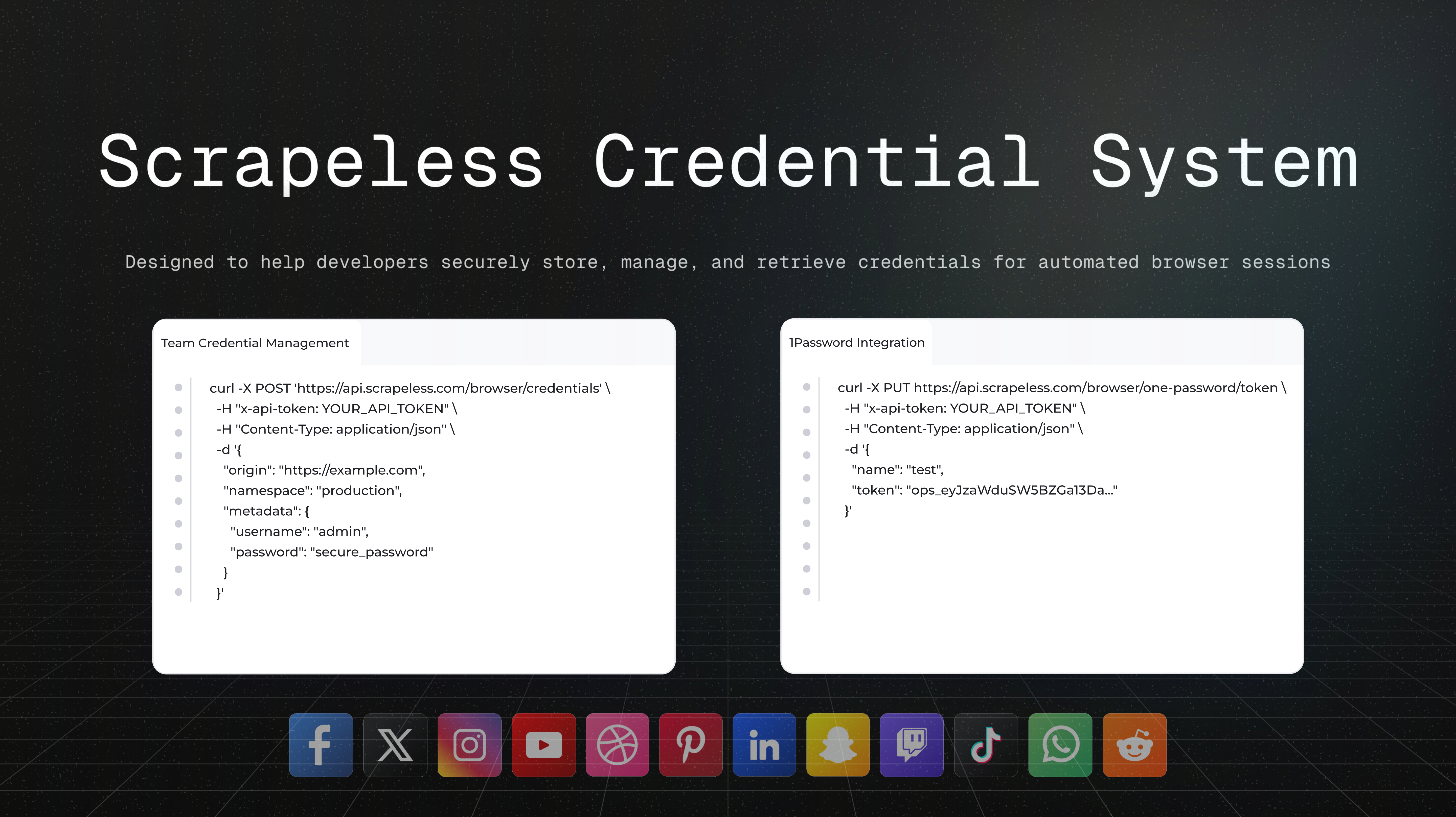
The Scrapeless Credential System is designed to help developers securely store, manage, and retrieve credential data for use in automated browser sessions.
In practice, the system allows developers to manage, read, and update credentials through an API, while browser automation scripts or AI agents can automatically fill in and access these credentials as needed.
By using the Scrapeless Credential System, developers can:
- Centrally organize and store credentials for different environments or applications.
- Securely retrieve authentication data and inject it into browser sessions.
- Allow AI agents to automatically access and fill in credential data without exposing or hardcoding secrets in the codebase.
Core Security Principles
The Scrapeless authentication layer follows three key principles:
- Secure Storage: Credentials are encrypted using enterprise-grade standards during both storage and transmission.
- Controlled Access: Only authorized API tokens can read credentials, ensuring full control over how data is accessed and used.
- Session Isolation: Injected credentials remain inaccessible after use, preventing any form of data leakage or replay attacks.
1Password Integration
Through integration with 1Password, developers can securely connect their 1Password vaults to Scrapeless to safely retrieve secrets or credentials for browser automation scenarios.
Once integrated, developers can read credentials directly from 1Password and inject them into Scrapeless browser sessions via API — providing a simplified and secure way to handle authentication data.
Prerequisites
Before you can use the 1Password integration, you need:
-
1Password Account:
An active 1Password account with access to the secrets you want to use in a vault other than Personal. -
Scrapeless API Key:
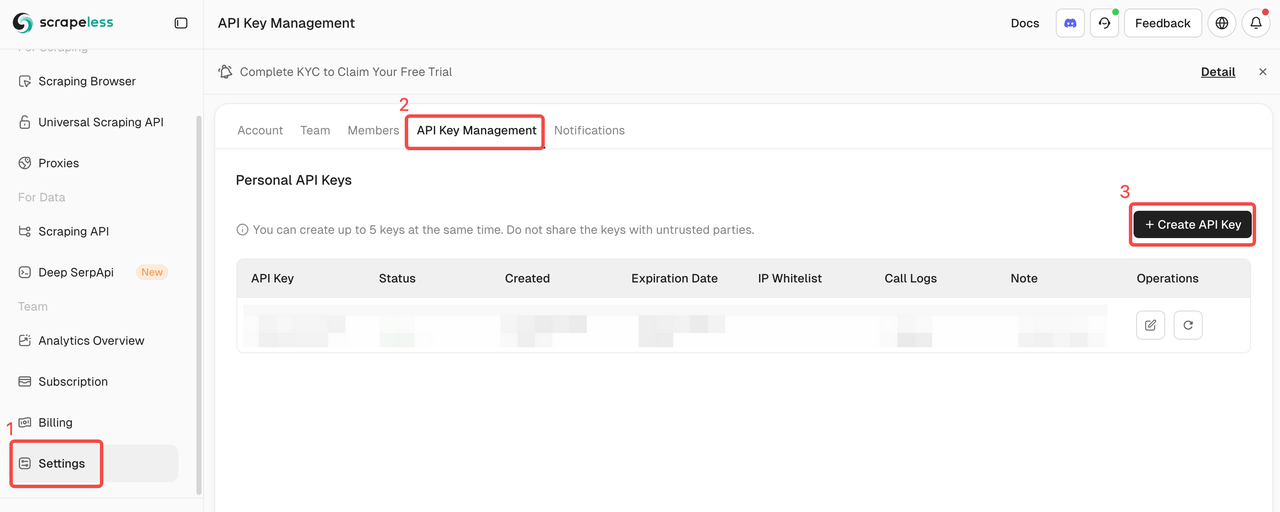
Your Scrapeless Browser API key for authentication.- Create an account and log in to the Scrapeless Dashboard.
- Generate your Scrapeless API key.
Getting a 1Password Service Account Token
- Log in to your 1Password account.
- Navigate to Developer → Directory → Service Accounts.
- Click Create Service Account.
- Give your service account a descriptive name (e.g., "Scrapeless Browser Automation").
- Grant the service account access to the vaults containing the secrets you need.
- Copy the service account token (starts with
ops_) — you’ll need this for the integration setup.
⚠️ Important: Store your service account token securely. It provides access to your 1Password secrets and should be treated like a password.
Get Started
1. Creating a 1Password Integration
Use this endpoint to configure your 1Password API token for accessing your vault.
The system will validate the token before storing it.
Request
API: PUT /browser/one-password/token
Example curl request:
bash
curl -X PUT https://api.scrapeless.com/browser/one-password/token \
  -H "x-api-token: YOUR_API_TOKEN" \
  -H "Content-Type: application/json" \
  -d '{
    "name": "test",
    "token": "ops_eyJzaWduSW5BZGa13Da..."
  }'
Parameters
| Parameter | Type | Required | Description |
|---|---|---|---|
| name | string | ✓ | The name of the authorized integration, used to identify this 1Password configuration. |
| token | string | ✓ | The 1Password API access token. |
2. Retrieve a Secret by Reference
Retrieve a single secret from 1Password using its reference.
Request
API: POST /browser/one-password/secret
Example (curl)
bash
curl -X POST https://api.scrapeless.com/browser/one-password/secret \
  -H "x-api-token: YOUR_API_KEY" \
  -H "Content-Type: application/json" \
  -d '{
    "reference": "op://[vault]/[item]/[field]"
  }'
Parameters:
| Parameter | Type | Required | Description |
|---|---|---|---|
| reference | string | ✓ | The secret reference path in the format op://[vault]/[item]/[field]. |
3. Retrieve Multiple Secrets by References
Retrieve multiple secrets from 1Password in a single request using an array of references.
Request
API: POST /browser/one-password/secrets
Example (curl):
bash
curl -X POST https://api.scrapeless.com/browser/one-password/secrets \
  -H "x-api-token: YOUR_API_TOKEN" \
  -H "Content-Type: application/json" \
  -d '{
    "references": [
      "op://[vault]/[item]/[field1]",
      "op://[vault]/[item]/[field2]",
      "op://[vault]/[item]/[field3]"
    ]
  }'
4. Revoke 1Password Authorization
Once revoked, access to secrets stored in 1Password will be disabled until a new token is configured.
Request
API: DELETE /browser/one-password/token
Example (curl):
bash
curl -X DELETE https://api.scrapeless.com/browser/one-password/token \
  -H "x-api-token: YOUR_API_KEY"
Troubleshooting
Integration Creation Fails
- Invalid Service Account Token: Verify your token starts with
ops_and is valid. - Insufficient Permissions: Ensure the service account has access to the required vaults.
Secrets Not Loading
- Invalid Secret Reference: Check the format of your secret references (
op://vault/item/field). - Service Account Access: Verify the service account has access to the specified vaults and items.
- Item or Field Not Found: Ensure the vault, item, and field names are correct and exist.
Environmental Variables Not Available
- Check Secret Reference Format: Ensure your secret references follow the correct format.
- Verify Integration ID: Make sure you’re using the correct integration ID in your session configuration.
Team Credential Management API
The Team Credential Management API allows you to securely create, update, retrieve, and delete team-level credentials for applications and services. Each credential can be associated with a specific origin and namespace to support multi-environment configuration.
Get Started
1. Create a Team Credential
Request
API: POST /browser/credentials
Create a new credential configuration for a team to store and manage authentication data required by an application.
Example (curl):
bash
curl -X POST 'https://api.scrapeless.com/browser/credentials' \
  -H "x-api-token: YOUR_API_TOKEN" \
  -H "Content-Type: application/json" \
  -d '{
    "origin": "https://example.com",
    "namespace": "production",
    "metadata": {
      "username": "admin",
      "password": "secure_password"
    }
  }'
Parameters:
| Parameter | Type | Required | Description |
|---|---|---|---|
| origin | string | ✓ | The data source URL identifying the service or app that owns the credential. |
| namespace | string | ✗ | The environment namespace (e.g., production, staging). Defaults to an empty string. |
| metadata | object<string, string> | ✓ | The credential metadata containing string-type key-value pairs for authentication data. |
2. Update a Team Credential
Request
API: PUT /browser/credentials
Update an existing team credential configuration.
Example curl request:
bash
curl -X PUT 'https://api.scrapeless.com/browser/credentials' \
  -H "x-api-token: YOUR_API_TOKEN" \
  -H "Content-Type: application/json" \
  -d '{
    "origin": "https://example.com",
    "namespace": "production",
    "metadata": {
      "username": "new_admin",
      "password": "new_secure_password"
    }
  }'
Parameters:
| Parameter | Type | Required | Description |
|---|---|---|---|
| origin | string | ✓ | The data source URL identifying the credential to update. |
| namespace | string | ✗ | The environment namespace of the credential. |
| metadata | object | ✓ | The updated credential metadata. |
3. Get a Team Credential
Request
API: GET /browser/credentials
Retrieve a team credential by its origin and optional namespace.
Example cURL Request
bash
curl -X GET 'https://api.scrapeless.com/browser/credentials?origin=https://example.com&namespace=production' \
  -H "x-api-token: YOUR_API_TOKEN"
Parameters:
| Parameter | Type | Required | Description |
|---|---|---|---|
| origin | string | ✓ | The data source URL for the credential. |
| namespace | string | ✗ | The environment namespace (optional). Defaults to an empty string. |
4. Revoke 1Password Authorization
Once revoked, access to secrets stored in 1Password will be disabled until a new token is configured.
Request
API: DELETE /browser/one-password/token
Example curl request
bash
curl -X DELETE 'https://api.scrapeless.com/browser/credentials' \
  -H "x-api-token: YOUR_API_TOKEN" \
  -H "Content-Type: application/json" \
  -d '{
    "origin": "https://example.com",
    "namespace": "production"
  }'
Parameters:
| Parameter | Type | Required | Description |
|---|---|---|---|
| origin | string | ✓ | The data source URL for the credential. |
| namespace | string | ✗ | The environment namespace (optional). Defaults to an empty string. |
Support
For additional help with 1Password integration:
- 1Password Service Accounts Documentation
- Contact Scrapeless support at market@scrapeless.com
At Scrapeless, we only access publicly available data while strictly complying with applicable laws, regulations, and website privacy policies. The content in this blog is for demonstration purposes only and does not involve any illegal or infringing activities. We make no guarantees and disclaim all liability for the use of information from this blog or third-party links. Before engaging in any scraping activities, consult your legal advisor and review the target website's terms of service or obtain the necessary permissions.





