• Agent Browser
  • Pricing
  • Docs
Loading Light/Dark Toggle

Products

Agent Browser

AI Scrapers

ChatGPT Scraper
Perplexity Scraper
Gemini Scraper
Copilot Scraper
Google AI Mode Scraper
Google AI Overview Scraper
Grok Scraper

Developers

Documentation
API Reference
Status

Legal

Privacy Policy
Terms of Use
Refund Policy
Don’t Sell My Info

Learning Center

Scraping Blog
Integration
FAQs
Glossary

© 2026 NST LABS TECH LTD.
All Rights Reserved.

All services are online

© 2026 NST LABS TECH LTD.
All Rights Reserved.

Contact us

Disclaimer : Scrapeless strictly adheres to the laws and regulations of each region, and we do not engage in any unauthorized access or data collection from private, confidential, or restricted sources

HomeFAQsHow to Set Up Scrapeless MCP Server on Claude?

How to Set Up Scrapeless MCP Server on Claude?

What is Claude? How can Scrapeless MCP Server enhance Claude service? Learn more in this blog.

No credit card required

Claude is a family of AI chatbots developed by Anthropic, designed to provide safe, efficient, and intelligent conversational AI services. Named after Claude Shannon, the father of information theory, Claude focuses on ethical AI, advanced reasoning, and maintaining a coherent dialogue experience. It competes with models like OpenAI’s ChatGPT and Google’s Gemini.

⚠️ Prerequisites

Before you begin, make sure the following conditions are met:

  • Node.js and npm are installed on your machine. If not, visit the official Node.js website to download and install them.
  • Claude client is installed on your device.

Step 1. Obtain your API token

Log in to Scrapeless and follow steps:
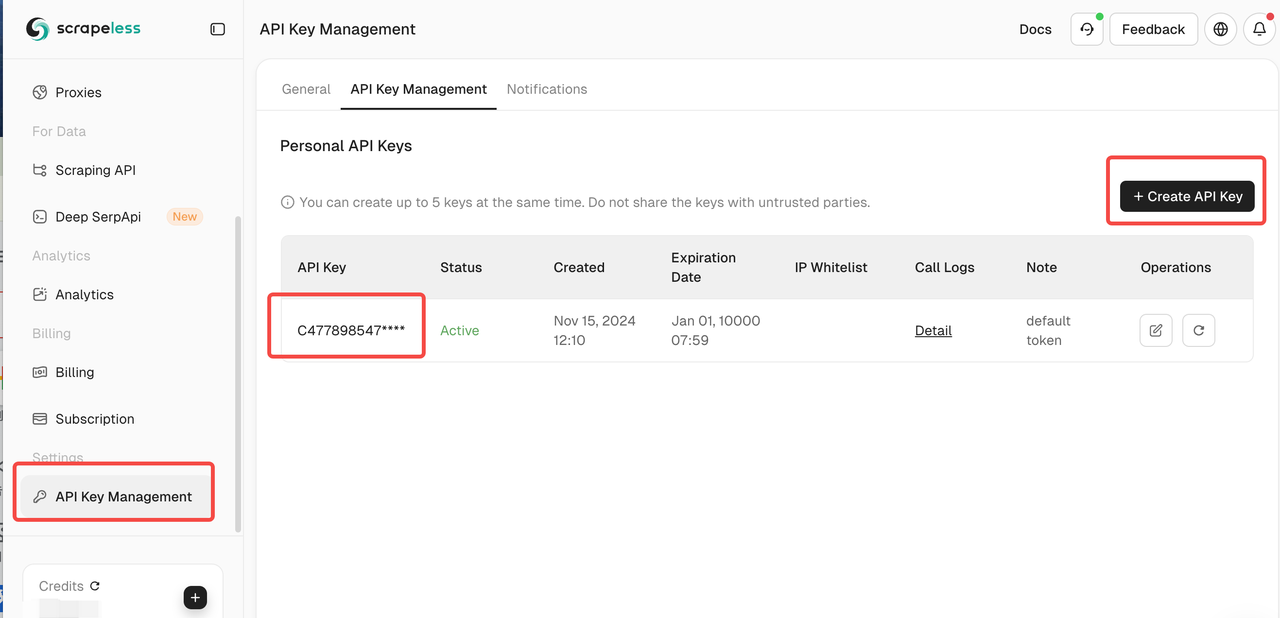
Obtain your API token

Step 2. Edit the Configuration File

Run the following command in your terminal to open the Claude config file:

Copy
vim ~/Library/Application\ Support/Claude/claude_desktop_config.json
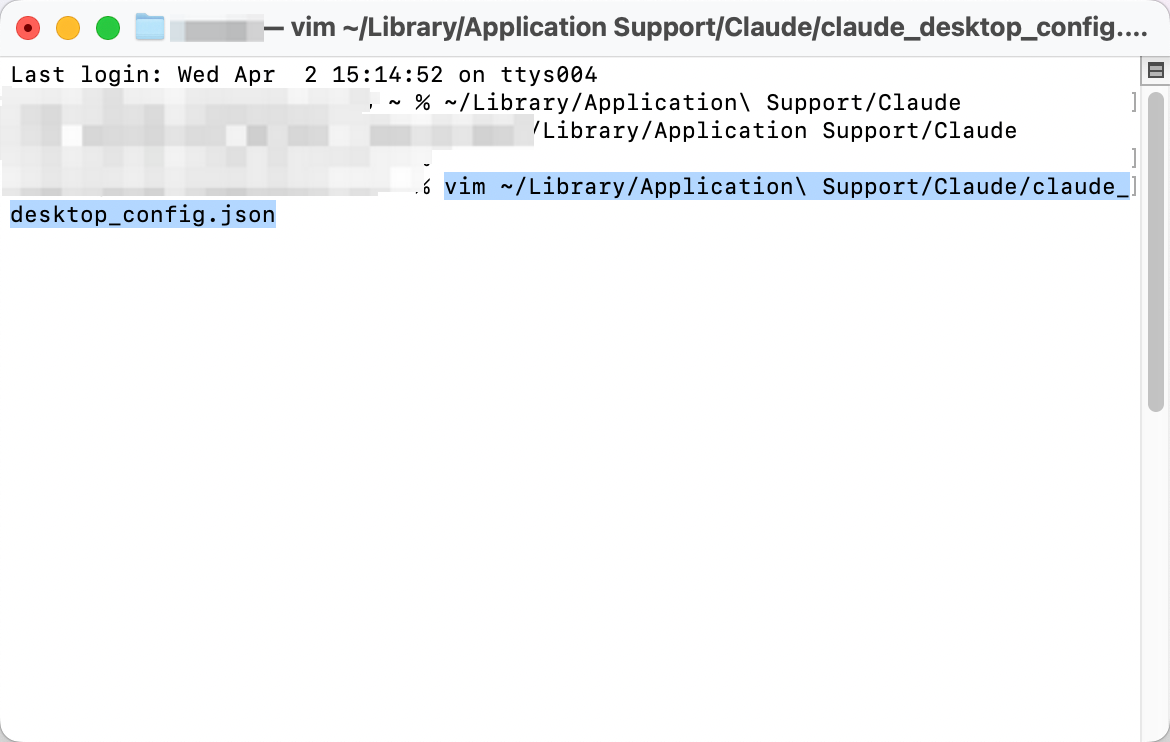
Edit the Configuration File

After pressing Enter, you’ll see the contents of the configuration file like this:
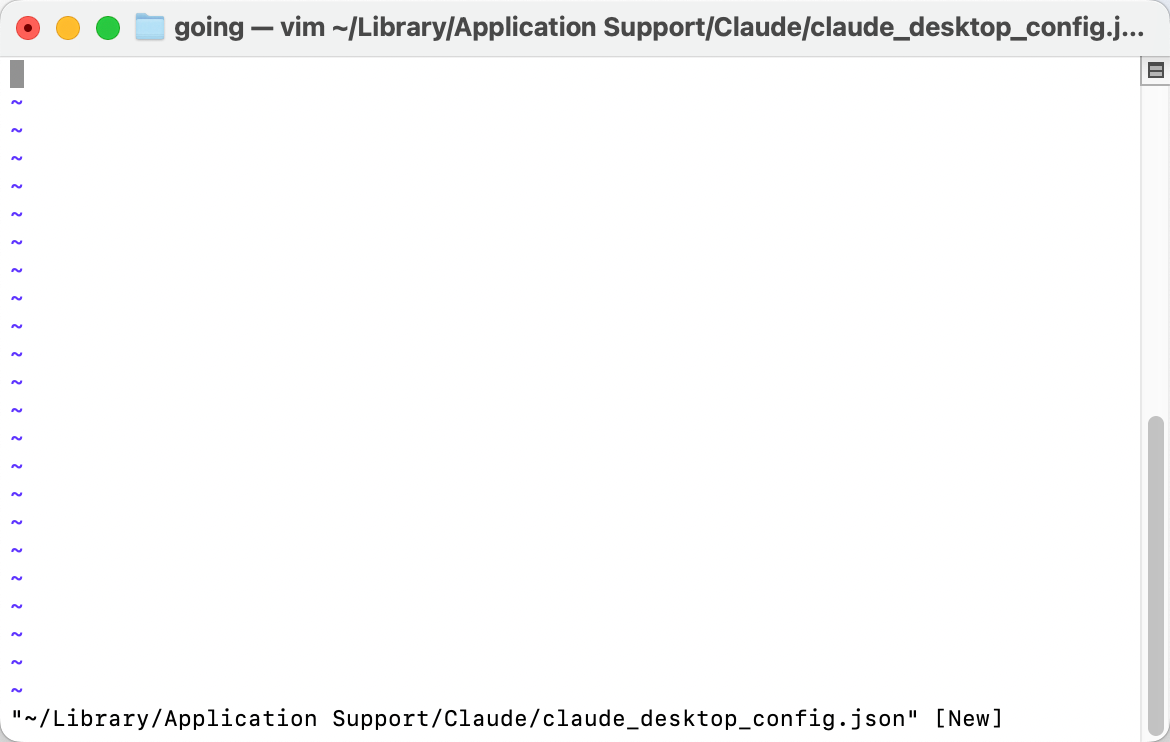
the contents of the configuration file

Step 3. Connect to the Scrapeless MCP Server
Insert the following configuration block into the file to integrate Scrapeless MCP.

For additional details, refer to our Scrapeless MCP Server Documentation.

Copy
{
  "mcpServers": {
    "scrapelessMcpServer": {
      "command": "npx",
      "args": ["-y", "scrapeless-mcp-server"],
      "env": {
        "SCRAPELESS_KEY": "YOUR_SCRAPELESS_KEY" // replace with your API key
      }
    }
  }
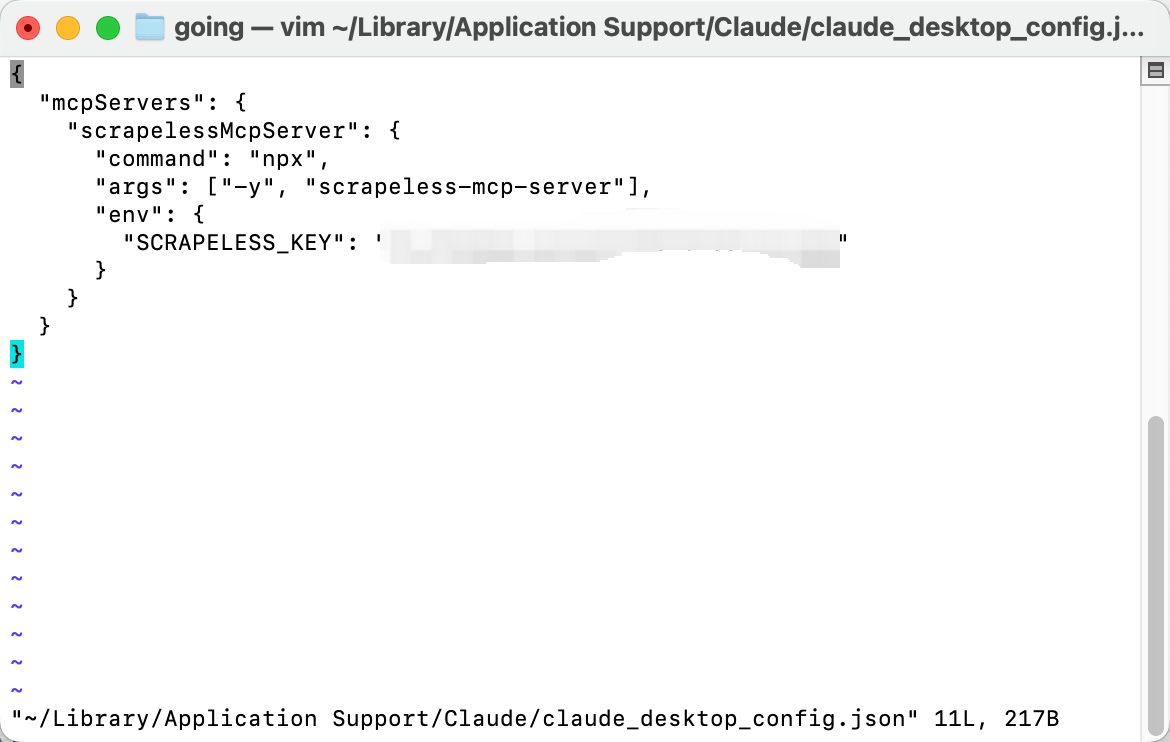
Paste the code into the config file. To save and exit in vim, press : then type x, and hit Enter.

Step 4. Launch Claude and Start Using MCP

Start the Claude client. Once you see the hammer icon, it means the MCP server has been connected successfully! Claude is now ready to send requests via Scrapeless MCP.
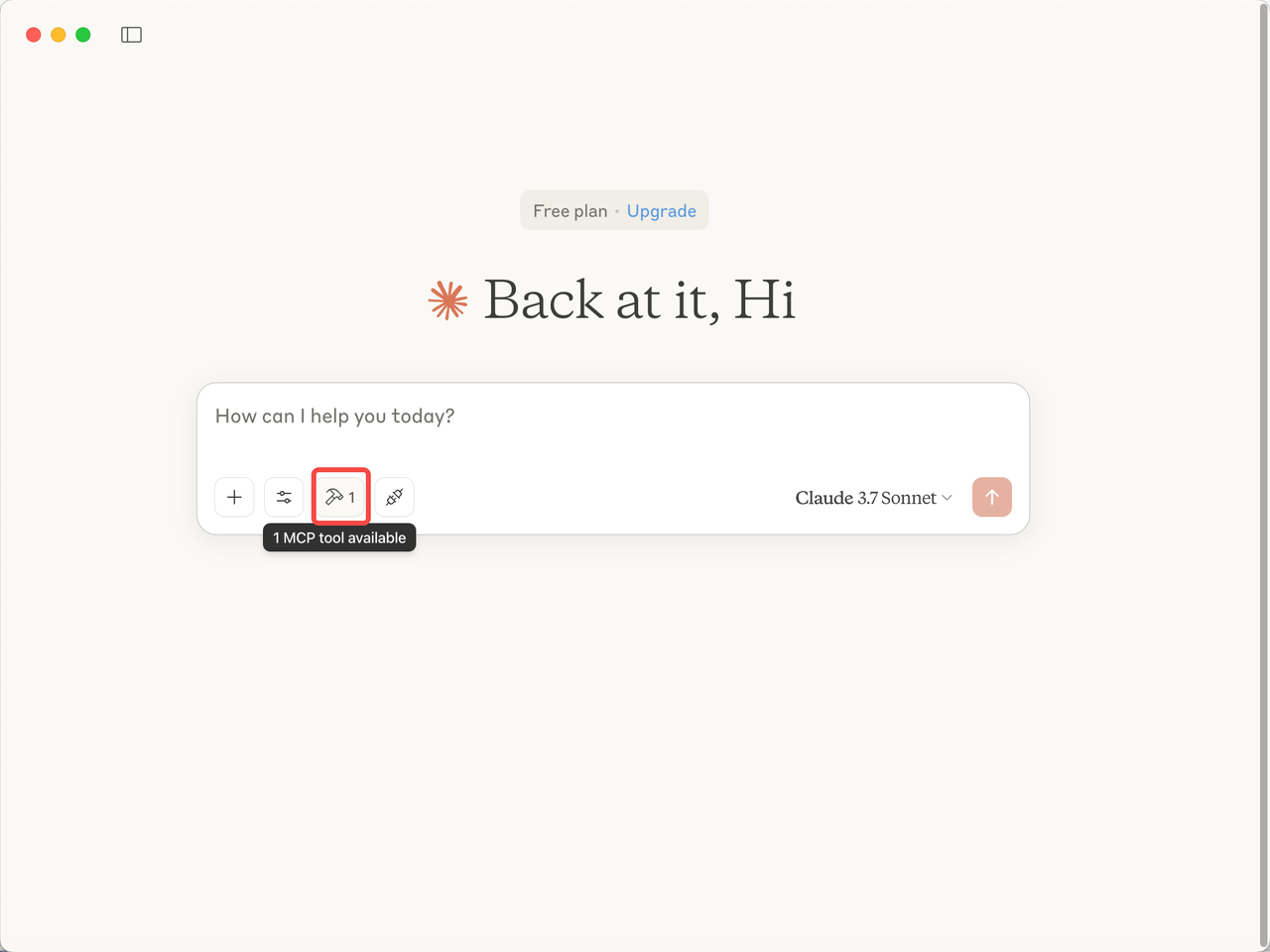
Launch Claude and Start Using MCP
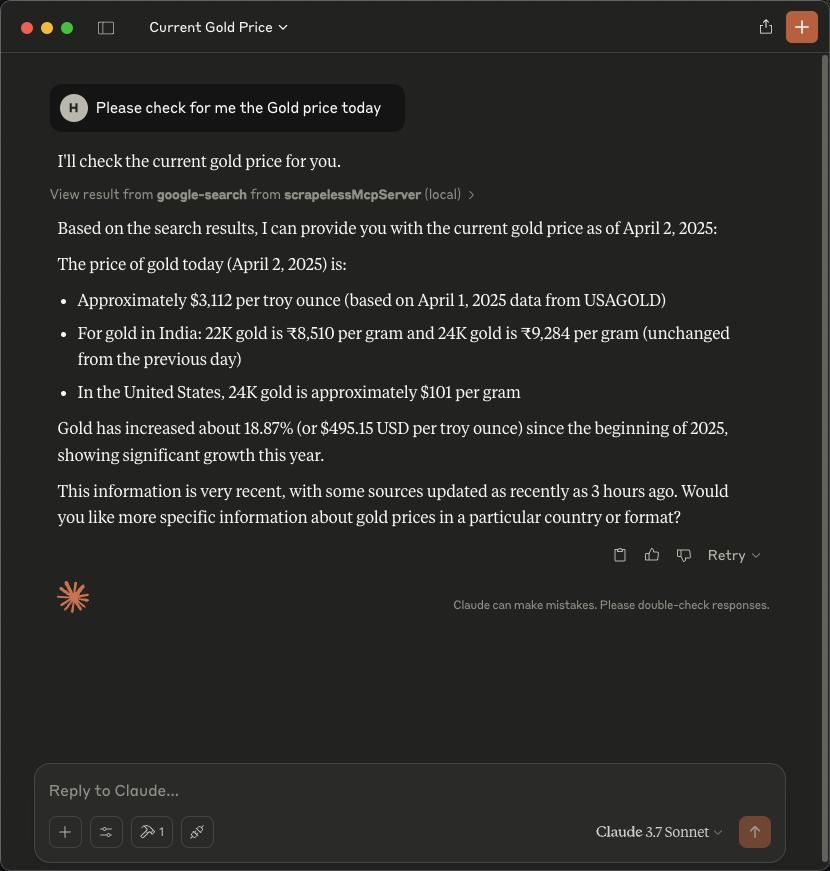
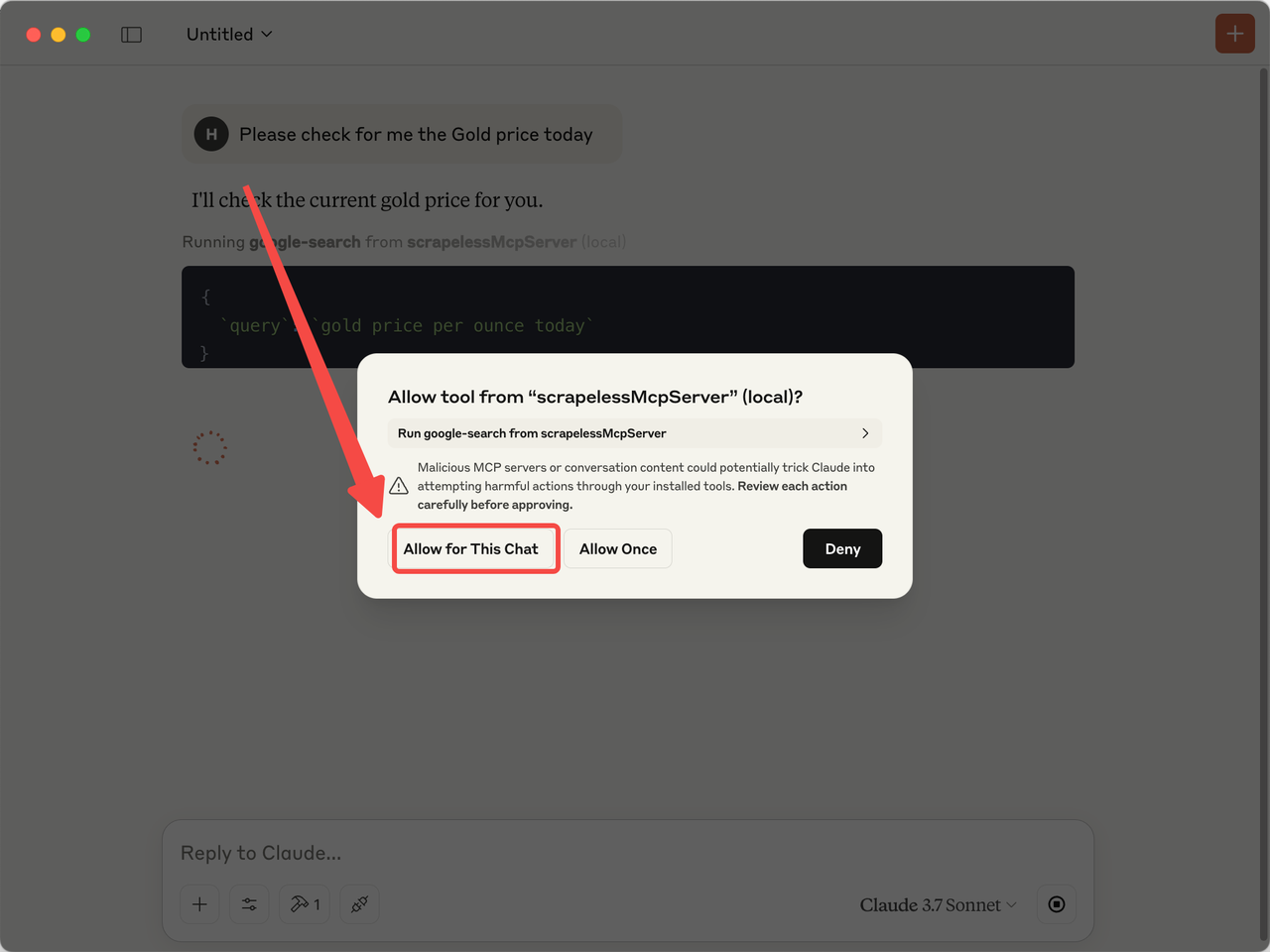
  • Type a query such as: "Please check for me the gold price today."
  • Allow Claude to access the Scrapeless MCP server.
Allow Claude to access the Scrapeless MCP server
  • Receive the answer directly from Claude.
Receive the answer directly from Claude.

Potential Related Questions

On this page
Why Google Maps API Crawling Results Have Inconsistent Rankings? — Technical Analysis and Solutions