
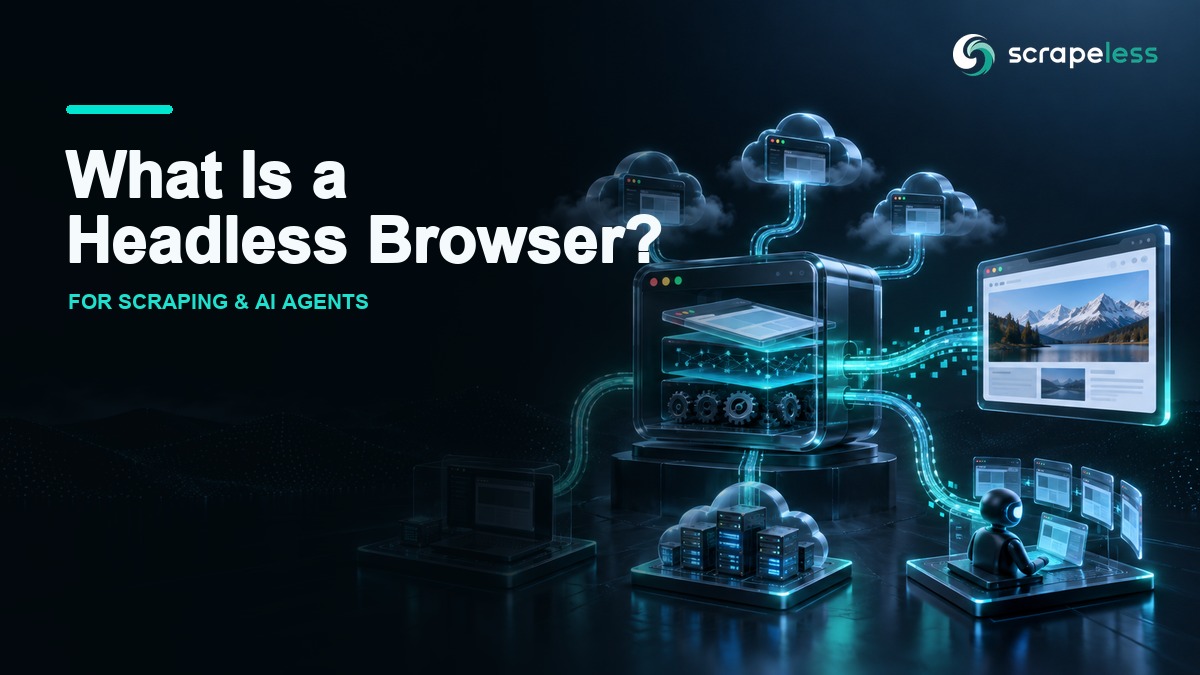
What Is a Headless Browser? How It Works for Scraping and AI Agents

Expert in Web Scraping Technologies
TL;DR:
- A headless browser is a full browser engine running without a visible window. It still parses HTML, applies CSS, executes JavaScript, creates a DOM, stores cookies, and makes network requests.
- Headless and headful describe display mode, not automation capability. Puppeteer, Playwright, WebDriver, and CDP can control either mode when the browser supports it.
- Local headless is best for development and CI; managed cloud browsers add isolation, routing, scale, and observability. The right layer depends on operational needs, not on whether a window is visible.
- AI agents need state and evidence, not only a renderer. Long tasks benefit from persistent sessions, controlled network identity, screenshots, console logs, and replay.
- Headful debugging should remain in the workflow. A visible browser is still the clearest way to inspect layout, consent prompts, and interaction timing before moving a job to unattended execution.
What Is a Headless Browser?
A headless browser is a browser engine that loads and renders web content without showing a graphical user interface.
“Headless” does not mean “HTML only.” Modern headless browsers execute JavaScript, apply CSS, build the DOM, load subresources, manage cookies and storage, and expose automation controls. The absent piece is the visible application window.
Chrome's official Headless mode documentation explains that current Headless Chrome shares the same browser code as regular Chrome. That architectural point matters: the rendering engine is real even when no window is painted to a desktop.
Headless vs Headful Browsers
Headless and headful modes use the same broad browser concepts but serve different operating needs.
| Dimension | Headless | Headful |
|---|---|---|
| Visible window | No | Yes |
| Server and container use | Natural fit | Requires a display environment |
| Interactive debugging | Needs logs, traces, screenshots, or remote view | Direct visual inspection |
| CI automation | Common default | Useful for targeted reproduction |
| Screenshot and PDF jobs | Scriptable and repeatable | Possible but less convenient at scale |
| GPU- or visual-sensitive flows | Must be validated carefully | Easier to inspect |
Neither mode is automatically more capable. A headful browser can be automated, and a headless browser can render a complex client-side application. The decision is about display, resource management, and debugging access.
How Headless Browsers Are Controlled
Headless browsers accept commands through a control surface rather than through a person using a visible toolbar.
Command-Line Flags
Browsers can expose flags for one-off tasks such as printing the DOM, taking a screenshot, or saving a PDF. This is useful for diagnostics and small build steps, but it offers less workflow control than an automation library.
Automation Libraries
Puppeteer and Playwright provide high-level APIs for navigation, selectors, events, downloads, network interception, and browser contexts. Selenium clients use WebDriver-compatible browser drivers across multiple languages and browser families.
Browser Protocols
Protocols carry commands between a client and the browser. The Chrome DevTools Protocol exposes Chromium debugging and automation domains. The W3C WebDriver specification defines a remote-control interface designed for browser interoperability.
The protocol is not the same as the library. Playwright or Puppeteer provides developer ergonomics; CDP provides a lower-level transport and command model.
Common Headless Browser Use Cases
A headless browser is valuable when a workflow needs the behavior of a browser but not a local window.
- Automated testing. Exercise user flows, assertions, forms, and navigation in CI.
- Web data extraction. Render JavaScript, reveal lazy-loaded public content, and read the resulting DOM or network responses.
- AI browser agents. Let an agent inspect a page, decide on an action, and continue from the same session state.
- Screenshots and PDFs. Produce repeatable visual captures from known viewport and print settings.
- Performance and diagnostics. Collect network, console, timing, and page-state evidence in a controlled run.
- Scheduled monitoring. Check public availability, content changes, or localized experiences without keeping a desktop open.
These use cases share one requirement: the browser needs explicit lifecycle management. A script or platform must create the browser, open pages, wait for meaningful page state, capture evidence, and close the session.
The Three-Layer Model: Local, Cloud, and Agent
Headless automation becomes easier to reason about when it is split into three layers.
Layer 1: Local Headless Browser
Local headless mode runs on a developer machine, CI worker, container, or virtual machine. It gives the team direct control over the browser version, operating system, dependencies, and filesystem.
Use local headless for unit-sized flows, test development, deterministic internal apps, and cases where infrastructure ownership is acceptable.
Layer 2: Managed Cloud Browser
A managed cloud browser moves browser processes, isolation, network routing, and lifecycle operations into a service. The client connects remotely and keeps its familiar automation API.
Use a managed layer when browser fleets, proxy routing, geographic access, session isolation, concurrency controls, or centralized observability would otherwise become a separate platform project.
Layer 3: Agent Browser
An Agent Browser adds long-lived task state and agent-facing controls to the managed-browser layer. The browser becomes a tool an agent can call, observe, and continue using over several decisions.
The agent still needs boundaries: allowed domains, permitted actions, human approval points, secret handling, and output validation. Browser control does not make an agent's conclusion correct.
Start Scraping with Scrapeless
Power up your web scraping and automation workflow with Scrapeless!
Sign up today and get $5 in free credit — no credit card required.Claim your free credit now in the Scrapeless Dashboard.
Why Local Headless Browsers Become Operational Work
A local browser starts as one process and becomes a system when the workload grows.
Teams must align browser and library versions, package system dependencies, keep containers healthy, cap memory and CPU use, isolate profiles, collect logs, expose screenshots, route traffic, and clean up abandoned processes. None of those tasks changes the selector or extraction logic, but each affects whether the job completes predictably.
The browser process also has state. Cookies, cache, service workers, storage, permissions, downloads, and extensions can cross task boundaries if contexts are reused carelessly. The WHATWG browsing-context model describes how documents, histories, and top-level browsing contexts relate inside the browser.
This is why “run more headless browsers” is not a full scaling plan. A production design needs isolation, admission control, observability, and a clear session lifecycle.
Where Scrapeless Agent Browser Fits
Scrapeless Agent Browser is a managed browser layer for scraping and AI-agent workflows. It exposes a standard CDP WebSocket endpoint for Puppeteer and Playwright, with proxy routing and session settings on the connection URL.
Prerequisite: a live connection requires a Scrapeless API key in
SCRAPELESS_API_KEY.
javascript
import { chromium } from "playwright-core";

const token = process.env.SCRAPELESS_API_KEY;
if (!token) throw new Error("SCRAPELESS_API_KEY is required");

const endpoint = new URL("wss://browser.scrapeless.com/api/v2/browser");
endpoint.searchParams.set("token", token);
endpoint.searchParams.set("sessionTTL", "180");
endpoint.searchParams.set("proxyCountry", "US");

const browser = await chromium.connectOverCDP(endpoint.toString());
const context = browser.contexts()[0];
const page = context.pages()[0] ?? (await context.newPage());
await page.goto("https://example.com", { waitUntil: "domcontentloaded" });
console.log({ title: await page.title(), url: page.url() });
await browser.close();
The code swaps a local browser launch for a CDP connection. The navigation and extraction APIs remain familiar, while the browser process and configured egress run remotely.
Limitations of Headless Browsers
A headless browser solves rendering and interaction. It does not solve data correctness, authorization, or workflow design.
Debugging Is Less Immediate
Without a visible window, logs and artifacts become the evidence. Capture console messages, failed requests, screenshots, DOM snapshots, and the final URL. A managed live view or replay can shorten diagnosis for long flows.
Rendered Content Can Still Be Incomplete
Pages may depend on login state, consent, location, experiments, user history, or actions that have not occurred. “DOM loaded” is only one milestone. Wait for a domain-specific element or response that proves the needed content exists.
Automation Can Be Detected
Websites can evaluate network, HTTP, runtime, and behavioral signals. Headless mode is only one signal among many. Treat identity as a coherent session rather than a single flag.
Resource Use Is Material
Every browser session consumes memory, CPU, file descriptors, and network capacity. Set explicit concurrency limits and isolate untrusted pages.
Visual Fidelity Needs Testing
Fonts, GPU behavior, viewport, media emulation, and print settings can alter captures. Validate visual workflows against reference images and keep headful inspection available.
When to Use Headful Debugging
Headful mode is the right diagnostic tool when the next action depends on what a person can see.
Keep a headful path for:
- building and tightening selectors;
- understanding a consent or authentication flow;
- inspecting drag, hover, focus, and keyboard behavior;
- validating pixel-sensitive screenshots;
- reproducing a problem with DevTools open;
- confirming that automation state matches user-visible state.
Once the behavior is understood, move the stable path to headless execution and retain screenshots, traces, and logs as evidence.
Decision Table
| Need | Local headless | Managed cloud browser | Agent Browser |
|---|---|---|---|
| Fast local development | Best fit | Optional | Optional |
| Standard CI tests | Best fit | Useful at scale | Rarely needed |
| Geographic routing | Manual infrastructure | Built for it | Built for it |
| Many isolated sessions | Operations burden | Best fit | Best fit |
| Long multi-step tasks | Custom state handling | Session dependent | Best fit |
| Central logs and replay | Custom tooling | Common capability | Core operational need |
| Natural-language tool calls | Add an agent layer | Add an agent layer | Native use case |
Choose the smallest layer that satisfies the task. A local headless browser is excellent when the team controls the environment. A managed browser is valuable when infrastructure becomes the bottleneck. An Agent Browser is useful when a reasoning system must own a persistent, observable browser session.
Conclusion
A headless browser is a browser without a visible window, not a reduced renderer. The important design choice is where it runs and who owns its state, network route, isolation, and evidence.
Use the Agent Browser documentation for the current connection contract, compare account options on the pricing page, and see how a prompt-driven integration uses the same browser layer in the Hermes and Scrapeless guide.
Ready to Build Observable Browser Automation?
Join the Scrapeless community to discuss browser lifecycle, CDP connections, and agent session design: Discord · Telegram.
Sign up at app.scrapeless.com and connect an existing Puppeteer or Playwright workflow to Agent Browser.
FAQ
Q: Is a headless browser a real browser?
Yes. A modern headless browser uses a real browser engine to parse HTML, apply CSS, execute JavaScript, render pages, and manage browser state without displaying a desktop window.
Q: Is headless mode faster than headful mode?
Headless mode can reduce display overhead, but performance depends on the page, browser build, hardware, flags, and workload. Measure the exact flow instead of assuming a universal percentage.
Q: Can websites detect headless browsers?
Websites can analyze many signals across the network, HTTP, runtime, and behavior layers. Headless mode can contribute to detection, but it is not the only signal.
Q: Should web scraping use headless or headful mode?
Use headful mode to build and debug the flow, then use headless mode for unattended execution once selectors, waits, state, and output checks are stable.
Q: What is the difference between a cloud browser and a headless browser?
Headless describes display mode. A cloud browser describes where the browser runs and who manages the process, isolation, network, and operational tooling.
Q: Can Agent Browser run without an AI agent?
Yes. Puppeteer or Playwright can connect directly through CDP and control the session with ordinary application code.
At Scrapeless, we only access publicly available data while strictly complying with applicable laws, regulations, and website privacy policies. The content in this blog is for demonstration purposes only and does not involve any illegal or infringing activities. We make no guarantees and disclaim all liability for the use of information from this blog or third-party links. Before engaging in any scraping activities, consult your legal advisor and review the target website's terms of service or obtain the necessary permissions.





