
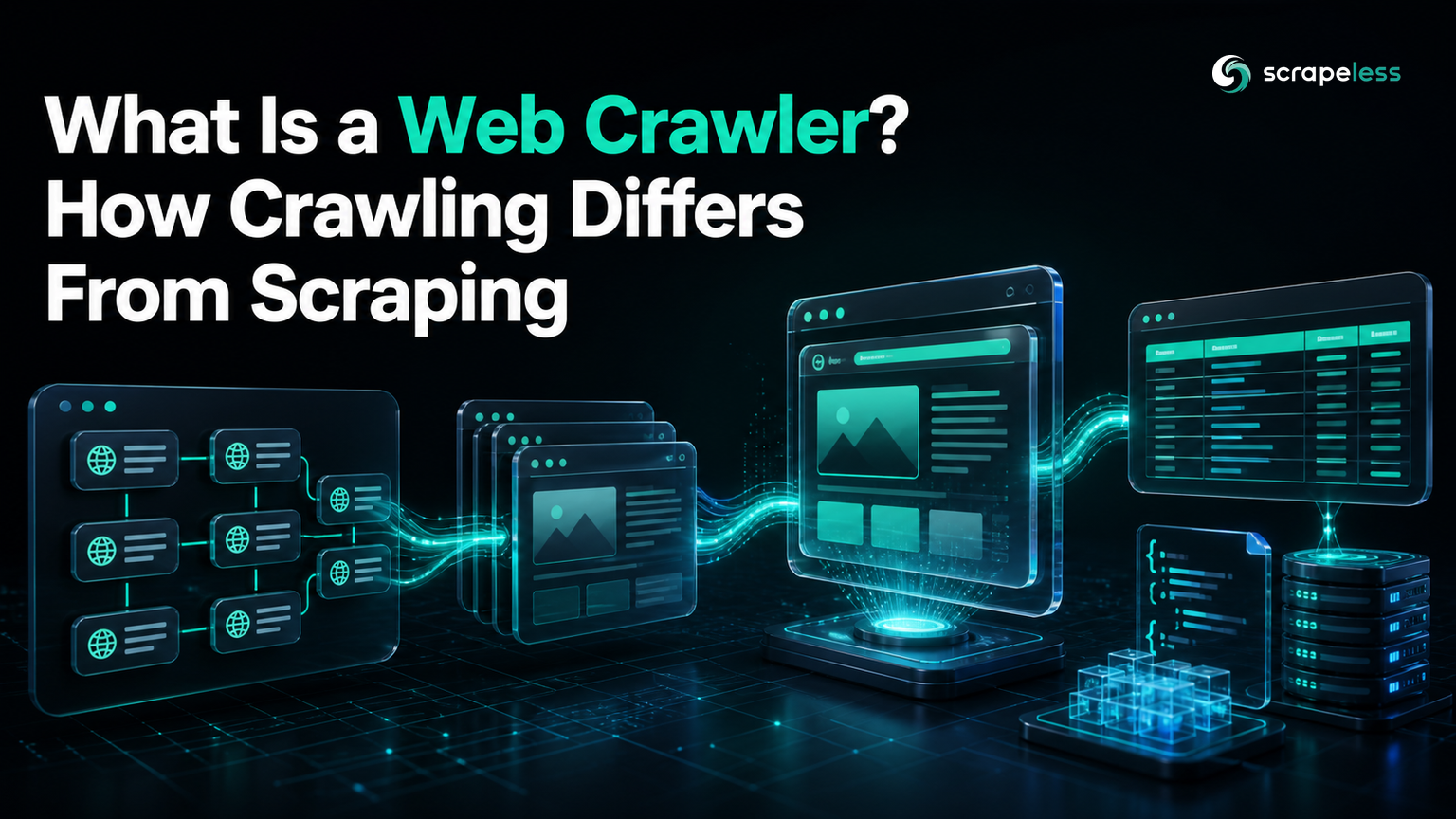
What Is a Web Crawler? How Crawling Differs From Scraping

Web Data Collection Specialist
TL;DR:
- A web crawler is a program that discovers pages by visiting known URLs and following links under explicit scope rules. Discovery is its defining job.
- Crawling and scraping are related but different. A crawler builds the URL set; a scraper turns selected pages into structured records.
- Modern crawling may need rendering. Static HTML is enough for ordinary links, while client-rendered navigation can require a cloud browser before discovery can continue.
- A production crawler is a controlled loop. It normalizes URLs, removes duplicates, respects source policies, schedules revisits, and sends selected pages to extraction and storage.
What Is a Web Crawler?
A web crawler is an automated client that starts from one or more seed URLs, fetches pages, discovers additional URLs, and schedules eligible URLs for later visits.
The crawler does not need to collect every page it sees. Its scope rules decide which hosts, paths, file types, query parameters, and link relationships belong in the crawl. Search engines use crawlers to discover documents for indexing, while data teams use focused crawlers to map a site section, monitor a catalog, or feed an extraction pipeline.
The Robots Exclusion Protocol describes crawlers as automated clients and defines a standard way for service owners to express crawl rules. Those rules guide crawling; they are not a substitute for authorization or source terms.
How Web Crawlers Work
A web crawler works as a queue with memory.
- Seed. Add approved starting URLs.
- Fetch. Request a page and record the response.
- Discover. Read links and other stable discovery surfaces.
- Normalize. Resolve relative links, remove fragments, and apply a query-parameter policy.
- Filter. Keep URLs inside the allowed hosts and paths.
- Deduplicate. Skip URLs or content already seen.
- Schedule. Add new URLs to the frontier and set revisit priority.
- Hand off. Send selected pages to rendering, extraction, validation, and storage.
The fetch step follows normal web semantics. HTTP Semantics defines status codes, representations, redirects, caching behavior, and request methods that a crawler must interpret correctly.
The URL frontier
The URL frontier is the crawler's pending-work set.
It needs more than a first-in, first-out queue. Production crawlers usually attach a source, discovery time, depth, priority, and next-eligible time to each URL. This makes the crawl observable and prevents one dense site section from monopolizing the run.
Link discovery
HTML anchors are the common discovery surface, but the crawler still needs a precise definition of a link. The HTML link model distinguishes hyperlinks and external resource links, which helps explain why not every href should enter the frontier.
Sitemaps, feeds, structured endpoints, and durable URL patterns can be better seeds than visible navigation. Prefer the source that expresses the site's information architecture with the least rendering and parsing ambiguity.
Web Crawler vs Web Scraper
A web crawler discovers pages; a web scraper extracts fields from pages.
| Question | Web crawler | Web scraper |
|---|---|---|
| Primary output | Canonical URLs and crawl metadata | Structured records |
| Main decision | Which page should be visited next? | Which fields should be extracted? |
| Typical state | Frontier, visited set, revisit schedule | Schema version, parser rules, validation state |
| Common failure | Missed or duplicate URLs | Missing, shifted, or incorrect fields |
| Natural handoff | Page selected for processing | Validated record ready for storage |
The two components often run together. Discovery identifies a product page; extraction reads its name, availability, or price. Keeping the boundary explicit makes failures easier to diagnose.
Start Scraping with Scrapeless
Power up your web scraping and automation workflow with Scrapeless!
Sign up today and get $5 in free credit — no credit card required.Claim your free credit now in the Scrapeless Dashboard.
Types of Web Crawlers
Crawler types differ mainly in scope, placement, and scheduling policy.
Broad crawlers
Broad crawlers discover pages across many hosts. They need strict host scheduling, large deduplication stores, and careful prioritization because the possible URL space is unbounded.
Focused crawlers
Focused crawlers stay within a topic, domain, or path set. They score discovered URLs against a clear purpose and discard unrelated branches early.
Incremental crawlers
Incremental crawlers revisit known pages to detect changes. Their key decision is not discovery depth but revisit timing based on source importance and observed change frequency.
Cloud web crawlers
A cloud web crawler distributes fetching or rendering across managed workers while keeping one logical frontier. Cloud placement does not change the crawl algorithm; it changes how capacity, browser processes, and network access are operated.
Crawling JavaScript-Rendered Pages
JavaScript-rendered pages require the crawler to distinguish response HTML from the post-render document.
Some applications return navigation links in the initial response. Others create them only after scripts run or after a user action. If the relevant discovery surface does not exist in response HTML, the crawler needs a render step before extracting links.
Scrapeless Scraping Browser provides a cloud browser for pages that need client-side execution. The crawler should still render selectively. Render the branch whose links or content depend on JavaScript; use ordinary HTTP fetching where the response already contains the needed structure.
This produces a practical pipeline:
Discover → Render when required → Extract → Validate → Store
Discovery decides where to go. Rendering exposes the page state. Extraction produces records. Validation prevents successful requests from becoming incorrect data.
Common Web Crawler Use Cases
Web crawlers are useful whenever the URL set is part of the problem.
- Search indexing. Discover documents and revisit pages that may have changed.
- Site inventory. Map canonical pages, redirects, metadata, and broken paths.
- Catalog monitoring. Detect newly added or removed public product pages.
- Research collection. Build a bounded corpus with source and discovery metadata.
- Change detection. Schedule important pages for periodic comparison.
- Data pipelines. Feed eligible pages into a separate scraper and validator.
Search crawlers illustrate the discovery role clearly. Google's crawler overview documents crawler identities and how site operators can verify them, without changing the general frontier model used by other crawlers.
Ethical Crawling and Crawl Boundaries
Responsible crawling starts with a narrow, documented scope.
Collect publicly accessible pages that serve a legitimate purpose. Review source terms, robots rules, and applicable law. Identify the crawler honestly where appropriate, limit per-host load, honor access controls, and avoid private or restricted areas.
Store provenance with each record: canonical URL, fetch time, response status, and parser version. Data minimization matters as well. If a use case needs a small set of fields, the pipeline should not retain unrelated personal or sensitive content.
Choosing a Crawler Stack
Choose a crawler stack from the hardest required stage, then keep easier stages simple.
Use an HTTP-first crawler when links are present in stable response HTML. Add selective browser rendering when the page creates required links client-side. Keep discovery and extraction separate so one can change without hiding errors in the other.
For network placement and operating models, the cloud proxy glossary explains how an intermediary differs from the crawler itself. Review Scrapeless pricing when browser-rendered branches become part of the workload.
Conclusion: Treat Discovery as Its Own System
A web crawler is a controlled discovery loop, not a synonym for every data-collection task.
Define the frontier, normalize and filter every discovered URL, render only where the discovery surface requires it, and hand selected pages to a separate extraction layer. That boundary keeps coverage, access, and data-quality problems visible.
Ready to Build a Cloud Web Crawler?
Join our community to claim a free plan and connect with developers building discovery and extraction pipelines: Discord · Telegram.
Sign up at app.scrapeless.com and test browser rendering on the JavaScript-dependent branches of your crawl.
FAQ
Q: What is the main purpose of a web crawler?
The main purpose of a web crawler is to discover eligible web pages from seed URLs and links. Indexing or structured extraction happens after discovery.
Q: What is the difference between crawling and scraping?
Crawling finds and schedules pages, while scraping extracts specific fields from selected pages. A data pipeline often uses both in sequence.
Q: Does a web crawler need a browser?
A web crawler needs a browser only when required links or page states appear after client-side JavaScript runs. Static discovery should use response HTML or another stable source when possible.
Q: What does robots.txt do for a crawler?
Robots.txt communicates a service owner's crawl preferences for automated clients. It guides crawling but does not grant access or replace terms, authorization, or legal review.
Q: How does a crawler avoid duplicate pages?
A crawler avoids duplicates by normalizing URLs, applying a query-parameter policy, tracking visited identifiers, and optionally comparing content fingerprints. Canonical hints can inform the decision, but the crawler still needs its own policy.
Q: Can a crawler discover an entire website?
A crawler can discover the reachable portion of a website that fits its scope and access rules. Orphan pages, gated routes, forms, client-only navigation, and infinite URL spaces mean that “entire” must be defined before the run.
At Scrapeless, we only access publicly available data while strictly complying with applicable laws, regulations, and website privacy policies. The content in this blog is for demonstration purposes only and does not involve any illegal or infringing activities. We make no guarantees and disclaim all liability for the use of information from this blog or third-party links. Before engaging in any scraping activities, consult your legal advisor and review the target website's terms of service or obtain the necessary permissions.





