
Kimi K3 + Scrapeless: Give the Model Live Web Access

Senior Web Scraping Engineer
TL;DR:
- Kimi K3 can reason about tool calls, but the model does not automatically own a fresh copy of the web. A client must expose search, page extraction, or browser tools and return their results to the model.
- Scrapeless MCP Server supplies the live-web tool boundary. One remote MCP connection gives an agent typed search, scraping, and cloud-browser actions without placing browser infrastructure inside the model process.
- OpenCode can host both sides of the integration. Configure Kimi K3 as the model provider and Scrapeless as a remote MCP server, then verify the server before asking the model to research.
- Grounded prompts need an evidence contract. Require source URLs, extracted fields, nullable values, and a freshness timestamp instead of accepting an unsupported narrative answer.
- Two credentials remain separate.
MOONSHOT_API_KEYauthorizes the model provider;SCRAPELESS_KEYauthorizes the web-tool layer. - Free to start. New Scrapeless accounts include free trial credits — sign up at app.scrapeless.com.
Introduction: A Model and a Web Tool Are Different Components
Kimi K3 can plan, reason, and emit structured tool calls. Live web access still arrives through a client and a tool server.
That separation is useful. The model decides what evidence it needs; the MCP client validates a typed request; Scrapeless performs search, extraction, or browser work; the result returns to the model with a visible source trail. The model never needs direct access to browser credentials or network plumbing.
This guide uses OpenCode as the MCP-capable client because its project configuration can declare both a model provider and remote MCP servers. The same boundary works in any standards-compliant client.
What You Can Build With Kimi K3 and Scrapeless
Kimi K3 plus Scrapeless works best when the model owns analysis and the tool layer owns current observations.
- Research briefs. Search a topic, open the relevant pages, extract claims and dates, then return a source-linked brief.
- Product monitoring. Read public product and changelog pages, normalize visible fields, and flag material differences for review.
- Technical documentation agents. Locate current reference pages and answer from the fetched content rather than model memory.
- Market maps. Discover public organizations or products, extract a fixed schema, and preserve the URL for each record.
- Evidence-aware RAG. Pull live sources on demand and attach provenance before the content enters a retrieval index.
- Browser research. Use a cloud browser when a page requires JavaScript rendering or multi-step navigation.
The Scrapeless MCP launch article describes the tool surface, while the LangChain integration shows the same boundary in a framework-managed agent.
Why Live Web Access Matters
Kimi K3's training and context window do not make a page current. A release note, policy, price, or availability field may change after the model was trained or after a prior conversation began.
The official Kimi K3 repository documents the model ID kimi-k3, OpenAI-compatible access, tool calls, and preserved thinking history. It also makes the model/client contract explicit: multi-turn tool workflows must pass the complete assistant message returned by the API back into the next request.
MCP solves a different problem. The MCP lifecycle specification defines initialization and capability negotiation before normal tool operations. Tool discovery is therefore the first integration test—not a prompt.
Why the Scrapeless MCP Server
Scrapeless MCP Server gives an MCP-capable agent one typed boundary for current web work: search, direct page extraction, screenshots, and persistent cloud-browser actions.
The remote endpoint is https://api.scrapeless.com/mcp and uses the x-api-token header. The local stdio package is scrapeless-mcp-server. Both keep the browser and network execution outside Kimi K3's model process.
Use the Scrapeless AI Agent page for the agent-facing product direction, review Scrapeless pricing, and keep the connection aligned with the Scrapeless documentation.
Prerequisites
- Node.js 20 or newer.
- An MCP-capable client. This guide uses OpenCode's project configuration.
- Kimi K3 API access and
MOONSHOT_API_KEY. - A Scrapeless account and
SCRAPELESS_KEY. - Permission to access every target and to store the returned public data.
The local verification environment did not contain either service key. Package installation, configuration validation, and client construction were run; authenticated model generation and MCP tool discovery remain labelled prerequisites.
Install the Integration Packages
Install the exact MCP client and local server packages used by the validation harness:
bash
npm install \
  @modelcontextprotocol/sdk@1.30.0 \
  scrapeless-mcp-server@0.5.0
The package boundary is independent of the client UI. OpenCode can use the remote server directly; the SDK remains useful for a low-level connection test and the stdio package provides a local transport option.
Connect Kimi K3 and Scrapeless in OpenCode
OpenCode accepts project configuration in opencode.json. Its provider configuration supports OpenAI-compatible endpoints, and its MCP configuration accepts remote Streamable HTTP servers with headers.
Note: Loading the following configuration requires valid
MOONSHOT_API_KEYandSCRAPELESS_KEYenvironment variables. The JSON shape was validated locally; authenticated connections were not presented as completed runs.
json
{
  "$schema": "https://opencode.ai/config.json",
  "model": "moonshot/kimi-k3",
  "providers": {
    "moonshot": {
      "name": "Moonshot AI",
      "env": ["MOONSHOT_API_KEY"],
      "package": "@opencode-ai/ai/providers/openai-compatible",
      "settings": {
        "baseURL": "https://api.moonshot.ai/v1"
      },
      "models": {
        "kimi-k3": {
          "name": "Kimi K3",
          "modelID": "kimi-k3"
        }
      }
    }
  },
  "mcp": {
    "servers": {
      "scrapeless": {
        "type": "remote",
        "url": "https://api.scrapeless.com/mcp",
        "oauth": false,
        "headers": {
          "x-api-token": "{env:SCRAPELESS_KEY}"
        }
      }
    }
  }
}
OpenCode's remote MCP server schema uses an absolute URL and a headers object. Environment substitution keeps credentials out of the repository.
Start Scraping with Scrapeless
Power up your web scraping and automation workflow with Scrapeless!
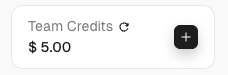
Sign up today and get $5 in free credit — no credit card required.Claim your free credit now in the Scrapeless Dashboard.
Verify the Tool Boundary Before Prompting Kimi K3
Configuration is not evidence of a working connection. A proper check initializes the MCP client, negotiates capabilities, and lists tools before the model is involved.
Note: This handshake requires
SCRAPELESS_KEY. The installed SDK and client constructor were validated locally, but the authenticatedlistTools()call remains a prerequisite in this credential-free environment.
javascript
import { Client } from "@modelcontextprotocol/sdk/client/index.js";
import { StreamableHTTPClientTransport } from "@modelcontextprotocol/sdk/client/streamableHttp.js";

const transport = new StreamableHTTPClientTransport(
  new URL("https://api.scrapeless.com/mcp"),
  {
    requestInit: {
      headers: { "x-api-token": process.env.SCRAPELESS_KEY },
    },
  },
);

const client = new Client({ name: "kimi-k3-web-check", version: "1.0.0" });
await client.connect(transport);

const { tools } = await client.listTools();
console.log(tools.map(({ name }) => name).sort());

await client.close();
The test should fail closed when the key is absent. With a valid key, inspect the returned names and schemas rather than hard-coding assumptions from an older post.
How You Actually Use This: Prompt Kimi K3
After the server appears in the client, ask for work in terms of evidence and output—not product commands.
Prompts You Can Paste
| Goal | Prompt |
|---|---|
| Current technical brief | “Research the current public documentation for this topic. Return claim, evidence URL, page title, and observed date for every row.” |
| Product comparison | “Compare these public product pages using only fields visible on each page. Mark missing fields as null.” |
| Change check | “Read this changelog and product page. Identify changes that affect API users and quote the surrounding evidence.” |
| Source discovery | “Search for primary sources first, open the most relevant pages, and explain why each source is authoritative.” |
| Structured extraction | “Extract the visible items into the supplied JSON schema. Preserve each record's canonical URL.” |
| Browser workflow | “Open the page in a browser, wait for the named UI element, extract only public fields, then close the session.” |
Worked Example: Research and Extract
You type:
Research the current Kimi K3 deployment guidance from Moonshot AI's public repository. Return the supported API model ID, compatible interface, recommended inference engines, source URL, and any field that cannot be confirmed as null. Use current web tools; do not answer from memory.
The agent's plan should remain visible:
- Search for Moonshot AI's first-party Kimi K3 repository.
- Open the repository page and identify the deployment section.
- Extract only the requested fields.
- Preserve the source URL and page title.
- Return null for any requested field not present on the page.
The output contract is compact:
jsonc
// illustrative sample
{
  "model_id": "kimi-k3",
  "api_style": ["OpenAI-compatible", "Anthropic-compatible"],
  "recommended_inference_engines": ["vLLM", "SGLang", "TokenSpeed"],
  "source_url": "https://github.com/MoonshotAI/Kimi-K3",
  "source_title": "MoonshotAI/Kimi-K3",
  "unconfirmed": []
}
The shown values come from the first-party repository. In production, keep the raw tool result beside the normalized record so a reviewer can trace every field.
Shape Reliable Outputs
Reliable agent output starts with a narrow data contract.
- Name the source class. Ask for first-party documentation, standards, or public records when those are required.
- Specify fields. A fixed schema prevents a persuasive paragraph from replacing missing evidence.
- Preserve canonical URLs. A source URL makes review and later change detection possible.
- Allow null. Missing information is better than a model filling a gap from memory.
- Separate observation from inference. Store the extracted field and any model interpretation in different keys.
- Require review for action. Research can be automated; publishing, outreach, purchasing, and account changes need explicit approval.
JSON-RPC carries the MCP messages underneath the client. the JSON-RPC 2.0 specification defines the request identifiers and method/parameter structure that pair calls with results.
Limitations and Prerequisites
Kimi K3 and Scrapeless solve different parts of the system, so failures appear at different boundaries.
| Boundary | Typical symptom | Correct response |
|---|---|---|
| Model credential | Provider rejects generation | Confirm the Moonshot account and environment variable |
| MCP credential | Tool discovery is unauthorized | Confirm the Scrapeless account and x-api-token header |
| Client schema | Server does not load | Validate the OpenCode config against the current version |
| Page access | Public content is absent or restricted | Stop and return the access limitation |
| Extraction | A field is missing | Return null and retain the evidence page |
| Action approval | The task would change external state | Pause for an authorized person |
Do not expose model reasoning content in logs or user-facing output. Preserve the complete assistant message inside the API conversation when the provider requires it, but publish only the final answer, tool evidence, and operational metadata the application needs.
Conclusion: Keep the Model Grounded at the Tool Boundary
Kimi K3 becomes a live-web agent only when an MCP client connects the model to current observations. Verify the provider, initialize the MCP connection, inspect the tool surface, and then prompt against a strict evidence schema.
The model can decide what to read and how to synthesize it. Scrapeless handles the web execution. Your application remains responsible for authorization, source policy, review, and storage.
Ready to Give Kimi K3 Live Web Access?
Join our community to compare MCP client patterns with developers building grounded agents: Discord · Telegram.
Sign up at app.scrapeless.com and verify the Scrapeless MCP tool boundary before adding a model-driven research loop.
FAQ
Q: Does Kimi K3 have live web access by itself?
No. Kimi K3 needs a client and web tools to observe current pages; Scrapeless MCP Server provides that tool boundary.
Q: Can Kimi K3 call MCP tools?
Yes. Kimi K3 supports structured tool calls, while an MCP-capable client translates the available server tools into the model's tool surface.
Q: Why use OpenCode in this setup?
OpenCode can declare both an OpenAI-compatible model provider and remote MCP servers in project configuration, keeping the integration inspectable.
Q: Which credential belongs in the MCP header?
SCRAPELESS_KEY belongs in the x-api-token MCP header. MOONSHOT_API_KEY is used only by the Kimi K3 model provider.
Q: Can the integration run without a model key?
The MCP handshake and direct tool calls can run without a model key when SCRAPELESS_KEY is available. Kimi K3 generation still requires Moonshot API access.
Q: Can the integration run without a Scrapeless key?
No authenticated Scrapeless tool call can run without a Scrapeless key. Package installation and configuration validation can still run locally.
Q: How should the agent handle missing fields?
The agent should return null, preserve the evidence URL, and avoid filling the field from model memory.
Q: Is it safe to automate account changes with this pattern?
Not without an explicit approval boundary. Keep state-changing actions disabled or human-approved, and use the tool layer only within the account scope granted to the workflow.
At Scrapeless, we only access publicly available data while strictly complying with applicable laws, regulations, and website privacy policies. The content in this blog is for demonstration purposes only and does not involve any illegal or infringing activities. We make no guarantees and disclaim all liability for the use of information from this blog or third-party links. Before engaging in any scraping activities, consult your legal advisor and review the target website's terms of service or obtain the necessary permissions.





