
How to Scrape Google Scholar With Scrapeless Scraping Browser

Web Data Collection Specialist
TL;DR:
- Google Scholar exposes a search interface, not a general bulk-results API. Its public help describes search, citation export, alerts, and access limits, so browser workflows must remain small and respectful.
- The stable extraction unit is the result card. Read the title, destination URL, author/source line, snippet, cited-by link, versions link, and public full-text link independently; several fields are optional.
- Pagination is URL-driven. Discover the next-page anchor from the rendered page instead of calculating a page count that Scholar does not promise.
- Scrapeless Scraping Browser keeps rendering and session state in the cloud. The extraction logic can focus on the Scholar result-card contract.
- Research records need provenance. Store the query, canonical result URL, observation time, and raw author/source line next to the normalized fields.
- Free to start. New Scrapeless accounts include free Scraping Browser runtime — sign up at app.scrapeless.com.
Introduction: Search Results Are Observations, Not a Bibliographic Database
Google Scholar results combine scholarly discovery with links to publishers, repositories, citation views, and alternate versions. That makes the page useful for research tooling, but it also means the visible record is a search observation rather than a complete canonical publication record.
A practical Google Scholar scraper should therefore do two jobs well: preserve what the result page actually shows, and hand stable identifiers such as a DOI or canonical publication URL to a bibliographic metadata service when enrichment is required. It should not infer missing authors, merge versions without evidence, or treat a displayed citation count as permanent.
This tutorial uses Scrapeless Scraping Browser to render a public Scholar search page, discover result cards, extract nullable fields, follow the next-page control, and return a research-ready JSON shape.
Does Google Scholar Have an Official API?
Google Scholar does not publish a general search-results API or bulk-record feed in its public help surface.
The Google Scholar Search Help documents interactive search, alerts, citation export, and the public result interface. It also tells automated users to respect Scholar's robots.txt and states that bulk access is unavailable.
That boundary changes the design. Use the search page for a small, defined discovery task. For broad metadata retrieval after discovery, a source designed for structured scholarly metadata is usually a better fit; the Crossref REST API exposes deposited bibliographic metadata in JSON.
What Data Can Be Collected?
A public Google Scholar result card can expose a useful but variable set of fields.
| Field | Scholar surface | Normalization rule |
|---|---|---|
title |
Result heading | Preserve visible text without format labels |
result_url |
Heading anchor | Resolve to an absolute URL |
authors_publication |
Metadata line | Keep the raw line; parse cautiously |
snippet |
Result excerpt | Nullable; do not treat as the abstract |
cited_by_url |
Action row | Nullable; store the URL and visible label separately |
versions_url |
Action row | Nullable; useful for alternate copies |
full_text_url |
PDF or HTML access link | Nullable and subject to the source's access rights |
scholar_result_id |
Public result-card attribute | Nullable; useful only as an observation key |
The result page may display a publication year inside the author/source line, but that line is not a guaranteed structured citation. Keep the raw value and enrich it later from a DOI, publisher record, or repository metadata.
Why Google Scholar Is Difficult to Automate
Google Scholar automation is constrained by access policy, changing result markup, optional fields, and query-dependent pagination.
Some results link directly to a publisher while others link to a PDF, a repository copy, or no clickable title at all. Citation and versions actions appear only when Scholar has those relationships. Locale changes the visible labels. Automated volume can also lead to an interstitial instead of a result page.
The crawler must inspect the page before extraction. If the result-card container is absent, record the page state and stop the run; do not interpret an access message as an empty research result.
The Robots Exclusion Protocol defines how a service can publish crawler access rules. RFC 9309 describes the standard, while Scholar's own help remains the controlling product guidance for this surface.
Why Scrapeless Scraping Browser
Scrapeless Scraping Browser is a customizable, anti-detection cloud browser designed for web crawlers and AI agents. For a Google Scholar scraper, it provides cloud-side JavaScript rendering, stateful sessions, and region-aware browser egress while leaving the result-card selectors under your control.
That separation matters because the extraction contract is specific to Scholar. The browser returns the rendered page; your code decides which cards count as results, which fields are nullable, and when to stop pagination.
Review the Scraping Browser product, pricing, and quickstart documentation before connecting a production workflow.
Prerequisites
- Node.js 18 or newer.
- The
scrapeless-scraping-browserCLI. - A Scrapeless account and API key from app.scrapeless.com.
jqfor reading the session ID and formatting JSON.- A small, approved query set and a documented research purpose.
Note: The cloud-session block below requires your Scrapeless API key. It could not be executed in the credential-free verification environment; the selector contract was checked against a live public Scholar result page, and no cloud output is presented as a completed run.
Install
Install the CLI with npm install -g scrapeless-scraping-browser, then configure the key with scrapeless-scraping-browser config set apiKey your_api_token_here. Confirm the local configuration with scrapeless-scraping-browser config get apiKey before creating a session.
If an AI agent will operate the browser, install the Scrapeless skill in that agent as a separate step. The CLI is the runtime; the skill teaches the agent the discover → extract workflow.
How You Actually Use This: Prompt Your Agent
After installation, you can give the agent a bounded research request instead of pasting selectors into every conversation.
| Prompt | Expected return |
|---|---|
“Search Google Scholar for retrieval augmented generation and return the first public result page as JSON.” |
Result records with source URLs and nullable fields |
| “Collect titles and cited-by links; do not open PDFs.” | Metadata-only result set |
| “Follow the visible next-page link once and deduplicate by result URL.” | Two observed pages with a source-page field |
| “Stop if Scholar shows an access message instead of result cards.” | Page-state record, not an empty result list |
| “Export the normalized records as NDJSON.” | One JSON object per result |
A strong prompt names the query, the maximum page count, the fields, the output format, and the stopping condition. It also states that only public search results are in scope.
Step 1 — Connect, Discover, and Extract Result Cards
The under-the-hood flow creates one session, opens one bounded query, checks for result cards, extracts each field independently, and follows only the visible next-page link.
Note: Run this block only after configuring your Scrapeless API key as described in Prerequisites.
bash
QUERY='retrieval augmented generation'
SESSION=$(scrapeless-scraping-browser new-session \
  --name scholar-research --ttl 300 --proxy-country US --json \
  | jq -r '.data.taskId')

scrapeless-scraping-browser --session-id "$SESSION" open \
  "https://scholar.google.com/scholar?q=$(printf '%s' "$QUERY" | jq -sRr @uri)&hl=en"
scrapeless-scraping-browser --session-id "$SESSION" wait 4000

scrapeless-scraping-browser --session-id "$SESSION" eval '
JSON.stringify({
  pageState: document.querySelector(".gs_r.gs_or") ? "results" : "not-results",
  nextPageUrl: document.querySelector("#gs_n a[href*=\"start=\"]")?.href ?? null,
  results: Array.from(document.querySelectorAll(".gs_r.gs_or")).map(card => ({
    scholarResultId: card.getAttribute("data-cid") || null,
    title: card.querySelector(".gs_rt")?.textContent?.replace(/^\[[^\]]+\]\s*/, "").trim() || null,
    resultUrl: card.querySelector(".gs_rt a")?.href || null,
    authorsPublication: card.querySelector(".gs_a")?.textContent?.trim() || null,
    snippet: card.querySelector(".gs_rs")?.textContent?.trim() || null,
    citedByUrl: card.querySelector(".gs_fl a[href*=\"cites=\"]")?.href || null,
    versionsUrl: card.querySelector(".gs_fl a[href*=\"cluster=\"]")?.href || null,
    fullTextUrl: card.querySelector(".gs_ggs a")?.href || null
  }))
})' | jq .

scrapeless-scraping-browser stop "$SESSION"
The selector strategy has two layers. .gs_r.gs_or discovers one public result object; child selectors then read fields independently. A missing snippet or citation action does not discard the entire record.
Step 2 — Handle Pagination Without Guessing
Scholar pagination should follow the link that the rendered page provides.
Read nextPageUrl from the extraction output. If it is null, stop. If it is present and the approved page limit has not been reached, open that URL in the same session, wait for result cards, and extract again. Store the page URL on every record so later audits can reproduce the observation.
Deduplicate on the canonical resultUrl when available. When it is absent, use a composite observation key built from the normalized title and raw author/source line. Do not assume that the same work will always occupy the same rank or expose the same access link.
Step 3 — Define the Output Schema
The output distinguishes fields observed on Scholar from later bibliographic enrichment.
json
{
  "query": "retrieval augmented generation",
  "sourcePage": "https://scholar.google.com/scholar?q=...",
  "observedAt": "illustrative timestamp",
  "pageState": "results",
  "results": [
    {
      "scholarResultId": "illustrative public card ID",
      "title": "Illustrative paper title",
      "resultUrl": "https://example.org/paper",
      "authorsPublication": "Illustrative author and source line",
      "snippet": null,
      "citedByUrl": null,
      "versionsUrl": null,
      "fullTextUrl": null
    }
  ]
}
The schema reflects the fields emitted by Step 1. The values above are illustrative samples, and optional fields remain nullable.
Start Scraping with Scrapeless
Power up your web scraping and automation workflow with Scrapeless!
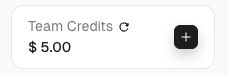
Sign up today and get $5 in free credit — no credit card required.Claim your free credit now in the Scrapeless Dashboard.
What You Get Back
A useful Google Scholar scraper returns a set of traceable result observations, not a claim of complete scholarly coverage.
The live public-page verification confirmed that result cards expose heading, author/source, snippet, action-row, and full-text-link surfaces, but not every card contains every field. Treat the following behaviors as normal:
- A title can be plain text rather than a destination anchor.
- The visible excerpt may be absent and should not be relabeled as an abstract.
- Cited-by and versions actions are conditional.
- A public full-text link can point to a repository or publisher and may have separate access conditions.
- Result order and displayed counts can change between observations.
For broader search-engine automation patterns, the Scrapeless Google Search workflow shows the same discover-first approach across a more varied result surface.
Export for Research Workflows
Export one record per line as NDJSON when the pipeline will stream results into a warehouse or enrichment job. Use CSV only when the nullable nested fields have been flattened deliberately.
Keep authorsPublication intact in the raw observation. If a DOI is available at the destination, enrich the record from a publisher or bibliographic registry and store the enrichment source separately. Scholar's result snippet and a registry's metadata record answer different questions and should not overwrite one another.
Normalize a discovered DOI as its identifier rather than binding the record to one publisher URL. The DOI Foundation's identifier guidance explains why a DOI remains useful when the object's current location changes.
Responsible Use
Responsible Scholar automation is small, purpose-limited, and source-aware.
Respect Scholar's product guidance and robots rules. Do not attempt bulk harvesting, do not access subscription content without authorization, and do not treat a public result link as permission to redistribute the linked work. Keep concurrency at one worker for Scholar and stop the run when the page no longer contains result cards.
Store only the metadata the research task needs. Citation counts are observations that can change; record the observation time and do not present them as stable measures of quality. When a project needs comprehensive publication metadata, use an appropriate bibliographic source or arrange access with the data owner.
Conclusion: Preserve the Search Observation
A Google Scholar scraper becomes dependable when it preserves the boundary between visible search data and canonical publication metadata. Render one approved query, discover result cards, extract nullable fields, follow the visible next-page link, and retain provenance on every record.
Scrapeless Scraping Browser handles the cloud browser and session layer. The extractor remains small enough to inspect, and the output stays honest about what Scholar did and did not expose.
Ready to Build a Research Data Pipeline?
Join our community to claim a free plan and connect with developers building public research workflows: Discord · Telegram.
Sign up at app.scrapeless.com for free Scraping Browser runtime and adapt the result-card contract to your approved research queries.
FAQ
Q: Is scraping Google Scholar legal?
The answer depends on the jurisdiction, purpose, access method, terms, and downstream use. Limit collection to public results, follow Scholar's guidance and robots rules, avoid subscription content without authorization, and obtain legal or institutional review where required.
Q: Does Google Scholar provide an official API?
Google Scholar does not publish a general search-results API or bulk feed in its public help. The public surface provides interactive search, alerts, and citation export.
Q: Do I need a proxy for a Google Scholar scraper?
Use region-aligned browser egress when the approved workflow must reproduce results for a location. A proxy does not change Scholar's access policy or authorize higher collection volume.
Q: What should the scraper do when Scholar shows an access message?
The scraper should record pageState: "not-results" and stop the run. It should not convert an interstitial into an empty result set.
Q: How should the scraper handle DOM changes?
Re-run discovery against the live result card, confirm the stable container and child fields, then update the adapter and its fixture before the next approved run.
Q: How much concurrency should a Scholar workflow use?
Use one worker for Google Scholar. The workflow is designed for a bounded research query, not high-volume collection.
Q: Can this workflow run without an AI agent?
Yes. The CLI block performs the browser and extraction steps directly; the agent skill is an optional prompt-driven interface.
Q: Should the pipeline construct page URLs by incrementing an offset?
No. Follow the visible next-page anchor from the rendered page and stop when that anchor is absent or the approved page limit is reached.
At Scrapeless, we only access publicly available data while strictly complying with applicable laws, regulations, and website privacy policies. The content in this blog is for demonstration purposes only and does not involve any illegal or infringing activities. We make no guarantees and disclaim all liability for the use of information from this blog or third-party links. Before engaging in any scraping activities, consult your legal advisor and review the target website's terms of service or obtain the necessary permissions.





