
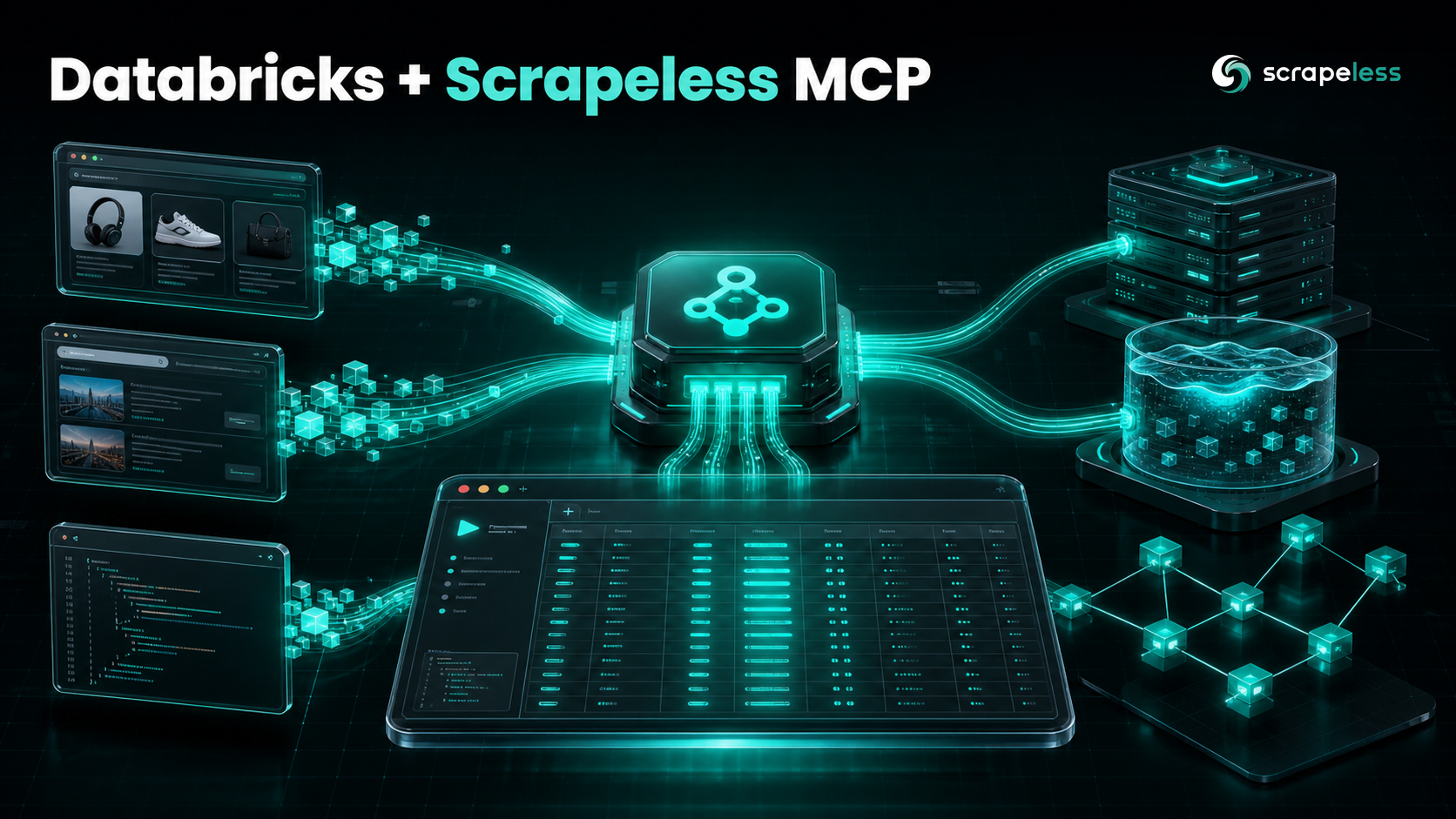
Enhance Databricks with the Scrapeless MCP Server

Lead Scraping Automation Engineer
TL;DR:
- A Databricks agent can reason over your data but cannot reach the live web until you attach a tool — the Scrapeless MCP server is the cleanest way in. Agent Bricks and Mosaic AI agents plan over a model, Unity Catalog functions, and whatever tools you register. Point one at the Scrapeless MCP server and the agent gains live Google search, JavaScript rendering, and a full anti-detection cloud browser without writing a scraper by hand.
- Databricks reaches an external MCP server through a Unity Catalog HTTP connection plus a managed proxy. You register
https://api.scrapeless.com/mcpas a Unity Catalog connection with the "Is mcp connection" option, store the Scrapelessx-api-tokenas the connection credential, and Databricks exposes it to agent code athttps://<workspace-host>/api/2.0/mcp/external/<connection_name>. DatabricksMCPClient.list_tools()wires the surface into agent code. Construct aDatabricksMCPClientwith the proxy URL and aWorkspaceClient, calllist_tools(), convert the results to your agent framework's tool type, and the agent gains a Google SERP scraper, a Trends scraper, HTML/Markdown/Screenshot helpers, and 16 browser-automation tools.- The Scrapeless MCP server exposes 21 tools. A live
tools/listagainsthttps://api.scrapeless.com/mcpreturnsgoogle_search,google_trends,scrape_html,scrape_markdown,scrape_screenshot, and 16browser_*tools — the server emits them as bare names, and each client adds its own namespace when it loads them. - Residential proxies and anti-detection run cloud-side. Every tool call routes through the Scrapeless anti-detection cloud browser with residential proxies in 195+ countries, so the agent gets a rendered, usable response from commercial sites with no proxy or fingerprint setup inside the Databricks runtime.
- stdio or HTTP-streamable transport. For local agent development you can spawn the server with
npx; for a deployed Mosaic AI endpoint you point at the streamable HTTP endpoint, which is exactly what the Unity Catalog connection wraps. - Free to start. New Scrapeless accounts include free Scraping Browser runtime — sign up at app.scrapeless.com.
Introduction: give Databricks agents a live view of the web
Databricks Agent Bricks and the Mosaic AI Agent Framework let you build agents that reason over your lakehouse — Unity Catalog tables, vector indexes, governed functions. The agent calls the tools you register and nothing else. What it cannot do on its own is see the web as it exists right now. Its knowledge stops at the model's training cutoff plus whatever you put in front of it, so a question like "what does this competitor charge today" or "what is the current top result for this query" has no answer inside the workspace.
That boundary is deliberate: an agent's reach over the outside world is exactly the set of tools attached to it. The tool layer is therefore the place to add real-time web access, and the Model Context Protocol (MCP) is the standard, framework-agnostic way to do it. Databricks ships first-class MCP support — managed servers for Unity Catalog functions and vector search, and a managed-proxy path for external, third-party MCP servers. An external MCP server becomes a set of tools the agent can call, governed by the same Unity Catalog connection model as the rest of the workspace.
This post wires the Scrapeless MCP server into a Databricks agent through that external-server path. One Unity Catalog connection and a DatabricksMCPClient give the agent Google search, JavaScript rendering, and a full anti-detection cloud browser, reachable through the same prompts you already pass to your Mosaic AI agent. For the same Scrapeless surface through a TypeScript client, see the Mastra integration.
What You Can Do With It
- Live SERP research inside a Mosaic AI agent. Ask the agent to run
google_searchfor a query and hand back the top organic rows as JSON, so research happens inside your Databricks app instead of a separate browser tab. - Competitor and pricing snapshots feeding a Delta table. Pass a URL in the prompt, have the agent render the page and extract plan names, prices, and features into a structured record your job writes back to the lakehouse.
- Doc and changelog lookups that ground a response. Have the agent fetch a library's current docs or release notes as clean markdown and reason against the rendered text rather than a stale memory of the API.
- Market and trend checks for a planning agent. Use
google_trendsto pull interest signals for a topic in a target region, then seed forecasts, content plans, or experiment ideas with current evidence. - JavaScript-page extraction into a typed record. Point the agent at a single-page app; the cloud browser hydrates it and the agent parses the result into an object your downstream task consumes.
- Multi-step browser flows. Chain
browser_goto,browser_click,browser_type, andbrowser_scrollso the agent walks pagination, expands panels, or steps through a wizard before extraction. - Search-then-read pipelines in one agent turn. Combine
google_searchwithscrape_markdownso the agent finds the top results, reads each one, and summarizes them without leaving the agent loop.
Why the Scrapeless MCP Server
The Scrapeless MCP server is a customizable, anti-detection bridge between an AI agent and the live web. For a Databricks agent specifically, it brings:
- An anti-detection cloud browser with JavaScript rendering. Pages hydrate in a full Scrapeless Scraping Browser before extraction, so SPAs, infinite-scroll feeds, and lazy-loaded panels become first-class targets for
browser_gotoplusbrowser_get_html. - Residential proxies in 195+ countries. Geo-bound queries return the listings a local user would see, with proxy egress handled entirely on the Scrapeless side rather than inside your Databricks networking.
- One external endpoint, no scraper code to host. The server runs as a managed HTTP endpoint at
https://api.scrapeless.com/mcp; Databricks wraps it in a Unity Catalog connection, so there is nothing to build, deploy as a Databricks App, or maintain beyond the connection itself. - 21 tools spanning SERP, stateless scraping, and full browser automation.
google_searchandgoogle_trendscover SERP data,scrape_html,scrape_markdown, andscrape_screenshotcover one-shot page fetches, and 16browser_*tools cover stateful navigation, clicking, typing, scrolling, and screenshots. - Governed like any other Databricks tool. Because the server arrives through a Unity Catalog HTTP connection, access to it is managed with the same permission model as your other connections, and the API token lives in the connection rather than in agent code.
The free plan is enough to register the connection and run real prompts; compare quotas on the pricing page when you outgrow it. Get your API key on the free plan at app.scrapeless.com.
Prerequisites
- A Databricks workspace with the Mosaic AI Agent Framework available, and permission to create Unity Catalog connections. The external-MCP path uses a managed proxy that fronts the connection you register.
- A model serving endpoint for the agent's LLM. The agent loop needs a working model — a Databricks Foundation Model endpoint or an external model — before any tool call runs.
- A Scrapeless account and API key — sign up on the free plan at app.scrapeless.com and copy the key from Settings → API Key Management.
- The agent dependencies installed in your notebook or job:
mcp,databricks-mcp,databricks-sdk,databricks-agents, andmlflow. - Basic familiarity with Python and Databricks notebooks — the setup is one connection plus a small client definition.
Note: registering the Unity Catalog connection and calling the managed proxy require an active Databricks workspace. The steps below show that flow as documented; the Scrapeless tool surface they expose is verified directly against
https://api.scrapeless.com/mcpin the verification section.
Connect Scrapeless to a Databricks agent
The setup is five steps; each is independently verifiable.
1. Install the client packages
In your notebook or agent project, install the MCP client and the Databricks agent dependencies:
bash
pip install mcp databricks-mcp "databricks-sdk[openai]" databricks-agents mlflowdatabricks-mcp provides the DatabricksMCPClient that talks to the managed proxy, and mcp provides the underlying Model Context Protocol primitives (ClientSession, the streamable HTTP transport) — which frame every tool call as JSON-RPC 2.0 requests — used when you connect to the endpoint directly.
2. Register Scrapeless as a Unity Catalog connection (stored credential)
A Databricks agent reaches an external MCP server through a Unity Catalog HTTP connection. Create the connection pointing at the Scrapeless endpoint, mark it as an MCP connection, and store the Scrapeless key as a bearer-style header credential. The host is the only field that changes between workspaces:
sql
-- Unity Catalog HTTP connection for the Scrapeless MCP server.
-- Mark it as an MCP connection in the UI ("Is mcp connection"),
-- and supply the Scrapeless key as the x-api-token header credential.
CREATE CONNECTION scrapeless_mcp
TYPE HTTP
OPTIONS (
  host 'https://api.scrapeless.com',
  base_path '/mcp',
  bearer_token 'your_api_token_here'
);
Once registered, Databricks exposes the server to agent code through its managed proxy at https://<workspace-host>/api/2.0/mcp/external/scrapeless_mcp — agent code never holds the Scrapeless token; it authenticates to Databricks, and Databricks attaches the stored credential when it proxies to Scrapeless.
3. Or connect the endpoint directly over HTTP-streamable
When you are prototyping the integration outside a deployed agent — a local script, a notebook spike — you can talk to the Scrapeless endpoint directly with the standard MCP SDK instead of the proxy. Pass the key as the x-api-token header on the streamable HTTP transport:
python
# pip install mcp
import asyncio, os
from mcp import ClientSession
from mcp.client.streamable_http import streamablehttp_client

URL = "https://api.scrapeless.com/mcp"

async def main():
    headers = {"x-api-token": os.environ["SCRAPELESS_KEY"]}
    async with streamablehttp_client(URL, headers=headers) as (read, write, _):
        async with ClientSession(read, write) as session:
            await session.initialize()
            tools = await session.list_tools()
            print([t.name for t in tools.tools])

asyncio.run(main())
The Scrapeless MCP server reads its key from SCRAPELESS_KEY in the stdio launch, but over HTTP-streamable the same value is sent as the x-api-token header — both carry the identical key. Keep it in the environment (export SCRAPELESS_KEY=...) rather than hardcoding it. The server source lives in the Scrapeless MCP server repository.
4. List the tools and attach them to the agent
Inside agent code, construct a DatabricksMCPClient against the managed-proxy URL and a WorkspaceClient, then list the tools. Convert the returned tool definitions into your agent framework's tool type — Mosaic AI agents are typically authored as an MLflow ChatAgent over a LangGraph graph, so each MCP tool becomes a bound tool on a ChatDatabricks model:
python
from databricks.sdk import WorkspaceClient
from databricks_mcp import DatabricksMCPClient

workspace = WorkspaceClient()
proxy_url = f"{workspace.config.host}/api/2.0/mcp/external/scrapeless_mcp"

mcp_client = DatabricksMCPClient(server_url=proxy_url, workspace_client=workspace)
tools = mcp_client.list_tools()  # the 21 Scrapeless tools, governed by the connection

# Bind the tool schemas to the agent's model, then build the agent graph.
tool_specs = [
    {"name": t.name, "description": t.description, "input_schema": t.inputSchema}
    for t in tools
]
DatabricksMCPClient.list_tools() returns the same tool definitions the server reports — name, description, and input schema — so the agent's planner sees the full Scrapeless surface. You bind those schemas to the model the way you bind any Mosaic AI tool, then call the tool through mcp_client.call_tool(name, arguments) when the model selects it.
5. Verify by enumerating the 21 tools
Listing the tools and printing their names confirms the handshake completed and the server is reporting its full surface:
python
tools = mcp_client.list_tools()
print(len(tools), [t.name for t in tools])
The output lists the server's 21 tools as bare names — the Google data tools (google_search, google_trends), the one-shot page helpers (scrape_html, scrape_markdown, scrape_screenshot), and the cloud-browser primitives (browser_create, browser_goto, browser_get_html, browser_get_text, browser_click, browser_type, browser_press_key, browser_scroll, browser_scroll_to, browser_screenshot, browser_snapshot, browser_wait, browser_wait_for, browser_go_back, browser_go_forward, browser_close). The server emits them unprefixed; whatever client loads them — the Databricks proxy, the raw MCP SDK, a TypeScript adapter — applies its own namespace on top.
How you actually use this: prompt your agent
After the connection is registered and the tools are bound, you get live web data by talking to your Databricks agent — not by hand-writing tool calls. The agent reads the tool list the Scrapeless MCP server exposes and chooses google_search, scrape_markdown, or the browser_* tools as needed, composing them turn by turn from the natural-language task. There is no tool JSON to author on your side; you invoke the agent the way you already invoke a Mosaic AI agent, in a notebook cell or against the deployed endpoint.
Prompts you can paste
| Prompt | What the agent does |
|---|---|
"Find the top Google results for lakehouse vs warehouse 2026 and return them as JSON." |
google_search with q, hl, gl → typed result rows. |
"What search topics are rising for data engineering in the US right now?" |
google_trends. |
"Pull the page at https://example.com/docs as clean markdown." |
scrape_markdown. |
"Open https://pricing.example.com, it's a JavaScript app — render it and extract plan name, price, and features as JSON." |
browser_create → browser_goto → browser_get_html → typed extract. |
"Compare the pricing pages at https://a.example.com/pricing and https://b.example.com/pricing and tell me where they differ." |
browser_create → browser_goto (A) → browser_get_html → browser_goto (B) → browser_get_html → diff. |
"Take a full-page screenshot of https://example.com/landing." |
scrape_screenshot. |
"Open https://example.com/jobs, wait for the listings to load, snapshot the page, then extract every job title and location as JSON." |
browser_create → browser_goto → browser_wait_for → browser_snapshot → typed extract → browser_close. |
Worked example
You write (a single agent call in a notebook cell):
python
response = agent.predict({
    "messages": [{
        "role": "user",
        "content": "Use google_search to find the top results for "
                   "'databricks mosaic ai agent framework' and return the "
                   "top 3 as a JSON array of {title, link}.",
    }]
})
print(response)
The agent's plan (in plain English):
- Call
google_searchwithq: "databricks mosaic ai agent framework",hl: "en",gl: "us". - Receive an array of result rows and read the
position,title, andlinkfields. - Sort by
positionand keep the first three rows. - Map each row to a
{title, link}object. - Return the JSON array as the agent's answer.
What you get back (illustrative shape — the agent works from rows like these):
json
[
  { "title": "Mosaic AI Agent Framework — Databricks docs", "link": "https://example.com/agent-framework" },
  { "title": "Build and deploy an agent on Databricks", "link": "https://example.com/build-agent" },
  { "title": "Agent Bricks overview", "link": "https://example.org/agent-bricks" }
]
// Field names match the google_search row shape; values are illustrative samples.
The stateless data tools return their payload as a body prefixed with Response:\n\n; the agent unwraps that prefix before parsing the JSON, so you never see it in the answer.
Shaping prompts
| Say this | Effect |
|---|---|
| "…from Germany" / "…German results" | Routes egress through proxyCountry and sets gl=de on the search. |
| "…as markdown, skip the nav and boilerplate" | Picks scrape_markdown for a clean text payload instead of raw HTML. |
| "…render it first, it's a single-page app" | Forces the browser_* path so extraction runs against the hydrated DOM. |
| "…top 5 only" | Trims the returned array to the first five rows. |
| "…include the snippet for each result" | Keeps the snippet field in the output rows. |
| "…close the session when you're done" | Adds a final browser_close with the sessionId from browser_create. |
Get your API key on the free plan: app.scrapeless.com
Everything below is the under-the-hood reference — the tool surface, the exact return shapes, and the behavior the agent handles for you.
The Scrapeless MCP tool surface
Once the connection is live, the agent sees 21 tools spanning SERP data, stateless scraping, and full anti-detection cloud browser control. The names below are the server's bare names; whichever client loads them applies its own namespace.
| Tool | What it does |
|---|---|
google_search |
Runs a Google search (q, hl, gl) and returns structured organic result rows. |
google_trends |
Pulls Google Trends interest data for a query. |
scrape_html |
Fetches a URL and returns its rendered HTML. |
scrape_markdown |
Fetches a URL and returns clean Markdown for the page. |
scrape_screenshot |
Captures a screenshot of a target URL. |
browser_create |
Opens a session on the anti-detection cloud browser. |
browser_goto |
Navigates the session to a URL. |
browser_click |
Clicks an element in the live page. |
browser_type |
Types text into an input or editable field. |
browser_get_text / browser_get_html |
Reads the page's text or HTML. |
browser_screenshot |
Captures a screenshot of the live session. |
browser_snapshot |
Returns an accessibility/structure snapshot of the page. |
browser_wait / browser_wait_for |
Waits a fixed interval, or for a condition/element. |
browser_scroll / browser_scroll_to |
Scrolls the page, or to a specific element. |
browser_go_back / browser_go_forward |
Moves through session history. |
browser_press_key |
Sends a keyboard key to the page. |
browser_close |
Ends the cloud browser session. |
For a broader view of what the server can drive, the Scrapeless MCP server overview walks the same surface from the product side, and the full Scrapeless documentation covers each tool's parameters.
What You Get Back
A google_search call returns an array of organic result rows encoded as JSON. Each row carries the same keys, so the agent can map straight to title, link, and snippet:
json
// Field names reflect the google_search tool output; values are illustrative samples.
[
  {
    "position": 1,
    "title": "Building Agents on Databricks: A Complete Guide",
    "link": "https://example.com/databricks-agents",
    "snippet": "A step-by-step guide to building and deploying agents on the Mosaic AI Agent Framework.",
    "source": "example.com"
  },
  {
    "position": 2,
    "title": "Connecting Agents to External Data",
    "link": "https://example.org/agent-data",
    "snippet": "How to render JavaScript pages before extracting data.",
    "source": "example.org"
  }
]
A few honest observations once you start running prompts:
- Stateless tools like
google_searchandscrape_markdownreturn a body prefixed withResponse:\n\nfollowed by the JSON payload; the agent unwraps that prefix automatically, so you work with the data, not the wrapper. - The
browser_*tools return plain text with noResponse:\n\nprefix. - Tool arguments are camelCase: pass
sessionId,proxyCountry, and similar fields exactly as named. proxyCountryis a request, not a guarantee — it can defer to the region configured on your account, so confirm the egress region when geo-targeting matters.- Values in tool output are content-dependent: result counts, ordering, and snippet text vary with the live query.
Conclusion: search, render, and browse from Databricks
The whole integration reduces to one Unity Catalog connection plus natural-language prompts. With Scrapeless registered as an MCP connection, DatabricksMCPClient.list_tools() handing the 21 tools to your agent, and the API token held in the connection rather than in code, a Databricks agent gains live Google search, JavaScript rendering, and a full anti-detection cloud browser — exactly the web layer the lakehouse does not ship on its own. You describe the task; the agent picks the tool.
If you are wiring up other clients, the same Scrapeless MCP server drops into them too: see the Mastra integration for the TypeScript path and the Pi Agent integration for another agent runtime. Keep your API key in the Unity Catalog connection, register the endpoint once, list the tools, and let the agent choose. Full reference at docs.scrapeless.com.
Ready to Build Your AI-Powered Data Pipeline?
Join our community to claim a free plan and connect with developers building Databricks + Scrapeless MCP agents: Discord · Telegram.
Sign up at app.scrapeless.com for free Scraping Browser runtime and adapt the integration above to the SERPs, pages, and regions your Databricks agents need. Full reference at docs.scrapeless.com.
FAQ
Q: Why does a Databricks agent need an MCP server for web access at all?
Because a Mosaic AI agent can only call the tools you register with it, and it has no built-in web search or browser. MCP is the standard, framework-agnostic way to add that capability, and Databricks supports external MCP servers through a managed proxy. Connecting Scrapeless gives the agent live Google search, rendered page access, and a full anti-detection cloud browser in one move.
Q: How does Databricks connect to an external MCP server like Scrapeless?
Through a Unity Catalog HTTP connection marked as an MCP connection. You register https://api.scrapeless.com/mcp as the connection, store the Scrapeless x-api-token as its credential, and Databricks exposes it to agent code at https://<workspace-host>/api/2.0/mcp/external/<connection_name>. Agent code uses a DatabricksMCPClient against that proxy URL, so the Scrapeless token stays in the connection and never appears in the agent.
Q: Which environment variable or header holds the Scrapeless key?
The stdio launch of the server reads SCRAPELESS_KEY; the HTTP endpoint reads the same value from the x-api-token header. When you register the Unity Catalog connection you store that key once as the connection credential, so deployed agent code does not handle it directly.
Q: How many tools does the Scrapeless MCP server expose, and what are they?
21 tools: google_search and google_trends for SERP data; scrape_html, scrape_markdown, and scrape_screenshot for one-shot page fetches; and 16 browser_* tools (browser_create, browser_goto, browser_get_html, browser_get_text, browser_click, browser_type, browser_press_key, browser_scroll, browser_scroll_to, browser_screenshot, browser_snapshot, browser_wait, browser_wait_for, browser_go_back, browser_go_forward, browser_close) for stateful cloud-browser control. The server emits them as bare names; the client that loads them applies its own namespace.
Q: Do I need to host Scrapeless as a Databricks App?
No. Hosting an MCP server as a Databricks App is for servers you run yourself. Scrapeless is a managed external endpoint, so you register it as a Unity Catalog HTTP connection and reach it through the managed external-MCP proxy — there is nothing to deploy or keep running on your side.
Q: Can I test the connection outside a deployed agent?
Yes. Point the standard MCP Python SDK at https://api.scrapeless.com/mcp with the x-api-token header, call initialize then list_tools(), and you will see the same 21 tools the deployed agent gets through the proxy. That direct path is the quickest way to confirm your key and the endpoint before you register the Unity Catalog connection.
Q: Does this require a specific model?
No. The agent's model is whatever Databricks serving endpoint you wire in — a Foundation Model endpoint or an external model. The Scrapeless tools are model-agnostic; pick a model that handles tool calls well, and the agent composes the Scrapeless tools the same way regardless of provider.
Q: Is web scraping via the agent legal?
Scraping publicly available data is generally permissible, but you are responsible for how you use it. Review each site's Terms of Service and respect robots.txt, and remember that rules around personal data and access vary by jurisdiction. When in doubt, get legal advice for your specific use case.
Q: Can you use this without Databricks?
Yes. The Scrapeless MCP server is a standard MCP server, so any MCP-compatible client can call it — or you can drive it directly over JSON-RPC (initialize, then tools/list and tools/call). Databricks is one host for it, not a requirement.
At Scrapeless, we only access publicly available data while strictly complying with applicable laws, regulations, and website privacy policies. The content in this blog is for demonstration purposes only and does not involve any illegal or infringing activities. We make no guarantees and disclaim all liability for the use of information from this blog or third-party links. Before engaging in any scraping activities, consult your legal advisor and review the target website's terms of service or obtain the necessary permissions.





