
![BP Proxy Switcher [The Ultimate Guide – 2026]](/_next/image?url=https%3A%2F%2Fassets.scrapeless.com%2Fprod%2Fposts%2Fbp-proxy-switcher%2F451be5d7d587f6ef9d346bf7785b2ab9.png&w=1920&q=100)
BP Proxy Switcher Guide: Switch Proxies Easily & Enhance Privacy with Scrapeless Proxies

Expert Network Defense Engineer
Take a Quick Look
Enhance your proxy management today! Use BP Proxy Switcher for seamless switching and unlock global access with Scrapeless Proxies — fast, secure, and reliable for web scraping, SEO, and privacy. Start optimizing your browsing now!
With privacy concerns increasing over the last decade, tools like BP Proxy Switcher have grown in popularity. This browser extension allows users to quickly switch between multiple proxy servers, enhancing online security, bypassing geo-restrictions, and improving browsing efficiency.
In this guide, we’ll cover what BP Proxy Switcher is, its key features, how to install and configure it, add proxies, and also explore a top alternative — Scrapeless Proxies, a high-success global proxy network.
1. What is BP Proxy Switcher?
BP Proxy Switcher is a browser extension designed to help users seamlessly switch between different proxy servers. It supports Chrome and Firefox, enabling quick configuration, connection testing, and secure browsing.
This tool is particularly useful for:
- Accessing geo-restricted content
- Maintaining online anonymity
- Conducting privacy-sensitive tasks
- Switching virtual locations efficiently
By routing your connection through various proxy servers, you can browse as if you’re in a different country, bypassing regional restrictions easily.
2. BP Proxy Switcher Key Features
a. Proxy Switching: Quickly toggle between multiple proxies without needing to reconnect or restart your browser.
b. Wide Range of Proxies: Add as many proxies as you want from different countries for unrestricted access.
c. Easy to Use: The extension has an intuitive interface suitable even for beginners.
d. Enhanced Privacy: Improve security by routing your connection through proxies.
e. Speed Optimization: Maintains a healthy balance between connection speed and privacy, unlike some slower proxy services.
3. How to Install BP Proxy Switcher
Installing BP Proxy Switcher is straightforward:
- Select a Supported Browser: Chrome or Firefox.
- Visit the Browser Extension Store: Chrome Web Store or Firefox Add-ons page.
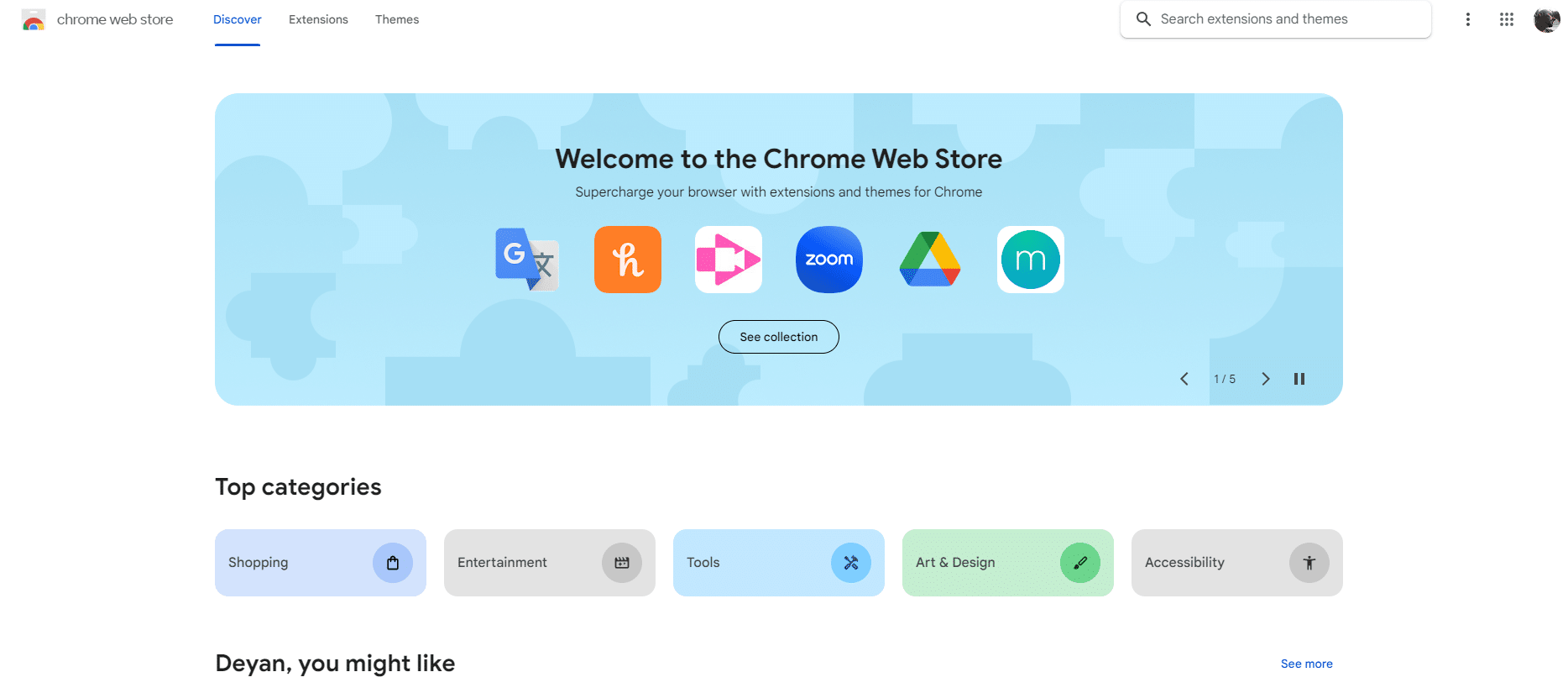
- Search for BP Proxy Switcher: Ensure correct spelling.
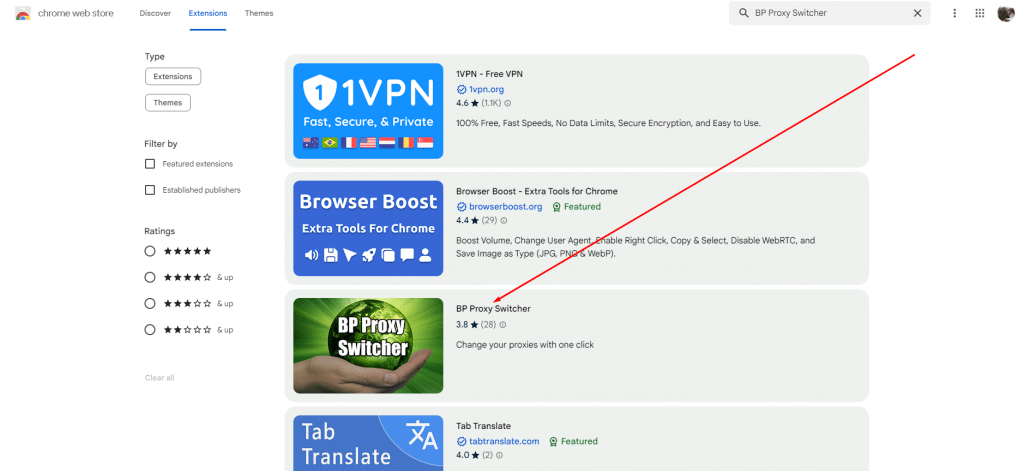
- Install the Extension: Click "Add to Browser" or "Install".
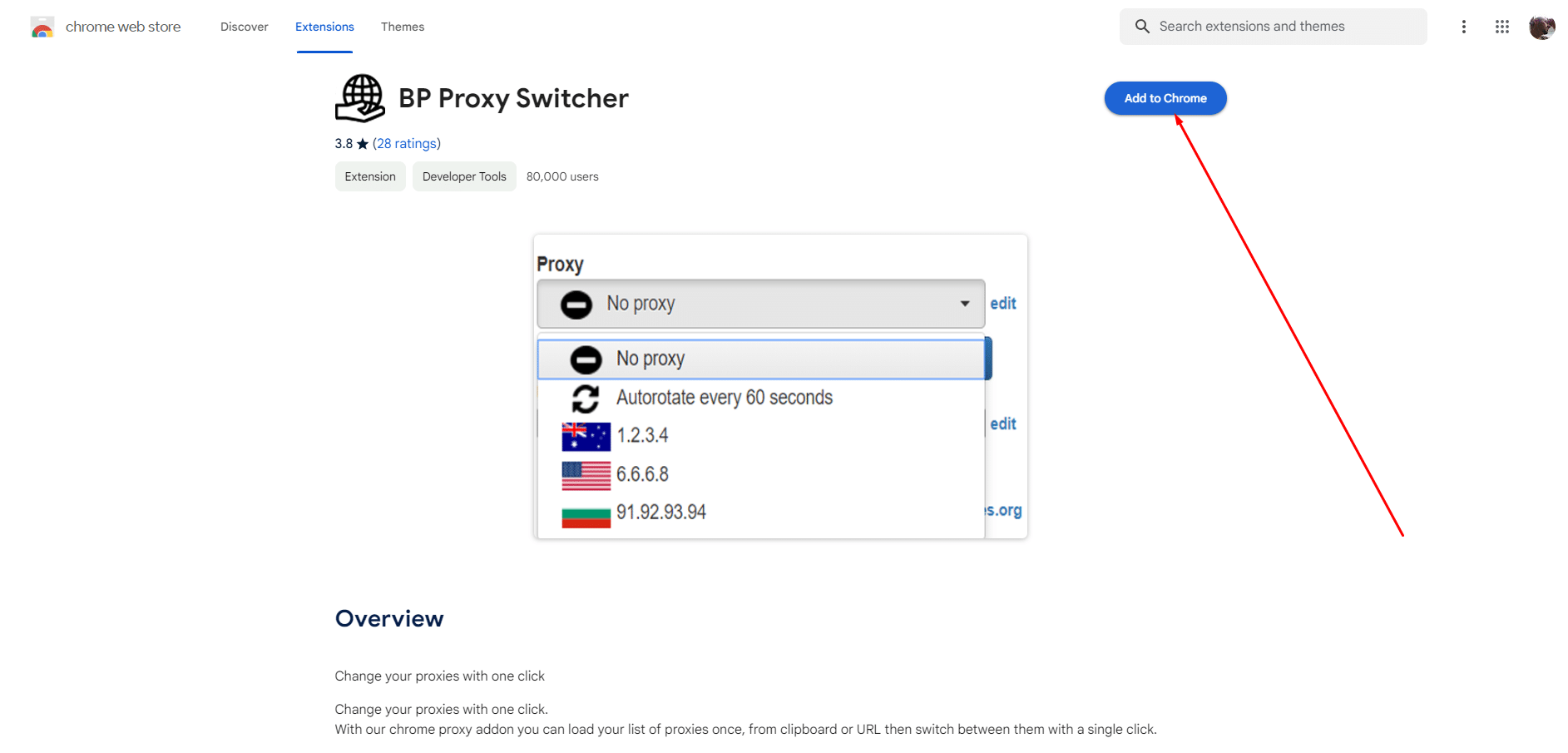
- Grant Permissions: Review and allow necessary permissions.

- Confirmation: After installation, the icon appears in the browser toolbar.
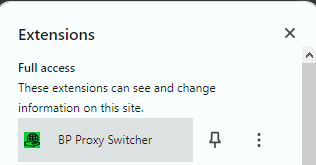
Once installed, you’re ready to configure and add proxies.
4. How to Set Up and Configure BP Proxy Switcher
Step 1: Access Extension Settings
Click the BP Proxy Switcher icon to open the interface.
Step 2: Add & Manage Proxies
Enter IP address, port, username/password if required. Organize proxies and set rules for automatic routing to specific sites.
Step 3: Security & Privacy Settings
Adjust settings like cookie deletion, history masking, or custom rules for privacy.
Tips for Optimization:
- Regularly update your proxy list
- Choose proxies balancing speed and security
- Use trusted proxy providers
- Consider geo-restrictions before adding proxies
5. How to Add Proxies to BP Proxy Switcher
Step 1: Click the BP Proxy Switcher toolbar icon.
Step 2: Navigate to the "Add Proxy" menu.
Step 3: Enter the proxy details:
- IP address
- Proxy type (HTTP(S), SOCKS4, SOCKS5)
- Authentication (if required)
Step 4: Save configuration and activate the proxy.
Step 5: Test proxy by visiting sites like whatismyipaddress.com.
Additional Tips:
- Double-check proxy accuracy
- Test for speed and anonymity
- Ensure reliable and reputable proxy sources
6. Scrapeless Proxies – A Top Alternative
If you need a more robust global proxy network, consider Scrapeless Proxies. They offer:
- Residential Proxies: 90M+ real IPs across 195+ countries, $1.80/GB
- Datacenter Proxies: High-performance, fast, stable, unlimited session duration
- Static ISP Proxies: Dedicated IPs with 99.99% uptime and low latency
- IPv6 Proxies: Verified individual IPv6 supporting HTTP(S) & SOCKS5
- Features: Automatic proxy rotation, geo-location targeting, 99.98% success rate, excellent download speeds, GDPR & CCPA compliant
Scrapeless Proxies is ideal for:
- Web scraping
- SEO tracking & monitoring
- Market research & price monitoring
- Social media marketing
- Ad verification & brand protection
Start using Scrapeless Proxies today for reliable, global proxy coverage, or enhance your BP Proxy Switcher setup with these high-performance IPs.
7. Final Words
BP Proxy Switcher is an excellent tool for anyone needing proxy management, geo-spoofing, and enhanced privacy. Its intuitive interface makes setup simple, while advanced features like rules and multiple proxy management enhance your browsing experience.
For users seeking reliable, high-success, global proxy networks, Scrapeless Proxies offers a comprehensive solution, making it the perfect complement or alternative to BP Proxy Switcher.
Browse securely, bypass geo-blocks, and manage your proxies efficiently — responsibly and ethically.
At Scrapeless, we only access publicly available data while strictly complying with applicable laws, regulations, and website privacy policies. The content in this blog is for demonstration purposes only and does not involve any illegal or infringing activities. We make no guarantees and disclaim all liability for the use of information from this blog or third-party links. Before engaging in any scraping activities, consult your legal advisor and review the target website's terms of service or obtain the necessary permissions.





