
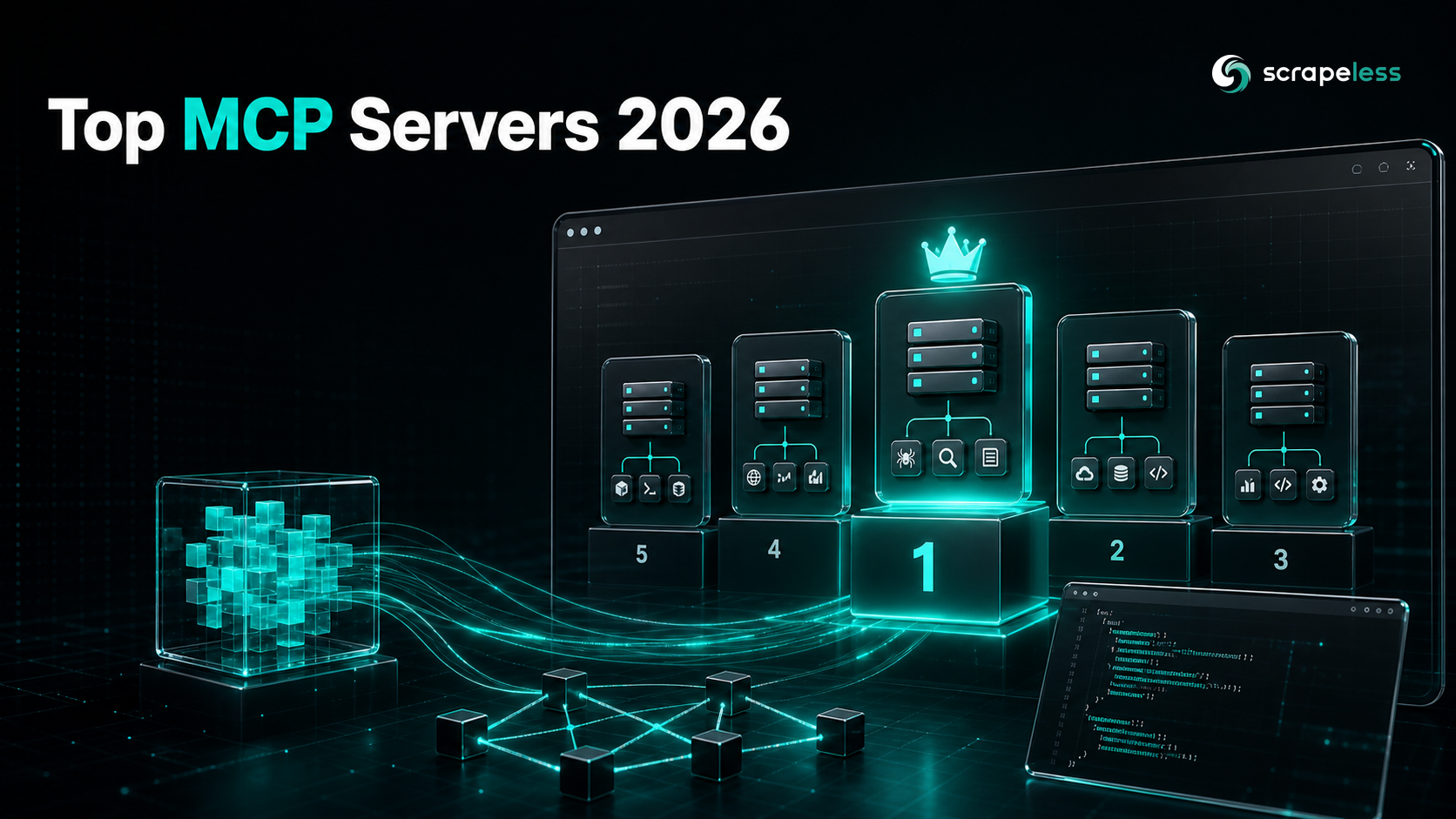
Top MCP Servers for AI Workflows in 2026

Senior Web Scraping Engineer
TL;DR:
- Scrapeless MCP Server ranks #1 for AI workflows in 2026. It exposes 21 tools over one endpoint (
https://api.scrapeless.com/mcp) — Google Search and Trends, HTML/Markdown/screenshot scraping, and a full anti-detection cloud browser (browser_create,browser_goto,browser_get_html,browser_click,browser_wait_for,browser_screenshot, and more) — so an agent can find, render, and extract live web data without leaving the tool loop. - Six MCP servers ranked by tool surface, transport, access model, and the workflow they unblock. The list pairs the web-data layer (Scrapeless) with code, browser-automation, documentation, filesystem, and crawl servers that production agents actually wire together.
- An MCP server is a process that exposes tools, resources, and prompts to an AI agent over the Model Context Protocol — a JSON-RPC 2.0 contract. Every server on this list speaks that same protocol, so one client can drive all of them.
- Most of the field is free and open-source. Five of the six ship under permissive licenses (MIT or Apache-2.0); the one paid-tier server still has a keyless rate-limited mode. Pick by the job, not the price tag.
- Tool bloat is the real cost. Past five to seven connected servers, an agent's tool-selection accuracy drops — so this guide ranks by what each server uniquely unblocks, not by raw tool count.
- Free to start. New Scrapeless accounts include free Scraping Browser runtime and MCP access — sign up at app.scrapeless.com.
Best MCP Servers at a Glance
| Server | Category | Transport | License / Access | Best For |
|---|---|---|---|---|
| Scrapeless MCP Server | Web data + cloud browser | Hosted streamable HTTP + stdio | Free runtime on signup | Agents that need to search, render, and extract live web data end-to-end |
| GitHub MCP Server | Code & repository ops | Remote hosted + local Docker | Open-source (MIT) | Driving repos, issues, pull requests, and Actions from an agent |
| Playwright MCP (Microsoft) | Browser automation | stdio (npx) |
Open-source (Apache-2.0) | Deterministic, accessibility-tree browser control without vision models |
| Context7 MCP (Upstash) | Live documentation | stdio + hosted | Open-source (MIT), free with optional key | Grounding code generation in current, version-specific library docs |
| Filesystem MCP Server | Local files | stdio (npx / Docker) |
Open-source (MIT) | Sandboxed read/write/edit of files inside allowed directories |
| Firecrawl MCP Server | Crawl & extract | stdio (npx) |
Open-source (MIT), keyless tier | Multi-page crawls and LLM-structured extraction across a whole site |
What Is an MCP Server?
An MCP server is a program that exposes tools, resources, and prompts to an AI agent through the Model Context Protocol. The agent (the MCP client) connects to the server, lists what it offers, and calls those capabilities during a task — reading a file, querying a database, searching the web, or driving a browser.
The protocol is the reason this composes. The Model Context Protocol standardizes how a client and server exchange capabilities over the JSON-RPC 2.0 wire format: the client sends an initialize request, the server returns its capabilities, and a tools/list call enumerates every callable tool with a typed input schema. Because every server on this list speaks the same Model Context Protocol contract, a single agent can hold connections to several servers at once and route each step to the right one.
A server can run two ways. A stdio server is a local subprocess the client spawns and talks to over standard input/output — lowest latency, simplest to debug, isolated per agent. A streamable HTTP server runs as a network service the client reaches over standard HTTP semantics, which suits hosted, multi-agent, or serverless deployments. Several servers here offer both.
How MCP Servers Work
An MCP server advertises three things: tools (callable actions with typed arguments), resources (readable data the agent can pull into context), and prompts (reusable templated instructions). For most agent workflows, tools do the heavy lifting.
The handshake is fixed. The client opens a session, sends initialize with its protocol version, and the server replies with the protocol version and its capability set. The client then calls tools/list to read every tool name and schema before it invokes anything — so an agent never guesses a tool exists, it reads the live surface first. When the agent calls a tool, the server runs the real action and returns structured content the model can reason over.
This is what separates an MCP server from a bare REST wrapper. The agent discovers the tool surface at runtime, the arguments are schema-validated, and the same client loop drives a code server, a browser server, and a web-data server without custom glue for each. The trade-off is selection cost: every connected tool competes for the model's attention, so a focused set of servers beats a sprawling one.
How We Evaluated These MCP Servers
Six MCP servers were ranked across four criteria that decide how well an agent actually works with them.
Tool surface
Tool surface is the set of typed actions a server exposes and how directly they map to real work. A server that exposes one fuzzy "do everything" tool forces the model to overload a single call; a server with focused, well-named tools (browser_goto, pull_requests, read_text_file) lets the agent compose steps cleanly. The tool count and exact names here were read from each server's first-party source — its live tools/list output, official repository, or documentation.
Transport and deployment
Transport decides where the server can run. A stdio-only server is perfect for a single developer's machine but awkward for a fleet of cloud agents; a streamable HTTP server scales to many concurrent clients but adds a network hop. Servers that offer both — like Scrapeless — fit the widest range of deployments.
Access model and cost
Access model is how you authenticate and what it costs. Open-source servers you self-host carry no per-call fee but need infrastructure; hosted servers trade a key and usage cost for zero operations. Most of this field is free and open-source, so the deciding factor is usually the upstream service the server fronts, not the server itself.
Workflow fit
Workflow fit is whether the server unblocks a step the agent cannot do alone. A coding agent needs repository access; a research agent needs live web data; a documentation-grounded agent needs current library docs. The strongest servers own one workflow cleanly rather than half-covering several.
The Best MCP Servers: Ranked
1. Scrapeless MCP Server: Best for Live Web Data and Browser Workflows
Scrapeless MCP Server is the only server on this list that gives an agent search, scraping, and a real anti-detection cloud browser behind a single Model Context Protocol endpoint. It is the web-data layer most agent workflows are missing: the model can find a source, render it, and extract structured content without ever leaving the tool loop.
Scrapeless Scraping Browser is a customizable, anti-detection cloud browser designed for web crawlers and AI agents. The Scrapeless MCP Server exposes that browser — plus search and direct scraping — as a tool surface any MCP-aware client can call. It handles cloud-side JavaScript rendering, residential-proxy routing across 195+ countries, anti-detection browser execution, and session persistence, so the agent reads a fully rendered DOM instead of a blocked or empty response.
The hosted endpoint at https://api.scrapeless.com/mcp reports 21 tools on a live tools/list call (server build 0.2.0, protocol 2024-11-05). They fall into three groups: search and trends, direct scraping, and the cloud browser.
Available Scrapeless MCP tools
| Tool | Purpose |
|---|---|
google_search |
Run a Google search and return structured results |
google_trends |
Pull Google Trends interest data |
scrape_html |
Fetch rendered HTML for a URL |
scrape_markdown |
Fetch a URL as clean Markdown |
scrape_screenshot |
Capture a full-page screenshot |
browser_create |
Allocate a Scrapeless cloud-browser session |
browser_goto |
Navigate to a URL |
browser_get_html |
Read the rendered DOM |
browser_get_text |
Read visible page text |
browser_click |
Click an element |
browser_type |
Type into an input |
browser_scroll / browser_scroll_to |
Trigger lazy-loaded content |
browser_snapshot |
Capture an accessibility snapshot of the page |
browser_screenshot |
Capture a screenshot |
browser_press_key |
Send keystrokes |
browser_wait / browser_wait_for |
Wait for time or a selector |
browser_go_back / browser_go_forward |
Drive navigation history |
browser_close |
Release the session |
Install (hosted streamable HTTP — recommended for agents and fleets)
Point any MCP client at the hosted endpoint with your API key in the x-api-token header:
json
{
  "mcpServers": {
    "scrapeless": {
      "type": "streamable-http",
      "url": "https://api.scrapeless.com/mcp",
      "headers": {
        "x-api-token": "${SCRAPELESS_API_KEY}"
      }
    }
  }
}
Install (stdio — local subprocess)
json
{
  "mcpServers": {
    "scrapeless": {
      "command": "npx",
      "args": ["-y", "scrapeless-mcp-server"],
      "env": {
        "SCRAPELESS_KEY": "${SCRAPELESS_API_KEY}"
      }
    }
  }
}
How you actually use it: prompt your agent
After the server is connected, you scrape by talking to the agent, not by hand-writing requests:
| You type | The agent does |
|---|---|
"Search Google for the top 5 results on <topic> and summarize them." |
google_search, then reads each result |
"Open <url>, wait for the price to render, and return it as JSON." |
browser_create → browser_goto → browser_wait_for → browser_get_html |
| "Give me the Markdown of this docs page." | scrape_markdown |
| "Screenshot this dashboard for the report." | browser_screenshot |
Worked example. You type: "Get the rendered HTML of example.com after it loads." The agent's plan, in plain English:
- Call
browser_createto allocate a cloud-browser session. - Call
browser_gotowithhttps://example.com. - Call
browser_wait_foruntil the body is present. - Call
browser_get_htmland return the DOM.
60-second smoke test
Confirm the server is live and read its real tool count before you build on it. This initializes a session and calls tools/list:
bash
# Returns the live tool count from the hosted MCP endpoint.
curl -s -X POST https://api.scrapeless.com/mcp \
  -H "Content-Type: application/json" \
  -H "Accept: application/json, text/event-stream" \
  -H "x-api-token: ${SCRAPELESS_API_KEY}" \
  -d '{"jsonrpc":"2.0","id":1,"method":"initialize","params":{"protocolVersion":"2024-11-05","capabilities":{},"clientInfo":{"name":"smoke","version":"1.0"}}}' \
  -D /tmp/h.txt > /dev/null
SID=$(grep -i mcp-session-id /tmp/h.txt | awk '{print $2}' | tr -d '\r')
curl -s -X POST https://api.scrapeless.com/mcp \
  -H "Content-Type: application/json" \
  -H "Accept: application/json, text/event-stream" \
  -H "x-api-token: ${SCRAPELESS_API_KEY}" \
  -H "mcp-session-id: ${SID}" \
  -d '{"jsonrpc":"2.0","id":2,"method":"tools/list","params":{}}' \
  | sed 's/^data: //' | grep -o '"name"' | wc -l
# -> 21
Get your API key on the free plan at app.scrapeless.com, and read the Scrapeless documentation for the full MCP and SDK surface. The hosted endpoint, residential proxies in 195+ countries, and free runtime ship on every new account.
2. GitHub MCP Server: Best for Code and Repository Workflows
The GitHub MCP Server is GitHub's official server for connecting an agent to repositories, issues, pull requests, and CI. It groups its tools into toolsets you can enable selectively — context, repos, issues, pull_requests, actions, code_security, dependabot, discussions, gists, git, notifications, orgs, projects, and more — so a coding agent can read a file, open a PR, triage an issue, or inspect a failing workflow run through typed calls.
It is open-source under the MIT license and ships two ways: a GitHub-hosted remote server at https://api.githubcopilot.com/mcp/ with OAuth 2.0 authorization, and a local Docker image at ghcr.io/github/github-mcp-server for self-hosted setups. For any agent that lives close to a codebase, this is usually the first server to connect.
3. Playwright MCP (Microsoft): Best for Deterministic Browser Automation
Microsoft's Playwright MCP server drives a real browser through Playwright's accessibility tree rather than pixels. Instead of feeding screenshots to a vision model, it hands the agent a structured snapshot of the page, so actions like browser_click, browser_navigate, browser_type, and browser_snapshot target accessible elements deterministically.
It is open-source under the Apache-2.0 license and runs locally with npx @playwright/mcp@latest, configurable in VS Code, Cursor, Claude Desktop, and other clients. The accessibility-tree approach — built on the same WAI-ARIA accessibility model browsers expose to assistive tech — makes runs fast and reproducible. It shines for in-house automation of sites you control; for anti-bot-guarded public targets, a cloud browser with residential egress (entry #1) is the better fit.
4. Context7 MCP (Upstash): Best for Up-to-Date Documentation
Context7, maintained by Upstash, pulls version-specific library documentation and code examples straight from the source into the agent's context. It exposes two tools: one resolves a library name to a Context7 ID, and one returns current docs for that ID against the developer's question — so generated code reflects the library version in front of you, not a stale training snapshot.
It is open-source under the MIT license and free to use, with an optional API key (from context7.com) that raises rate limits above the keyless tier. For any agent that writes code against fast-moving frameworks, Context7 closes the gap between what the model remembers and what the library actually does today.
5. Filesystem MCP Server: Best for Local File Operations
The Filesystem MCP Server is the Model Context Protocol organization's reference server for safe local file access. It exposes typed operations — read_text_file, read_multiple_files, write_file, edit_file, create_directory, move_file, list_directory, directory_tree, search_files, and get_file_info — so an agent can read and modify a project without shell access.
Its defining feature is the sandbox: every operation is restricted to directories you allow, passed as startup arguments or granted dynamically through the protocol's roots mechanism. It is open-source under the MIT license and runs with npx @modelcontextprotocol/server-filesystem or via Docker. When an agent needs to touch files but you do not want to hand it a terminal, this is the controlled path.
6. Firecrawl MCP Server: Best for Whole-Site Crawl and Extraction
Firecrawl's official MCP server adds web scraping, crawling, and LLM-structured extraction to any MCP client. Beyond single-page scraping, it exposes crawl for multi-page extraction with depth and page limits, map to discover a site's URLs, search to query the web, and extract for schema-driven structured output across pages.
It is open-source under the MIT license and runs with npx -y firecrawl-mcp. A FIRECRAWL_API_KEY unlocks the full hosted feature set, while scrape, search, and interact run on a keyless rate-limited tier. When the job is "turn this whole site into structured data," Firecrawl's crawl-and-extract surface is purpose-built for it.
Try the web-data layer free: app.scrapeless.com
Side-by-Side Comparison
| Server | Core tools | Transport | License | Key required | Primary workflow |
|---|---|---|---|---|---|
| Scrapeless MCP Server | 21 (search, scrape, cloud browser) | Hosted HTTP + stdio | Free runtime | API key (free plan) | Live web data + rendering |
| GitHub MCP Server | 20 toolsets (repos, PRs, issues, actions) | Remote + Docker | MIT | OAuth / token | Code & repo ops |
| Playwright MCP | Browser actions via accessibility tree | stdio | Apache-2.0 | None | Browser automation |
| Context7 MCP | 2 (resolve ID, fetch docs) | stdio + hosted | MIT | Optional (higher limits) | Live documentation |
| Filesystem MCP | Sandboxed file operations | stdio + Docker | MIT | None | Local file I/O |
| Firecrawl MCP | scrape, crawl, map, search, extract | stdio | MIT | API key (keyless tier exists) | Whole-site crawl |
How to Pick the Right MCP Server
Start from the workflow, not the catalog. The first decision is what the agent cannot do on its own: if it needs live web data, lead with the web-data layer (Scrapeless); if it lives in a codebase, connect GitHub; if it writes against fast-moving libraries, add Context7. Each server here owns one job — match the job first.
The second decision is transport. A single developer running one agent locally is best served by stdio servers — lowest latency, no network hop. A team running many agents, or a serverless deployment with no local Node runtime, wants a streamable HTTP server it can reach as a service. Scrapeless offers both; several others are stdio-only.
The third decision is restraint. Connecting every server you can find degrades the agent — past roughly five to seven servers, tool-selection accuracy falls as each tool competes for the model's attention. Connect the two or three servers your daily workflow actually uses, and enable only the toolsets you need on the ones (like GitHub) that let you scope them.
Common Use Cases for MCP Servers
- Competitive and market research. An agent searches for sources, renders each in a cloud browser, and extracts pricing or feature data into a structured report — Scrapeless covers find, render, and extract in one server.
- Automated code review and PR drift. A coding agent reads a diff, checks failing Actions, and opens a follow-up pull request through the GitHub MCP Server's typed toolsets.
- Documentation-grounded code generation. Before writing against a library, the agent pulls current version-specific docs through Context7 so the generated code matches today's API.
- Sandboxed project edits. An agent reads and edits files inside an allowed directory through the Filesystem server, with no shell and no path-escape risk.
- Whole-site data extraction. A research agent maps a site, crawls it within depth limits, and emits schema-structured records through Firecrawl.
- Reproducible UI automation. An agent walks a known web app through Playwright's accessibility tree to run deterministic checks without a vision model.
Conclusion
MCP servers turn a chat model into an agent that acts, and the right set is small and deliberate. For 2026 AI workflows, the Scrapeless MCP Server earns the top slot because live web data is the capability most agents are missing — and it delivers search, direct scraping, and a real anti-detection cloud browser through one endpoint with free runtime to start. Around it, connect the server that owns your other core job: GitHub for code, Context7 for docs, Filesystem for local edits, Playwright for in-house browser automation, Firecrawl for whole-site crawls. Lead with the web-data layer, keep the connected set focused, and let each server own its workflow cleanly.
You can cross-reference the deeper Scrapeless guides for the Scrapeless MCP Server launch and enabling Mastra agents with real-time web access, see the full Scraping API surface, and check the free plan and pricing before you scale.
Ready to Build Your AI-Powered Agent Workflow?
Join our community to claim a free plan and connect with developers building MCP-driven agent pipelines: Discord · Telegram.
Sign up at app.scrapeless.com for free Scraping Browser runtime and the hosted MCP endpoint, and wire the web-data layer into the agent workflows your team is building.
FAQ
Q: What is an MCP server?
An MCP server is a program that exposes tools, resources, and prompts to an AI agent over the Model Context Protocol, a JSON-RPC 2.0 standard. The agent connects, lists what the server offers, and calls those capabilities during a task — searching the web, editing a file, or driving a browser.
Q: Which MCP server is best for AI workflows in 2026?
For most agent workflows the Scrapeless MCP Server ranks first, because live web data is the capability agents most often lack. It exposes 21 tools — search, direct scraping, and a full anti-detection cloud browser — over one endpoint, with free runtime on signup. The best companion server depends on your other core job: GitHub for code, Context7 for docs, Filesystem for local edits.
Q: Are MCP servers free?
Most are. Five of the six servers here are open-source under MIT or Apache-2.0 licenses, and even the paid-tier one offers a keyless rate-limited mode. The Scrapeless MCP Server includes free runtime on every new account. The usual cost is in the upstream service a server fronts, not the server itself.
Q: How many MCP servers should an agent connect at once?
Keep it small. Past roughly five to seven connected servers, an agent's tool-selection accuracy drops as each tool competes for the model's attention. Connect the two or three servers your workflow actually uses, and scope toolsets where the server allows it.
Q: What is the difference between stdio and streamable HTTP MCP servers?
A stdio server is a local subprocess the client spawns and talks to over standard input/output — lowest latency, best for a single machine. A streamable HTTP server runs as a network service the client reaches over HTTP — better for hosted, multi-agent, or serverless deployments. The Scrapeless MCP Server supports both.
Q: Can I use these MCP servers without writing code?
Yes. Once a server is connected to an MCP client like Claude Desktop, Cursor, or VS Code, you drive it with natural-language prompts and the agent picks the right tools. You only touch config to add the server and its key.
At Scrapeless, we only access publicly available data while strictly complying with applicable laws, regulations, and website privacy policies. The content in this blog is for demonstration purposes only and does not involve any illegal or infringing activities. We make no guarantees and disclaim all liability for the use of information from this blog or third-party links. Before engaging in any scraping activities, consult your legal advisor and review the target website's terms of service or obtain the necessary permissions.





