Learn how to set up the Scrapeless MCP Server on Cursor step by step. Quickly integrate external data sources into your AI tools.
Cursor is an intelligent code editor integrated with AI assistants like Claude and GPT-4. It supports the Model Context Protocol (MCP), allowing external data sources to seamlessly connect with AI interactions, enhancing the AI’s ability to retrieve and process information.
Scrapeless MCP Server is a server built by Scrapeless based on the Model Context Protocol (MCP). It enables AI models (such as Claude, GPT, etc.) to access external information sources during conversations.
By providing advanced search capabilities, Scrapeless MCP Server allows AI to retrieve real-time data from sources such as Google Search, including 20+ Google SERP scenarios such as Google Maps, Google Jobs, Google Hotels, and Google Flights, thereby improving response accuracy and relevance
To set up Scrapeless MCP Server on Cursor, you need to install Node.js and npm first:
node -v
npm -vv22.x.x
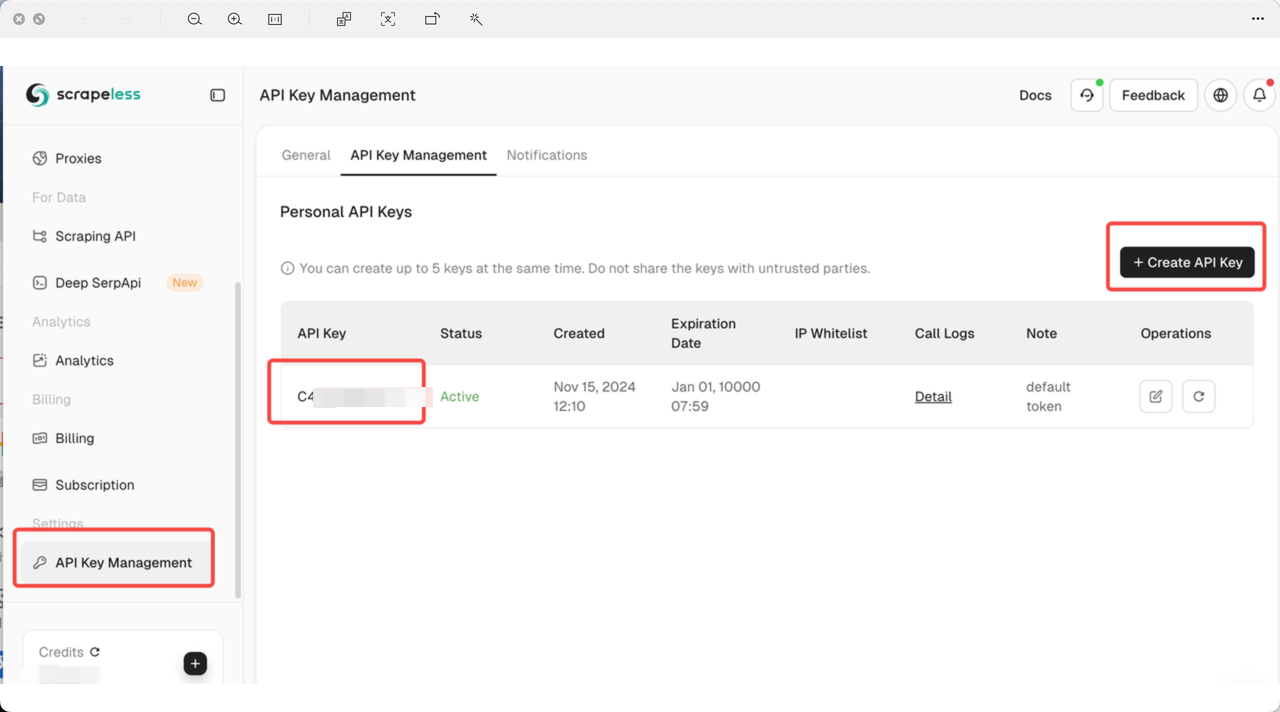
10.x.xTo use Scrapeless MCP Server, you need an API key:
Download and install the Cursor desktop application from the official site.
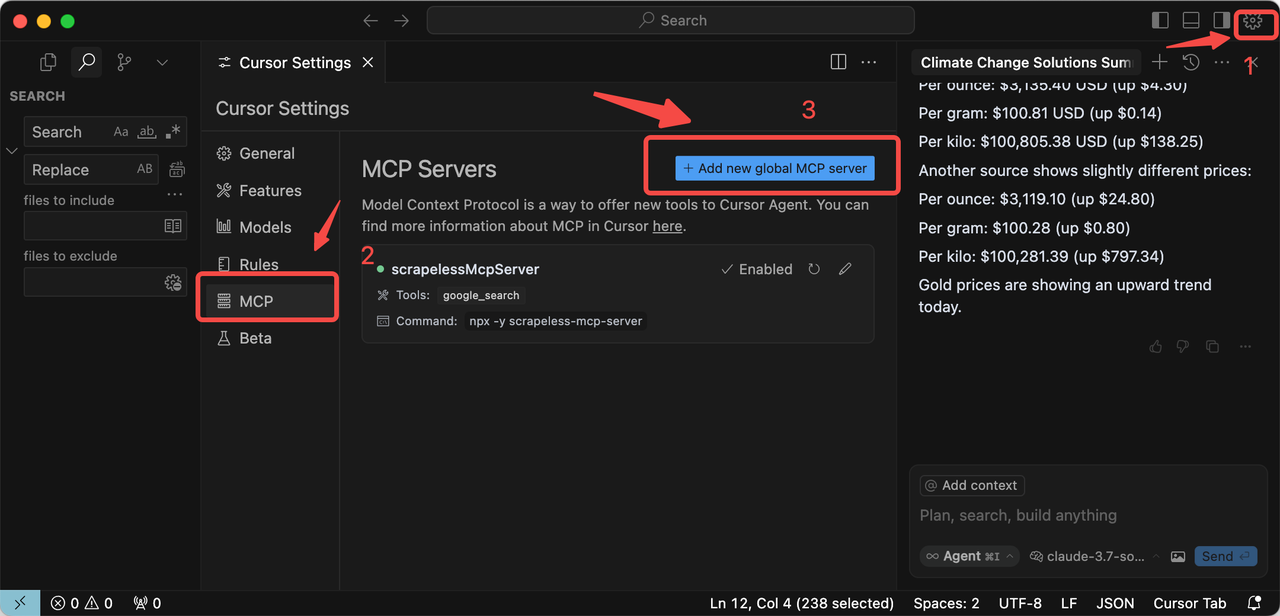
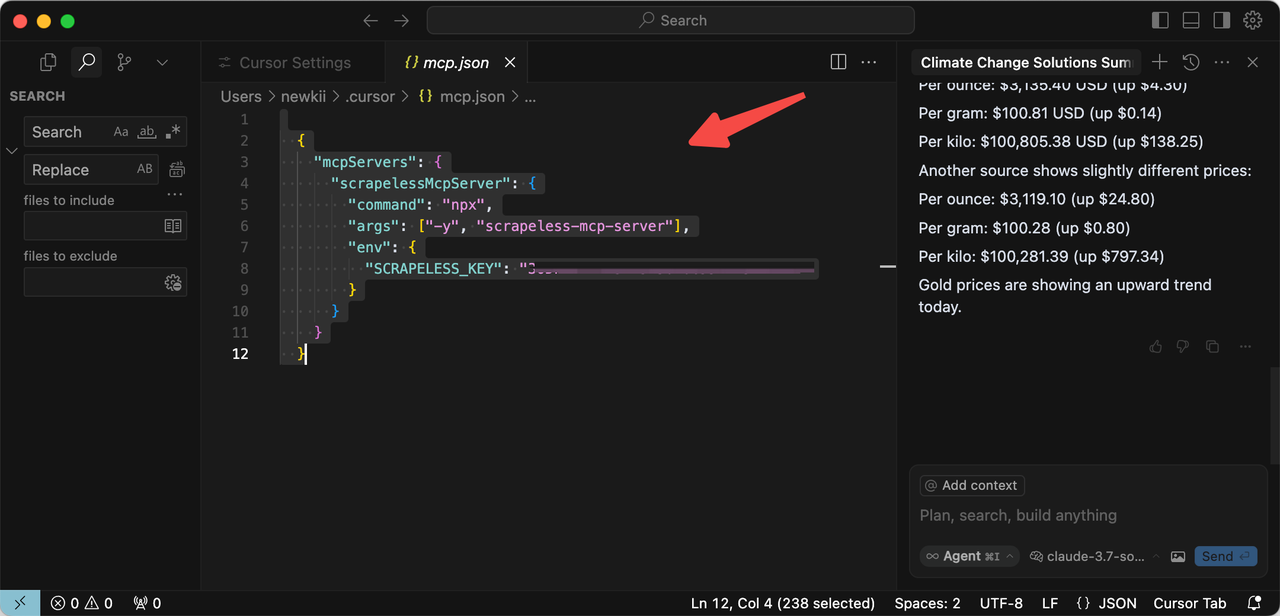
{
  "mcpServers": {
    "scrapelessMcpServer": {
      "command": "npx",
      "args": ["-y", "scrapeless-mcp-server"],
      "env": {
        "SCRAPELESS_KEY": "YOUR_SCRAPELESS_KEY"
      }
    }
  }
}
Once configured, you can start using Scrapeless MCP Server in Cursor by entering queries in the chat interface. For example:
Please help me check today's gold price.The cursor will then call Scrapeless MCP Server and return accurate real-time results.
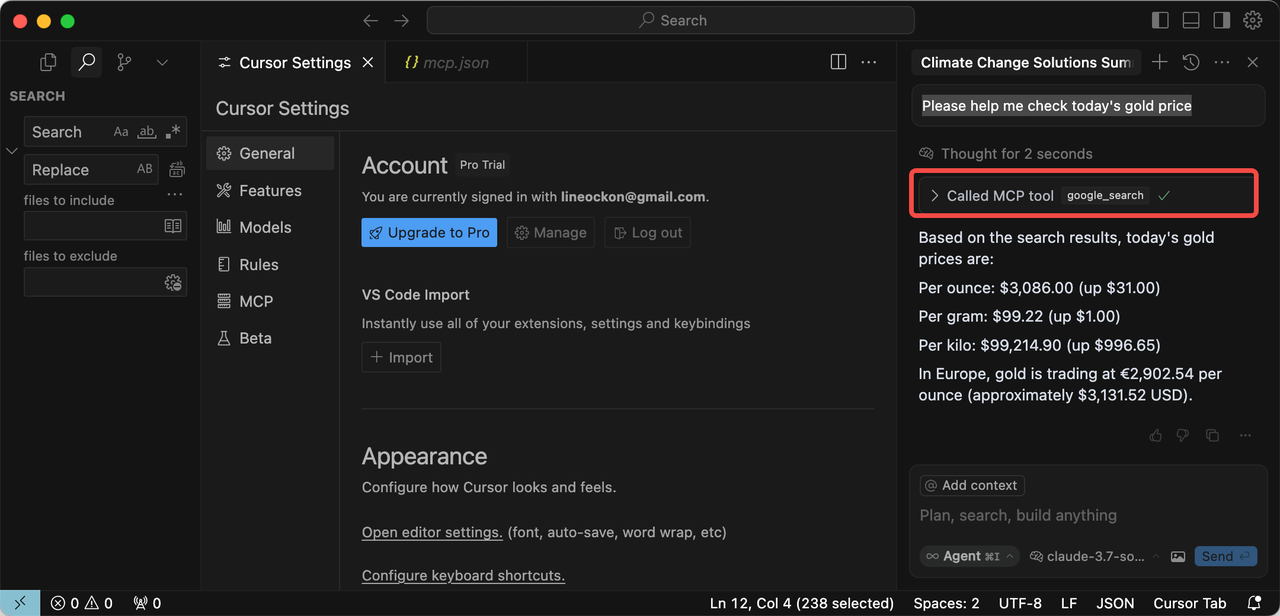
By following these steps, you can successfully integrate Scrapeless MCP Server with Cursor and enhance your AI-powered coding workflow.
